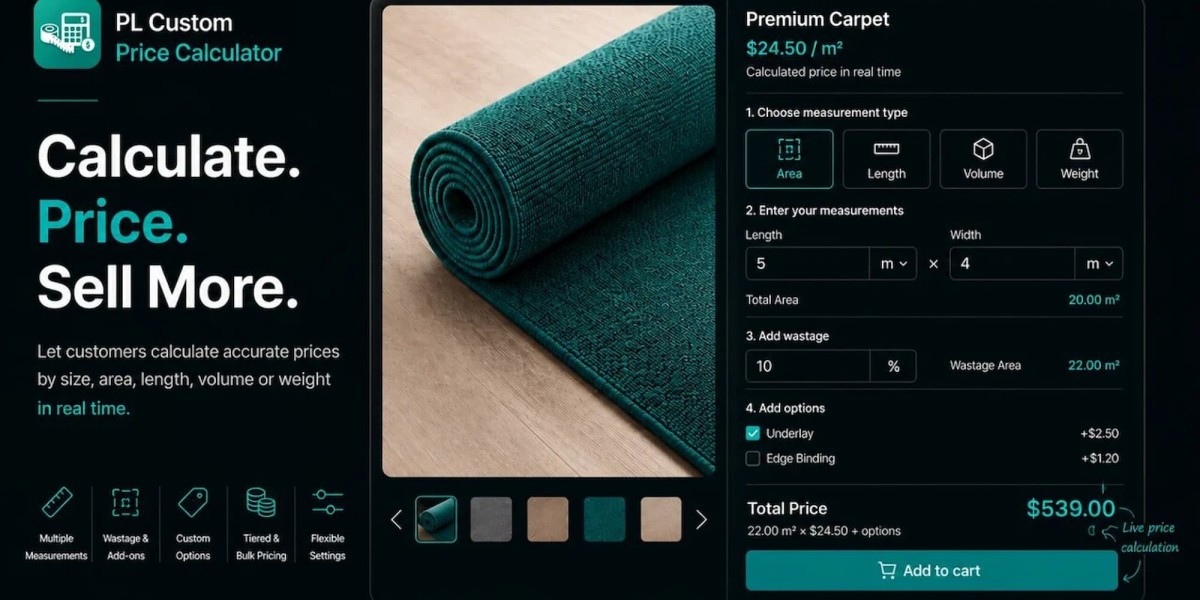


Mosaic, porcelain, and ceramic tile all get quoted per square meter, yet they are packed, cut, and installed in very different ways. Mosaics arrive on small sheets, porcelain often comes in large formats that need more cuts, and ceramic covers everything from thin wall tiles to floor-rated pieces. A store that treats them all the same ends up with quotes that are either too low or too confusing. Adding a custom price calculator Shopify app lets you handle each tile type on its own terms while giving customers a single clear price based on the area they enter. This guide explains how the three tile types differ, how to convert area into sheets and boxes, and how to set it all up with PL Custom Price Calculator by Pluginos.

Why Different Tile Types Need Different Pricing Logic
Every tile is priced by the area it covers, but the way that area turns into a purchase quantity varies. Getting this wrong is the most common cause of over-ordering, short orders, and support emails.
Mosaic tile
Mosaic tile is usually sold on mesh-backed sheets that cover a small, fixed area, often around 0.09 m² for a 300 × 300 mm sheet. Because the sheet is small, the quantity is the number of sheets, and rounding up costs less per unit than it does with large boxes. Mosaics are common on backsplashes, shower walls, and feature areas, where the surface is often small and irregular.
Porcelain tile
Porcelain is generally denser and harder than ceramic, which makes it durable but also tougher to cut. It is often sold in large formats, such as 600 × 1200 mm, packed in boxes of only a few tiles. Fewer, bigger tiles mean more waste at edges, so installers often recommend a higher allowance.
Ceramic tile
Ceramic tile spans a wide range. Wall tiles are often thinner and lighter, while floor-rated ceramic is built for foot traffic. Check each product's rating before recommending it for floors, and set up your pricing so wall and floor products can be treated differently if needed.
How the differences affect the order
Tile type | Typical selling unit | What drives the quantity |
Mosaic | Sheet | Small sheet size, irregular surfaces, pattern |
Porcelain | Box or square meter | Large formats, more cuts, difficult to cut |
Ceramic | Box or square meter | Wall or floor use, layout pattern |
The Area Pricing Formula for Any Tile
Step 1: Calculate the area to cover
Multiply length by width. For walls, multiply height by width, and subtract large openings such as windows and doors if they are sizeable. For irregular spaces, split the surface into rectangles and add them together.
Step 2: Add the allowance for cuts and breakage
Multiply the area by one plus the allowance. A 10% allowance turns 5.0 m² into 5.5 m².
Step 3: Convert to sheets or boxes
Divide by the coverage of one sheet or box, then round up to a whole number.
Step 4: Calculate the total price
Multiply the sheets or boxes by the unit price. If you sell by area, multiply the adjusted area by your rate per square meter.
Worked Examples
Example 1: mosaic backsplash
Surface: 2.4 m × 0.6 m = 1.44 m²
Allowance: 10%, which makes the area to cover 1.584 m²
Sheet: 300 × 300 mm, covering 0.09 m²
Price: $95.00 per m² ($8.55 per sheet)
- Sheets needed: 1.584 ÷ 0.09 = 17.6, rounded up to 18 sheets
- Price by sheet: 18 × $8.55 = $153.90
- Price by area: 1.584 × $95.00 = $150.48
Because sheets are small, the rounding difference is only $3.42. That is why mosaics can comfortably be priced by area or by sheet without much confusion.
Example 2: large-format porcelain floor
Room: 2.8 m × 2.1 m = 5.88 m²
Allowance: 15%, which makes the area to cover 6.762 m²
Tile: 600 × 1200 mm (0.72 m² each)
Box: 2 tiles per box, covering 1.44 m²
Price: $52.00 per m² ($74.88 per box)
- Boxes needed: 6.762 ÷ 1.44 = 4.7, rounded up to 5 boxes (7.2 m²)
- Price by box: 5 × $74.88 = $374.40
- Price by area: 6.762 × $52.00 = $351.62
Here the rounding gap is $22.78, because boxes are large. If customers can only buy whole boxes, the box-based total is what they will pay, so that is the figure the product page should show.
Wastage Guidelines by Tile Type
These are commonly cited ranges, so follow manufacturer and installer guidance for each product.
Situation | Typical allowance |
Mosaic sheets on a flat, straight wall | 5-10% |
Mosaics on curved or irregular surfaces | 10-15% |
Standard porcelain or ceramic, straight layout | Around 10% |
Large-format porcelain or rooms with many cuts | 10-15% |
Diagonal, herringbone, or patterned layouts | 15-20% |
Why one store-wide allowance does not work
A flat mosaic backsplash and a herringbone porcelain floor do not need the same buffer. Grouping products by tile type and layout lets you apply allowances that make sense without overcomplicating your catalog.
Setting Up Tile Pricing With PL Custom Price Calculator
PL Custom Price Calculator is a Shopify app for measurement-based products. Its App Store listing describes pricing by weight, length, area, volume, surface area, or tile coverage, with multiple measurement units, minimum and maximum limits, wastage, custom options, and quantity-based pricing. A 7-day free trial is available. Menu labels may differ, so treat the steps as a workflow.
Step 1: Group your products by tile type
Create collections for mosaics, porcelain, and ceramic, or subgroups such as wall tile and floor tile. Each group can share a rule.
Step 2: Record coverage data
Note the coverage of each sheet or box and decide whether the Shopify price represents a unit or an area.
Step 3: Create a rule for each group
Create pricing rules with an area or tile-coverage calculator. The app lists 7+ predefined calculators, which can speed things up.
Step 4: Choose units, limits, and price source
Set the units your customers use, add minimum and maximum limits, and choose between the product price and a specific per-unit price. A per-unit price is useful when the Shopify price is per sheet or box but you calculate by area.
Step 5: Set the wastage allowance for each group
Apply a higher allowance to large-format porcelain than to a straight mosaic backsplash, and confirm during your trial how the wastage setting behaves.
Step 6: Add options for extras
Checkboxes, radio buttons, and dropdowns can capture adhesive, grout, spacers, trim, or sealer, so the total reflects the whole project.
Step 7: Add bulk pricing
Set quantity tiers for contractors and larger projects so the per-unit price drops as the order grows.
Step 8: Assign, preview, and test
Apply each rule to the right products or collections, then use the live preview and place several test orders. Try a small backsplash, a large room, and an order that lands just past a box boundary.
Tips for Tile Product Pages
State the coverage per sheet or box
Put the coverage next to the price. It helps customers check the numbers and makes the quantity easier to trust.
Explain why the total is higher than the raw area
A short line such as "We add an allowance for cuts and breakage" prevents the assumption that the price is inflated.
Recommend ordering in one go
Tile can vary slightly in shade between batches, so encourage customers to buy everything they need at once.
Offer samples
Finish, color, and texture are hard to judge on screen, and a sample reduces returns of full orders.
Common Mistakes When Pricing Mosaic, Porcelain, and Ceramic Tile
- Using one allowance for all tile: large formats and patterns need more than simple layouts.
- Ignoring sheet or box rounding: the final quantity should match what customers can really buy.
- Mixing units: a rate per square foot applied to square meters leads to wrong totals.
- Treating wall and floor tile the same: not every ceramic tile is rated for floors.
- Leaving out adhesive and grout: customers will add them elsewhere.
- Skipping edge-case tests: always test near sheet and box boundaries.
Frequently Asked Questions
How do I price mosaic tile by area?
Calculate the area to be covered, add an allowance for cuts, then divide by the coverage of one sheet and round up. Multiply the number of sheets by the sheet price, or multiply the adjusted area by a per-area rate if you sell by area.
How much extra porcelain tile should a customer order?
Commonly cited guidance is about 10% for standard layouts, 10-15% for large-format tiles or rooms with many cuts, and 15-20% for intricate patterns. Always follow the manufacturer's recommendation for the specific product.
What is the difference between porcelain and ceramic tile for pricing?
Both are usually priced by area or by box. Porcelain is generally denser and harder to cut, which is why installers often recommend a larger allowance, and ceramic products vary in whether they are rated for floors, so check each product's rating.
Can one store use different pricing rules for mosaic, porcelain, and ceramic tile?
Yes. Separate pricing rules can be assigned to selected products or collections, so each tile type can have its own units, allowance, and price source.
Should tile be sold by the sheet, the box, or the square meter?
Mosaics are commonly sold by the sheet, while floor and wall tiles are usually sold by the box or the square meter. Choose the unit that matches how the product is packed and shipped, and show the customer the quantity they will actually pay for.
Conclusion
Mosaic, porcelain, and ceramic tile share one pricing principle, area, but each turns that area into a different purchase. Mosaics round in small steps, large-format porcelain rounds in big ones, and ceramic depends on where it will be used. Handling those differences in your pricing rules gives customers a quote they can trust and saves your team from answering the same measurement questions repeatedly. To try it on your own range, PL Custom Price Calculator offers a 7-day free trial. Set up one product from each tile type, compare the totals with your manual calculations, and expand once they match.









