

Fake signups are one of those SaaS problems that can look harmless at first.
A few extra accounts appear in the database. Trial usage increases slightly. Your analytics show more registered users. Nothing seems particularly alarming.
Then the numbers start adding up.
Fake accounts can consume free-trial credits, inflate acquisition metrics, pollute product analytics, create unnecessary support requests, abuse referral programs, and make it harder for your team to understand which users are actually interested in your product.
For SaaS businesses that provide free trials, API credits, discounts, or other resources at signup, the problem can become even more significant.
The good news is that fake signup prevention doesn't have to mean adding complicated friction to every registration.
A better approach is to build a layered signup-validation system that combines email verification, disposable-email detection, rate limiting, account-behavior signals, and ownership verification.
This guide explains how that system works, how email verification fits into it, and how SaaS teams can implement a practical signup-defense strategy in 2026.
What Is a Fake Signup?
A fake signup is a registration that does not represent a genuine potential customer or legitimate user.
The person completing the form may use:
A disposable email address
A temporary mailbox
Multiple email aliases
Automated or bot-generated registrations
Repeated accounts created to obtain free resources
Fraudulent or fabricated information
Addresses that cannot receive email
Not every unusual signup is fraudulent.
For example, someone may legitimately prefer a privacy-focused email service or use an alias for organizational reasons.
That is why a good anti-abuse system should not simply classify every unusual registration as "fake."
Instead, the goal is to identify risk signals and decide what action is appropriate.
Why Fake Signups Are a Problem for SaaS
The obvious cost of a fake signup is the resource consumed by the account.
But the less obvious costs can be even more important.
1. Free-Trial Abuse
Suppose your SaaS product provides 14 days of free access.
A genuine customer might create one account, evaluate the product, and eventually upgrade.
An abusive user may repeatedly create accounts to receive the same trial benefits.
If your signup system only checks whether an email address has valid syntax, those registrations may pass without difficulty.
2. Polluted Analytics
Imagine your dashboard says:
50,000 registered users
12,000 activated users
3,000 trial users
600 paying customers
If a significant portion of those registrations are automated or disposable accounts, your conversion metrics may not represent actual customer behavior.
This makes decisions about acquisition, activation, retention, and product development more difficult.
3. Increased Infrastructure Costs
Free accounts can consume:
API requests
Database storage
Compute resources
File storage
AI tokens
Background jobs
Email notifications
For an AI SaaS product, for example, uncontrolled trial abuse can directly consume expensive model-inference resources.
4. Referral and Promotional Abuse
Signup systems are often connected to referral programs.
A user might receive credits for inviting another person.
If your platform doesn't distinguish legitimate registrations from abusive ones, promotional incentives can become another attack surface.
5. Poor Email Data
Low-quality addresses can also damage downstream email operations.
If your platform sends onboarding or transactional messages to addresses that aren't useful, your email metrics can become less reliable.
That's why signup protection and email hygiene are closely connected.
The Role of Email Verification
Email verification is one of the most useful layers in a SaaS signup-defense system.
An email verification API can evaluate an address before your application creates an account.
Instead of simply asking:
Does this input contain an @ symbol?
your backend can evaluate several additional signals.
Depending on the provider, these can include:
Email syntax
Domain validity
DNS information
MX records
Disposable-email status
Free-provider classification
Role-account detection
Typo detection
Risk scoring
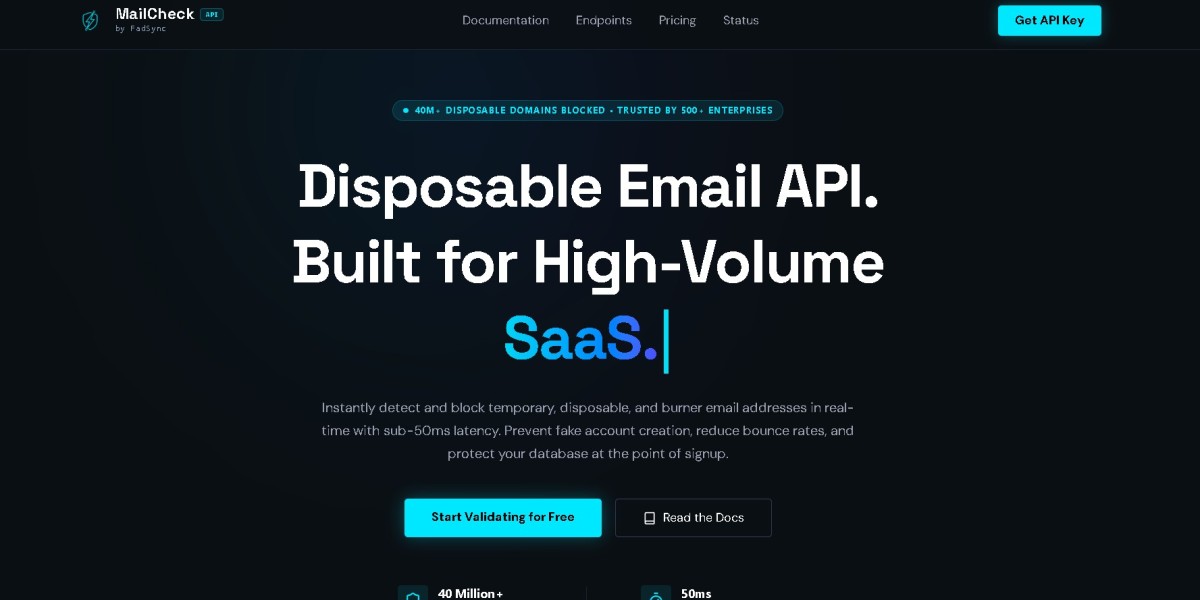
MailCheck describes checks for syntax, disposable domains, DNS/MX information, and risk signals in its current API documentation.
This makes email validation more useful as an anti-abuse signal, rather than merely a form-validation feature.
Email Validation Is Not the Same as Email Ownership
This distinction is important.
An email verification API can determine that an address appears technically valid and that its domain is configured to receive mail.
That does not necessarily prove that the person signing up owns the address.
For example:
alex@example.comcould have:
Valid syntax
A real domain
Valid MX records
No disposable-domain classification
Yet your application still needs a way to confirm that the user controls the mailbox.
That's where traditional email ownership verification comes in.
A strong signup system can therefore use two stages:
Stage 1: Pre-signup validation
Determine whether the submitted address appears legitimate and acceptable.
Stage 2: Email ownership verification
Send a confirmation link or code and require the user to complete verification.
This gives your application both technical validation and ownership confirmation.
The Five Layers of Fake Signup Prevention
Email verification is important, but it shouldn't be your only defense.
A practical SaaS signup system can use five major layers.
Layer 1: Basic Input Validation
Start with simple checks.
Your frontend can immediately detect obvious problems such as:
not-an-emailuser@@example.comThis provides instant feedback without requiring an API request.
However, don't confuse this layer with complete email verification.
A regex or basic validator cannot determine whether a domain is disposable, whether the domain has mail infrastructure, or whether the registration is abusive.
Layer 2: Email Intelligence
The next layer is server-side email verification.
Your backend sends the submitted address to an email verification service and evaluates the response.
A typical flow looks like this:
User enters email ↓Frontend validation ↓Backend receives signup ↓Email verification API ↓Syntax + domain + MX + disposable checks ↓Risk evaluation ↓Allow / reject / challengeFor developers, the MailCheck API documentation provides the API and integration reference.
Layer 3: Disposable Email Detection
Disposable addresses deserve special attention because they're frequently associated with short-lived registrations.
A SaaS product offering free resources may choose to reject known disposable domains.
However, this should be done carefully.
A good disposable email detection system should be treated as one signal within the larger anti-abuse architecture.
Don't assume:
disposable = maliciousInstead, think:
disposable = higher signup riskThat distinction allows you to design better policies.
Should SaaS Products Block Disposable Emails?
It depends on the business model.
For a SaaS platform offering a generous free trial, blocking known disposable addresses may make sense.
For a low-risk community or content website, completely blocking them could create unnecessary friction.
Consider three possible policies.
Policy A: Hard Block
The registration is rejected.
This is appropriate when disposable addresses directly undermine the product's economics.
Policy B: Soft Challenge
The user is asked to provide a permanent email address or complete additional verification.
This can reduce false positives.
Policy C: Allow but Monitor
The account is created, but additional restrictions are applied until the user demonstrates legitimate behavior.
This can work well when maximizing signup conversion is more important than preventing every suspicious registration.
The correct choice depends on your product.
Layer 4: Signup Rate Limiting
Email verification alone cannot stop every form of automated registration.
An attacker can potentially submit many addresses.
That's why your signup endpoint should also have rate limits.
For example:
IP address ↓Signup requests per minute ↓Threshold exceeded? ↓Temporary challenge / blockYou can also apply limits to:
IP addresses
Device identifiers
Accounts
Email domains
Referral codes
API keys
Promotional campaigns
Rate limiting is particularly important when an attacker attempts to automate signup creation at high volume.
If your verification service also imposes request limits, your backend should handle those responses gracefully rather than allowing one abusive signup burst to disrupt your entire registration system.
Layer 5: Behavioral Signals
The final layer is behavior.
Two users might submit equally valid email addresses, but their behavior could be completely different.
For example:
User A
One signup
Normal browsing
Completes onboarding
Verifies email
Uses the product normally
User B
Ten signup attempts
Several different domains
Extremely rapid requests
Repeated trial activation
No meaningful product usage
Email validation alone may not distinguish those cases.
Behavioral signals can.
This is why the strongest SaaS anti-abuse systems combine email intelligence with application-level telemetry.
A Better Risk-Scoring Model
Instead of using a binary rule such as:
email is valid → acceptemail is invalid → rejectconsider a risk model.
For example:
Email risk+Signup frequency+IP reputation+Device behavior+Trial history+Referral activity=Overall signup riskYour application can then define thresholds.
For example:
Low risk→ Create accountMedium risk→ Require email verificationHigh risk→ Reject or require additional verificationThe exact thresholds should be based on your own data.
The important concept is that risk-based decisions are usually more flexible than a single yes/no email rule.
Detecting Multiple Accounts
One common SaaS abuse pattern is repeated registration.
A user might create:
user1@example.comuser2@example.comuser3@example.comand attempt to obtain the same promotional benefit each time.
Email addresses aren't always sufficient to identify this behavior.
Your system can also evaluate:
IP patterns
Device signals
Signup timestamps
Payment information where appropriate
Referral relationships
Repeated browser behavior
Account creation velocity
You should also understand email aliasing.
Some email providers support address variations that can still route mail to the same underlying mailbox.
If your business model is particularly vulnerable to trial farming, address normalization can therefore become another component of your anti-abuse strategy.
Don't Depend on a Static Disposable Domain List
A static list can be useful, but it has an important weakness.
Disposable-email providers can create new domains.
If your database only contains yesterday's domains, today's newly created disposable domain may pass.
This is why real-time intelligence can be valuable.
MailCheck's comparison page describes its disposable-domain detection as covering more than 40 million domains and emphasizes automated detection of newly created disposable domains.
The general lesson is:
Don't treat a disposable-domain list as a permanent security boundary.
Threat data changes.
Your detection system should be capable of updating as the ecosystem changes.
Where Should Email Verification Happen?
The best place is generally on the backend.
A common architecture is:
Browser ↓Signup endpoint ↓Authentication service ↓Email verification API ↓Risk engine ↓Account databaseYou can perform lightweight checks in the browser for user experience, but security decisions should happen server-side.
Why?
Because anything enforced exclusively in frontend JavaScript can potentially be bypassed.
Your backend should remain the final authority on whether an account is created.
Example Backend Logic
A simplified implementation might look like this:
async function signup(email, userContext) { const verification = await verifyEmail(email); if (!verification.isValidFormat) { throw new Error("Invalid email address"); } if (verification.isDisposable) { throw new Error("Disposable email addresses are not supported"); } const risk = calculateSignupRisk({ emailRisk: verification.riskScore, ip: userContext.ip, signupFrequency: userContext.signupFrequency }); if (risk === "high") { throw new Error("Additional verification required"); } return createAccount(email);}The actual implementation will depend on your framework and authentication system.
The important architecture is that email verification happens before the account receives valuable resources.
Protect Valuable Resources After Signup
Preventing account creation is useful, but sometimes you don't want to reject a legitimate user just because a signal looks unusual.
In that situation, you can delay access to expensive features.
For example:
Signup ↓Email validation ↓Account created ↓Email ownership verification ↓Risk evaluation ↓Full trial activatedYou might allow the account to exist while restricting:
API credits
Large exports
Referral rewards
High-volume actions
Expensive AI operations
This creates another layer of protection.
A suspicious registration doesn't necessarily have to be deleted immediately.
It can simply remain in a restricted state until additional evidence supports the account.
Preventing Free-Trial Abuse
Free trials are particularly vulnerable because the incentive is obvious.
If a SaaS product gives every new account $50 of usage, creating 20 accounts can potentially produce significant losses.
A strong trial-protection system can therefore combine:
Email validation
Disposable-domain detection
Email ownership verification
Signup rate limiting
Device/IP signals
Account-history checks
Usage limits
Payment verification where appropriate
The goal isn't to make signup difficult.
The goal is to make repeated abuse more expensive than legitimate use.
For SaaS businesses using Stripe-based subscriptions and trials, the site also provides a dedicated guide to preventing free-trial abuse.
Handling False Positives
One of the biggest mistakes in anti-fraud engineering is focusing entirely on blocking attackers.
You also need to measure how many legitimate users you're blocking.
Suppose your disposable-email rule blocks 10,000 registrations.
If 9,500 were abusive, the rule looks excellent.
But if 4,000 were legitimate privacy-conscious users, the business may be losing valuable customers.
Track metrics such as:
Signup acceptance rate
Email verification rate
Trial activation rate
Conversion rate
Disposable-email rejection rate
Challenge completion rate
Fraud reports
Support complaints
Then compare those metrics over time.
Anti-abuse systems should evolve based on actual outcomes.
How Fast Should Signup Verification Be?
Security controls shouldn't unnecessarily slow down registration.
If an email API takes several seconds to respond, users may abandon the form.
That's why API latency matters when choosing an email verification provider.
MailCheck currently positions its service as an edge-native validation API with sub-50ms response times.
Regardless of the provider you use, your application should also define:
Connection timeout
Request timeout
Retry behavior
Failure behavior
Logging
Monitoring
Never allow an external API dependency to become an uncontrolled bottleneck in your signup endpoint.
What Happens If the Verification API Goes Down?
Your system needs a fallback strategy.
Imagine:
User → Signup ↓Email verification API ↓Service unavailableWhat should happen?
There are several possible approaches.
Fail Closed
Don't create the account until verification succeeds.
This provides stronger protection but can affect signup availability.
Fail Open
Create the account and apply additional restrictions.
This protects conversion but temporarily reduces the effectiveness of your email defense.
Queue Verification
Create a limited account and perform enhanced verification asynchronously.
This can be useful for some workflows.
The right choice depends on how costly fake accounts are compared with failed legitimate registrations.
Monitor Your Signup Funnel
You can't improve what you don't measure.
A useful signup dashboard might include:
Signup attempts ↓Passed basic validation ↓Passed email verification ↓Passed risk checks ↓Verified mailbox ↓Activated trial ↓Converted customerThis gives your team visibility into where users are being rejected.
For example, if signup volume stays constant but email-verification rejection suddenly doubles, you can investigate whether the change came from:
A new campaign
A disposable-domain spike
An API configuration change
A validation-rule change
Bot activity
Monitoring turns anti-abuse from a one-time implementation into an ongoing engineering process.
Don't Forget API Rate Limits
A high-volume signup attack can also cause your own application to make a large number of verification requests.
That can create a secondary problem.
Suppose an attacker sends 100,000 signup requests.
Your application forwards all 100,000 addresses to the verification API.
Now your application may hit its provider quota or rate limit.
You should therefore put your own rate-limiting and abuse controls before expensive external API calls whenever possible.
A sensible order is:
Request ↓Basic validation ↓Local rate limit ↓Bot/abuse signal ↓Email verification API ↓Risk decisionThis protects both your application and your verification budget.
How to Choose an Email Verification Provider
When evaluating an email verification API for SaaS signup protection, don't look only at the price per request.
Compare:
Detection Coverage
Does the service detect disposable domains and other risky addresses?
API Latency
How quickly does the service respond?
Reliability
What happens when the API is temporarily unavailable?
SDK Support
Does it support the language and framework your team uses?
Rate Limits
Can the provider handle your expected signup volume?
Privacy
Understand how submitted email addresses are processed and retained.
Pricing
Calculate the actual cost based on your expected verification volume.
MailCheck maintains a comparison hub for email verification services, including comparisons with providers such as ZeroBounce, NeverBounce, AbstractAPI, and Hunter.
A Complete SaaS Signup Defense Architecture
Putting everything together, a mature signup system can look like this:
┌──────────────────┐ │ Signup Form │ └────────┬─────────┘ ↓ Basic Input Validation ↓ Rate Limit / Bot Check ↓ Email Verification API ↓ ┌───────────────────┴───────────────────┐ ↓ ↓ Disposable Domain Domain / MX Detection Validation └───────────────────┬───────────────────┘ ↓ Risk Evaluation ↓ ┌─────────────┴─────────────┐ ↓ ↓ Low Risk Higher Risk ↓ ↓ Create Account Challenge User ↓ ↓ Verify Ownership Additional Checks ↓ ↓ Activate Trial Allow / RejectThis architecture is more resilient than relying on a single blacklist or regex.
Common Mistakes to Avoid
Mistake 1: Blocking Everything Suspicious
Not every unusual email is fraudulent.
Use risk signals rather than blindly rejecting users.
Mistake 2: Using Only Regex
Regex checks syntax. It doesn't provide comprehensive email intelligence.
Mistake 3: Relying on a Static Blocklist
Disposable domains change constantly.
Mistake 4: Performing Security Checks Only in the Browser
Frontend controls can be bypassed.
Mistake 5: Ignoring Rate Limits
Automated signup attacks can generate thousands of verification requests.
Mistake 6: Giving Valuable Resources Immediately
Consider requiring verification before granting expensive trial credits or features.
Mistake 7: Never Measuring False Positives
A security system that blocks legitimate customers can become a growth problem.
Final Checklist for SaaS Signup Protection
Before launching your signup system, verify that you have:
Basic email-format validation
Server-side validation
Disposable-email detection
Domain and DNS checks
Email ownership verification
Signup rate limiting
Bot protection
Duplicate-account detection
Trial-abuse controls
Risk-based decision logic
API timeout handling
Verification API failure handling
Signup monitoring
False-positive tracking
Privacy review of your verification provider
Final Thoughts
Fake signups are rarely solved by one feature.
A regex won't solve them. A disposable-email list won't solve them. An email verification API won't solve them by itself.
The strongest SaaS signup systems use multiple layers.
Start with basic input validation. Add server-side email intelligence. Detect disposable domains. Apply signup rate limits. Evaluate behavioral signals. Confirm mailbox ownership before giving users unrestricted access to valuable resources.
Most importantly, design the system around risk rather than assumptions.
A legitimate user should be able to sign up quickly, while repeated automated or abusive registration should become increasingly difficult.
For developers building this architecture, the MailCheck developer guides provide implementation-focused material covering disposable-email detection, API handling, authentication integrations, and SaaS anti-fraud workflows.
When email verification becomes one component of a broader signup-defense strategy, SaaS teams can protect trial resources, improve data quality, reduce account abuse, and maintain a signup experience that doesn't punish legitimate customers.









