

Email validation is one of the first problems developers encounter when building a signup form.
At first, the solution seems simple: write a regular expression that checks whether the input looks like an email address.
That approach works for basic frontend validation.
But an email address can be syntactically correct and still be unusable, disposable, misconfigured, risky, or unsuitable for your application.
That's where an email verification API becomes useful.
Instead of checking only the structure of an address, an API can perform additional checks against the domain and other email-related signals.
So which method should developers use?
The short answer is:
Use regex for basic input validation, and use an email verification API when your application needs deeper validation.
These approaches aren't necessarily competitors. In many production applications, they work best together.
This guide explains the differences between regex-based email validation and API-based email verification, what each method can and cannot detect, and how developers can decide which approach makes sense for their application.
What Is Email Validation With Regex?
A regular expression, commonly called regex, is a pattern-matching technique.
Developers can use regex to determine whether a string follows an expected structure.
For example, a simplified pattern might look for:
something@domain.comThe exact expression can become much more complicated depending on how strict the implementation needs to be.
A basic validator might reject:
hellouser@@example.comwhile accepting:
user@example.comThis is useful because it allows your frontend to provide immediate feedback before sending a form to your backend.
For example:
const emailPattern = /^[^\s@]+@[^\s@]+\.[^\s@]+$/;if (!emailPattern.test(email)) { throw new Error("Enter a valid email address.");}This is fast, inexpensive, and doesn't require an external service.
But it has a major limitation.
Regex can evaluate the text. It cannot independently determine what exists on the internet behind that text.
What Can Regex Actually Tell You?
Regex can help answer questions such as:
Does this input resemble an email address?
It cannot reliably answer questions such as:
Does the domain exist?
Does the domain have MX records?
Can the domain receive email?
Is the domain disposable?
Is this address likely to be a typo?
Is the address associated with elevated risk?
Is the mailbox actually controlled by the user?
This distinction is extremely important.
Consider:
alex@company-example.comThe address could have perfectly valid syntax.
A regex validator may accept it.
But what if company-example.com doesn't exist?
The regex has no way to know.
What Is an Email Verification API?
An email verification API is an external service that your application can query programmatically.
Your backend sends an email address to the API.
The API performs various checks and returns structured information.
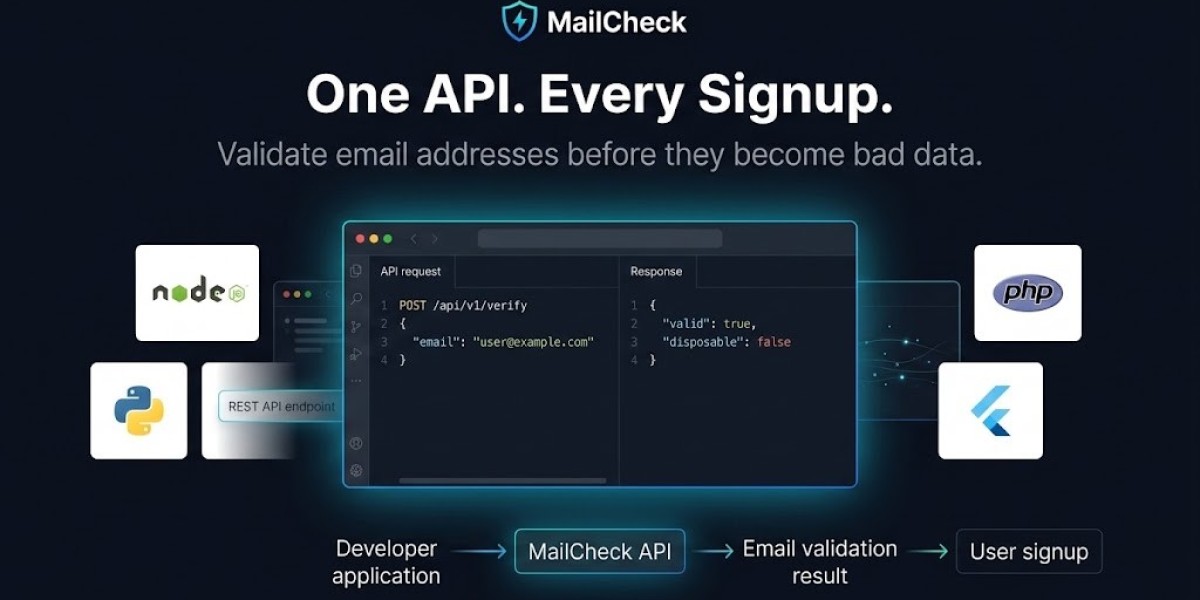
A simplified request might look like:
POST /verify{ "email": "alex@example.com"}The response could contain information such as:
{ "is_valid_format": true, "is_disposable": false, "is_free_provider": false, "is_role_account": false, "risk_score": 12}The exact fields depend on the provider.
For example, MailCheck documents validation signals including format validity, disposable status, free-provider classification, role-account detection, domain information, and risk scoring. (mailcheck.fadsync.com)
That gives developers information that a local regex cannot provide.
Regex vs Email Verification API
The fundamental difference is the amount of information each method can evaluate.
| Capability | Regex | Email Verification API |
|---|---|---|
| Basic syntax | Yes | Yes |
| Domain existence | No | Usually |
| DNS/MX checks | No | Usually |
| Disposable detection | No | Yes, depending on provider |
| Typo detection | No | Some providers |
| Risk scoring | No | Some providers |
| Free-provider detection | No | Some providers |
| Role-account detection | No | Some providers |
| External data | No | Yes |
| Requires API request | No | Yes |
| Ongoing provider data | No | Yes |
The important point is that regex and API validation solve different problems.
Why Regex Is Still Useful
The limitations of regex don't make it useless.
In fact, developers should often continue using basic client-side validation.
Why?
Because regex is:
Fast
Local
Cheap
Simple
Available without an external dependency
Useful for immediate user feedback
Imagine a user enters:
johnexample.comThere is no reason to send that input to an external API.
Your frontend can immediately tell the user that the format needs to be corrected.
This reduces unnecessary API requests and creates a smoother user experience.
A good architecture therefore often starts with lightweight local validation.
Why Regex Alone Isn't Enough for Production Signup
Suppose a user enters:
john@example.comThe address passes your regex.
But that doesn't mean the registration is necessarily useful.
Several things could still be true:
The domain doesn't exist
The domain has no mail infrastructure
The domain is disposable
The address contains a typo that happens to match the pattern
The address presents a high-risk signal
The mailbox isn't controlled by the person signing up
Regex can't distinguish these scenarios.
For a simple contact form, that may not matter.
For a SaaS signup form that provides a free trial, it can matter a lot.
When Should Developers Use Regex?
Regex is particularly useful for client-side form validation.
For example:
User enters email ↓Basic format check ↓Invalid? ↓Show error immediatelyThis avoids making an unnecessary network request for obviously malformed input.
Regex can also be useful in backend validation as a lightweight first step.
However, don't make the regex so complicated that it becomes difficult to maintain.
Email syntax has many edge cases, and trying to implement the entire email standard using one enormous regular expression can create more problems than it solves.
For most applications, a practical format check is enough for the first layer.
When Should Developers Use an Email Verification API?
An API becomes more valuable when the application needs information beyond syntax.
Common use cases include:
SaaS signup
Free-trial protection
Lead capture
B2B registration
Newsletter forms
Marketplace accounts
Account creation
CRM data validation
Bulk email-list cleanup
Fraud prevention
If your business loses money or resources when users submit low-quality or disposable addresses, deeper validation can provide useful signals.
You can explore a real-time email validation tool to understand the type of checks an API-based system can perform.
The Difference Between "Valid" and "Deliverable"
This is one of the most important concepts in email validation.
An address can be syntactically valid without being deliverable.
For example:
totally-valid-looking-address@example.commay satisfy your regex.
But if the domain doesn't have appropriate mail infrastructure, the address may not be useful.
Likewise, a domain can have valid mail infrastructure while the specific mailbox doesn't exist.
Therefore, email validation is not one single question.
There are multiple levels:
Level 1: Format
Does the text resemble an email address?
Level 2: Domain
Does the domain exist?
Level 3: Mail Infrastructure
Does the domain have appropriate DNS/MX configuration?
Level 4: Risk
Does the address or domain have characteristics associated with disposable or risky use?
Level 5: Ownership
Can the user actually access the mailbox?
Each level answers a different question.
Regex Cannot Detect Disposable Emails
This is another major limitation.
Consider:
test@temporary-example.comA regex can determine that the string has a recognizable email structure.
It cannot know that temporary-example.com is associated with a disposable email service.
To detect disposable domains, you need external data or a maintained database.
A dedicated disposable email detection guide explains the problem from a developer perspective.
This distinction becomes especially important for SaaS applications that offer free trials.
Why Disposable Email Detection Matters for SaaS
Imagine a SaaS application offering:
14-day free trials
Free API credits
Premium features
Referral bonuses
A user can submit:
first@example.comand receive a trial.
If the system only checks syntax, the same person may be able to register again with another disposable address.
Regex won't identify that behavior.
A verification API can provide disposable-domain signals that your application can combine with other anti-abuse controls.
For SaaS teams, this can make email verification part of a larger signup-protection strategy.
API Validation Can Check DNS and MX Records
DNS and MX checks are another area where API-based validation has a clear advantage.
A domain's MX records indicate which mail servers are responsible for receiving email for that domain.
A verification service can perform DNS lookups and return information about the domain's mail configuration.
This doesn't guarantee that a specific mailbox exists.
But it gives you information that regex fundamentally cannot provide.
A simplified flow is:
Email ↓Extract domain ↓DNS lookup ↓MX records ↓Evaluate domainThis can help identify addresses associated with invalid or misconfigured domains.
What About Sending a Verification Email?
Some developers assume that the best way to validate an email is simply to send a confirmation link.
Email ownership verification is valuable, but it answers a different question.
It asks:
Can this person access the mailbox?
An email verification API can answer questions such as:
Does this address appear technically valid?
Is the domain configured?
Is the domain disposable?
These mechanisms complement each other.
A robust signup system can use both:
Format validation ↓Email intelligence ↓Account creation ↓Ownership verificationThis is stronger than relying on either method alone.
The Ideal Architecture: Regex + API
For most production SaaS applications, you don't need to choose one.
Use both.
A practical workflow is:
User enters email ↓Client-side format validation ↓Backend receives signup ↓Rate-limit request ↓Email verification API ↓Risk evaluation ↓Create account ↓Send ownership verificationEach layer has a different responsibility.
Regex
Fast local feedback.
Rate Limiting
Protect the signup endpoint.
Email Verification API
Provide deeper email intelligence.
Ownership Verification
Confirm mailbox access.
This layered architecture is generally more useful than trying to make one tool do everything.
Example: Combining Regex With an API
A simple JavaScript implementation might look like:
const emailPattern = /^[^\s@]+@[^\s@]+\.[^\s@]+$/;async function validateSignup(email) { // Fast local check if (!emailPattern.test(email)) { return { allowed: false, reason: "Invalid email format" }; } // Deeper server-side check const result = await verifyEmailWithAPI(email); if (!result.isValidFormat) { return { allowed: false, reason: "Email failed validation" }; } if (result.isDisposable) { return { allowed: false, reason: "Disposable email detected" }; } return { allowed: true };}In production, the API request should generally happen on your backend rather than exposing a secret API key in frontend JavaScript.
The provider's API documentation should be used for the actual authentication method, endpoint, request format, and response fields.
Don't Make Regex Too Strict
There is another important problem with regex-based validation.
A regex that is too restrictive can reject addresses that are technically valid.
Email syntax has more edge cases than the typical:
name@example.compattern suggests.
For example, some legitimate addresses can contain characters or structures that simplistic regular expressions don't expect.
Therefore, trying to create an enormous regex to perfectly implement every email syntax rule isn't necessarily the best engineering decision.
A practical validator should prioritize:
Good user experience
Maintainability
Reasonable syntax checking
Server-side validation
Deeper verification when needed
The objective isn't to win a regex contest.
It's to build a reliable signup system.
API Validation Has Costs Too
An email verification API isn't automatically better in every situation.
It introduces dependencies.
Your application now has to consider:
API cost
Network latency
Provider availability
Rate limits
API authentication
Error handling
Privacy
Data processing
If your website receives only a few low-risk contact-form submissions, a full verification API may provide little business value.
If your SaaS product processes thousands of signups and gives every account expensive free resources, the additional information can be much more valuable.
The right solution depends on the problem you're trying to solve.
What Happens If the API Is Down?
External services can fail.
Your signup system needs a policy for that situation.
You might:
Fail Closed
Don't allow registration until validation succeeds.
This is appropriate for high-risk workflows.
Fail Open
Allow registration but restrict certain features until verification is completed.
This can protect conversion.
Retry
Retry temporary failures with appropriate backoff.
Queue
Create a limited account and perform additional checks asynchronously.
Your decision should depend on the cost of false positives versus false negatives.
If verification is only a convenience feature, failing open may be reasonable.
If your application is highly exposed to automated abuse, failing closed or restricting the account may make more sense.
What About API Rate Limits?
A high-volume application can generate a large number of verification requests.
You should therefore consider rate limiting before calling the external API.
A useful flow is:
Signup request ↓Basic validation ↓Application rate limit ↓Bot / abuse checks ↓Email verification APIThis prevents obviously abusive traffic from consuming your entire verification quota.
If your application encounters HTTP 429 responses, you should also have a retry and backoff strategy. The site's guide to handling 429 Too Many Requests errors covers this type of API problem in more detail.
Email Verification API Pricing vs Regex Cost
One of the biggest differences is financial.
Regex has essentially no per-request cost.
You can run it locally millions of times without paying an external provider.
An API may charge based on:
Number of validations
Monthly request volume
Concurrent usage
Bulk operations
Additional verification features
That means developers should calculate the actual business value.
For example, if a verification API costs a small amount per signup but prevents significant free-trial abuse, the economics may be strongly positive.
If your website has a simple newsletter form and almost no abuse, the additional cost may not be justified.
You can review the provider's current email verification pricing before calculating the expected cost for your application.
Privacy Considerations
When you send an email address to an external service, you should understand how that data is processed.
Questions to ask include:
Is the address stored?
How long is it retained?
Is it used for other purposes?
Where is it processed?
What security controls exist?
What privacy commitments apply?
This matters particularly for applications handling business or customer information.
Before choosing a provider, review its privacy and data-processing documentation and make sure the service fits your legal and contractual requirements.
Should Developers Build Their Own Email Verification System?
Sometimes they can.
A very simple application may be able to implement:
Regex+DNS lookup+MX lookupBut a production-grade system can require much more.
For example:
Disposable-domain intelligence
Constant domain updates
Typo detection
Role-account detection
Risk scoring
API infrastructure
Monitoring
Reliability
Abuse detection
SDK maintenance
Building the infrastructure yourself can therefore become an ongoing engineering project.
For many teams, using an established verification API is simpler.
For others, especially organizations with specialized requirements and sufficient engineering resources, maintaining an internal system may make sense.
The decision should be based on total engineering cost rather than only API pricing.
When Regex Is the Better Choice
Use regex when:
You need immediate client-side feedback
The application is low risk
You only need basic syntax checking
You don't want an external dependency
You have no need for disposable-domain detection
Verification has little effect on business outcomes
For example, a simple contact form may not need a complete email-intelligence platform.
When an API Is the Better Choice
Use an email verification API when:
Your SaaS has free trials
Fake accounts are a problem
Disposable email is causing abuse
You need DNS/MX checks
You want risk signals
You're validating large email lists
Email quality affects revenue
You need programmatic verification
You want continuously updated detection data
The more expensive the consequences of low-quality addresses become, the more valuable deeper verification tends to be.
When You Should Use Both
For most SaaS applications, this is the best answer.
Don't ask:
Regex or API?
Ask:
Which validation should happen locally, and which validation should happen remotely?
Use regex for the first layer.
Use an API for deeper checks.
Then use email ownership verification if your application needs proof that the user controls the address.
A complete flow might look like:
USER │ ▼ Basic format check Regex │ ▼ Signup backend │ ▼ Rate limiting │ ▼ Email verification API │ ┌─────────┴─────────┐ ▼ ▼ Low risk High risk │ │ ▼ ▼ Create account Challenge │ ▼ Verify email ownership │ ▼ Activate accountThis architecture lets each technology do the job it's best suited for.
A Practical Decision Table
| Requirement | Regex | API |
|---|---|---|
| Check basic format | ✅ | ✅ |
| Client-side validation | ✅ | ❌ |
| No external dependency | ✅ | ❌ |
| Domain existence | ❌ | ✅ |
| DNS/MX checks | ❌ | ✅ |
| Disposable detection | ❌ | ✅ |
| Risk scoring | ❌ | Some providers |
| Typo suggestions | ❌ | Some providers |
| Free-provider detection | ❌ | Some providers |
| High-volume signup protection | Limited | ✅ |
| Trial-abuse prevention | Limited | ✅ |
| Ownership verification | ❌ | ❌* |
*Ownership verification normally requires sending a confirmation email or code rather than simply calling a validation API.
Frequently Asked Questions
Is regex enough to validate an email address?
Regex is enough for basic syntax validation, but it cannot determine whether the domain exists, whether it has mail infrastructure, whether the address is disposable, or whether the user controls the mailbox.
Is an email verification API better than regex?
They solve different problems. Regex is useful for fast local syntax checks, while an API can provide deeper validation. For many production applications, using both is the better approach.
Can regex detect disposable emails?
No. Regex can identify the structure of an address, but disposable-email detection requires information about domains or other external signals.
Can an API guarantee that an email address exists?
Not necessarily. Different providers perform different checks, and technical deliverability signals don't necessarily prove that a specific mailbox exists or is controlled by the user.
Should I validate emails on the frontend or backend?
Use the frontend for immediate user feedback, but keep important validation and security decisions on the backend.
Does email validation replace email confirmation?
No. They solve different problems. Validation evaluates technical and risk signals, while confirmation can prove that a user has access to the mailbox.
Final Verdict: Regex or Email Verification API?
For most developers, the answer isn't regex versus API.
It's regex plus API.
Regex is excellent for fast, lightweight syntax validation. It can prevent obvious input mistakes before your application sends a request to the backend.
But regex can't see beyond the string.
It can't determine whether a domain has MX records, whether an address belongs to a disposable-email service, whether a domain appears risky, or whether the mailbox is actually accessible.
An email verification API provides that additional layer of intelligence.
For a simple low-risk website, regex may be all you need.
For a SaaS application with free trials, valuable credits, account-based features, or signup abuse, deeper verification can be worth the additional cost and complexity.
The strongest approach is therefore layered:
Regex for syntax → API for email intelligence → email confirmation for ownership.
If you're building this into a production application, start with a lightweight local check, move deeper validation to your backend, and use an email validation API when your business actually benefits from domain, disposable, DNS, and risk intelligence.
For developers implementing the system, the MailCheck developer guides provide additional guidance on API integration, disposable-email detection, rate limiting, and SaaS signup protection.
The goal isn't to build the most complicated email validator possible.
It's to use the right validation layer for the problem you're actually trying to solve.









