

Disposable email addresses can be useful for privacy, testing, and short-term online activities. But for SaaS applications, marketplaces, communities, and other account-based platforms, they can also create a serious signup-quality problem.
A user can enter a disposable email address, receive a verification message, confirm the account, and potentially access the same benefits as a long-term customer.
If your application provides a free trial, promotional credits, referral rewards, downloads, or other valuable resources, repeated registrations can become expensive.
The good news is that developers don't need to guess whether an address is disposable.
A modern signup flow can check an email address before creating the account, using disposable-domain intelligence and other email-validation signals.
The important part is understanding what "disposable" actually means, how detection works, where to perform the check, and what your application should do when a disposable address is detected.
This guide explains how to build that process from the ground up.
What Is a Disposable Email Address?
A disposable email address is generally an email address intended for short-term or limited-purpose use.
Unlike a person's primary mailbox, a disposable address may be used for a single registration, temporary communication, testing, or another short-lived activity.
The address may eventually stop being accessible or simply be abandoned by the user.
Common reasons people use disposable addresses include:
Avoiding marketing emails
Protecting their primary address
Testing websites
Registering on unfamiliar websites
Receiving one-time verification emails
Separating online activities from a personal mailbox
These are not necessarily malicious use cases.
However, disposable addresses can also be used to create repeated accounts on services that offer free resources.
That's why SaaS platforms often want to identify them before account creation.
Why Check for Disposable Emails Before Creating an Account?
Timing matters.
Imagine your signup process works like this:
User submits email ↓Account created ↓Free trial activated ↓Email verification sent ↓User verifies accountIf the email turns out to be disposable, you've already created the account and potentially allocated valuable resources.
A better workflow is:
User submits email ↓Email validation ↓Disposable check ↓Risk decision ↓Account created ↓Email ownership verificationThe difference is simple but important.
You are making the disposable-email decision before granting the account its benefits.
This can reduce:
Fake registrations
Free-trial abuse
Promotional abuse
Referral abuse
Low-quality user data
Unnecessary infrastructure consumption
The Simplest Way to Detect Disposable Email
The basic concept is straightforward:
Receive the email address.
Extract the domain.
Check whether the domain is known to be disposable.
Decide what to do based on the result.
For example:
user@example.com ↓Extract domain ↓example.com ↓Disposable-domain database ↓Disposable?If the domain is classified as disposable, your application can reject the signup, request another address, or apply additional restrictions.
The challenge is maintaining accurate disposable-domain information.
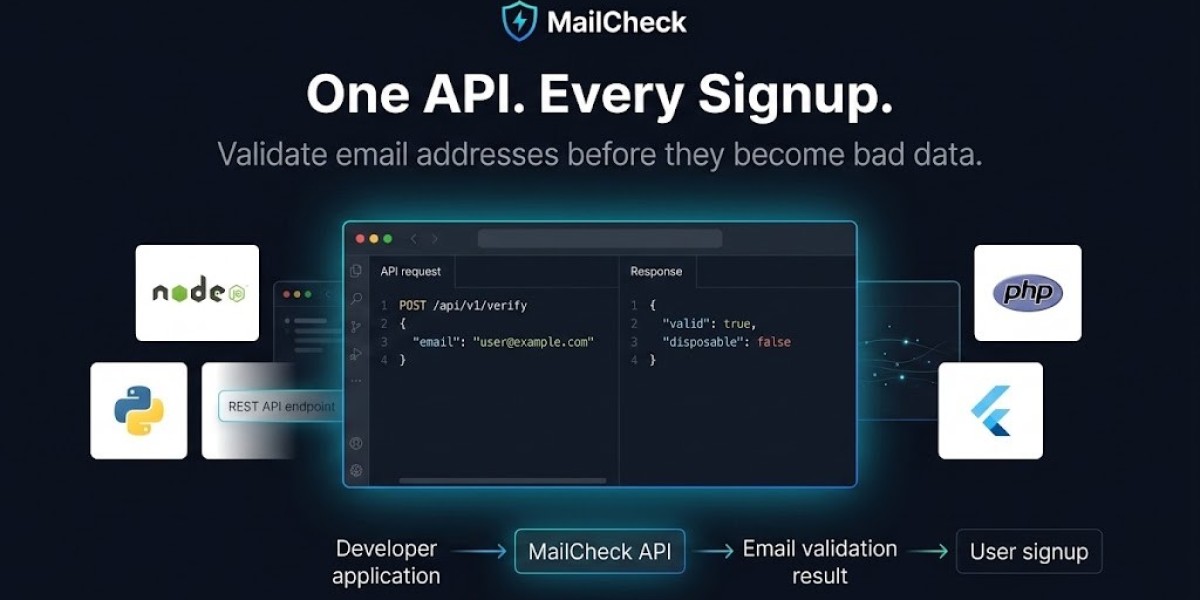
That's where an email verification API can be useful.
Instead of maintaining the detection infrastructure yourself, your application sends the address to the API and receives structured validation results.
Why a Static Disposable Domain List Can Fail
A common first implementation is to create a file such as:
tempmail.exampletemporary.exampledisposable.exampleThen your application checks whether the user's domain appears in the list.
This can work for a basic prototype.
But it has a major weakness.
Disposable email domains change.
New services can appear.
Existing services can add domains.
Domains can change ownership.
Some services can move to new infrastructure.
If your application depends on a static list, your detection can quickly become incomplete.
A continuously updated detection source can reduce this maintenance burden.
MailCheck describes disposable-domain detection across a large domain database and provides API-based validation rather than requiring developers to maintain their own complete list. (mailcheck.fadsync.com)
How an Email Verification API Detects Disposable Addresses
A verification API can perform several checks at once.
A simplified request might look like:
{ "email": "user@example.com"}The service can evaluate information such as:
Email syntax
Domain
DNS configuration
MX records
Disposable classification
Free-provider classification
Role-account status
Risk signals
The response could then include a field indicating whether the address is disposable.
For example:
{ "is_valid_format": true, "is_disposable": true, "is_free_provider": false}The exact response structure depends on the API provider.
The email verification API documentation should be used for the provider's current request and response format.
Step-by-Step: Check an Email Before Account Creation
Let's build the workflow step by step.
Step 1: User Enters an Email Address
Your signup form collects the address.
For example:
Email: user@example.comAt this stage, you can perform a basic client-side format check.
There's no need to send obviously malformed input to an external service.
Step 2: Send the Signup Request to Your Backend
The browser should submit the registration request to your server.
For example:
POST /signupYour backend becomes responsible for the actual security decision.
This is important because frontend-only validation can be bypassed.
Step 3: Perform Basic Validation
Your backend should first check basic requirements.
For example:
const emailPattern = /^[^\s@]+@[^\s@]+\.[^\s@]+$/;if (!emailPattern.test(email)) { return res.status(400).json({ error: "Invalid email address" });}This prevents obviously invalid input from consuming an external verification request.
Step 4: Call the Verification API
Your backend sends the email address to the verification service.
Conceptually:
const result = await verifyEmail(email);The API can then perform deeper checks.
Step 5: Check the Disposable Flag
Your application examines the response.
For example:
if (result.isDisposable) { return res.status(422).json({ error: "Please use a permanent email address." });}The actual field name depends on your provider.
Step 6: Continue Account Creation
If the address passes your policy, your application can continue.
Email accepted ↓Create account ↓Send confirmation email ↓Activate account after verificationThis ensures that the disposable check occurs before valuable account resources are granted.
Should You Block Disposable Emails or Just Flag Them?
This is an important product decision.
There are three common approaches.
Option 1: Block
If a disposable address is detected, reject the signup.
For example:
Please use a permanent email address to create an account.
This is simple and effective when disposable registrations are strongly correlated with abuse.
Option 2: Challenge
Don't immediately reject the user.
Instead, require an additional verification step.
For example:
Disposable detected ↓Additional verification ↓Review result ↓Allow or rejectThis can reduce false positives.
Option 3: Allow With Restrictions
Create the account but restrict access to valuable resources.
For example:
Reduced API credits
No referral bonuses
Limited trial usage
No large exports
This can be useful when signup conversion is more important than aggressively blocking every disposable address.
Disposable Email Is a Risk Signal, Not Proof of Fraud
This distinction is critical.
Suppose your API returns:
is_disposable = trueThat doesn't prove the person is malicious.
Someone may use a disposable address for privacy.
Someone else may use it to create 50 free accounts.
The technical email signal is the same.
The surrounding behavior is different.
Therefore, sophisticated systems combine email information with other signals.
For example:
Disposable email+20 signup attempts+same IP+same device+repeated trial activationis much more suspicious than:
Disposable email+one signup+normal behavior+no previous accountThe first scenario should probably receive stronger restrictions.
Combine Disposable Detection With Rate Limiting
A disposable-email check is not enough if an attacker can submit thousands of signup requests.
Consider this:
10,000 signup attempts ↓10,000 email verification requestsEven if your disposable detection works perfectly, the attacker may still consume application resources and API quota.
That's why rate limiting should happen before expensive external calls.
A practical sequence is:
Signup request ↓Basic validation ↓Rate limit ↓Bot detection ↓Email verification ↓Risk decisionIf your application receives HTTP 429 responses from a verification service, you also need a sensible retry and backoff strategy. MailCheck's 429 error handling guide covers the general problem of dealing with API rate limits.
Why Email Verification Alone Doesn't Stop Fake Accounts
An attacker may use a valid permanent email address.
For example:
person1@gmail.comperson2@gmail.comperson3@gmail.comAll three addresses could be legitimate.
If the attacker controls those addresses, disposable detection won't identify the behavior.
This is why SaaS anti-abuse systems need multiple layers.
Useful signals can include:
Email reputation
Disposable status
IP address
Device signals
Signup frequency
Previous account history
Referral behavior
Payment information
Product usage
Email verification should therefore be considered one component of an overall signup-defense system.
Email Verification vs Email Confirmation
These terms are sometimes confused.
Email verification can refer to technical analysis of an address.
Email confirmation usually means sending the user an email containing a link or code that proves they can access the mailbox.
For example:
Technical verification ↓Is the address valid?Is the domain configured?Is it disposable? ↓Ownership confirmation ↓Can the user access the inbox?You can use both.
In fact, using both can provide much stronger protection than relying on either mechanism alone.
Can MX Records Detect Disposable Emails?
MX records are useful, but they don't directly tell you whether an email is disposable.
MX records identify mail servers responsible for receiving email for a domain.
For example:
example.com ↓DNS lookup ↓MX records ↓Mail serverThis can help determine whether the domain has mail infrastructure.
But a domain can have valid MX records and still be disposable.
Therefore:
MX validation and disposable-domain detection are different checks.
A good email verification system can perform both.
Can You Detect Disposable Email With Regex?
No.
This is one of the most important limitations of regex.
A regex can recognize:
user@example.comas an email-shaped string.
But it doesn't know whether example.com belongs to a disposable email service.
To identify disposable domains, you need domain intelligence.
That information can come from:
A maintained internal database
A third-party API
An email verification provider
Another continuously updated intelligence source
This is why an email validation API can provide capabilities that local string matching cannot.
How to Handle Disposable Emails in Different Applications
Not every website should have the same policy.
SaaS Free Trials
Blocking or restricting disposable emails can make sense because the trial has monetary value.
Newsletters
You may prefer to allow the address but monitor bounce and engagement behavior.
Communities
A soft challenge may be preferable to a hard block.
E-Commerce
Email quality may matter for order communication, but disposable addresses aren't necessarily fraudulent.
Developer Platforms
Disposable addresses may be more strongly associated with trial or API-credit abuse.
Testing Environments
Disposable addresses may be perfectly legitimate.
Your policy should therefore be based on the consequences of abuse.
How to Avoid Blocking Legitimate Users
Aggressive anti-abuse controls can create another problem: false positives.
Imagine a legitimate developer trying to evaluate your SaaS product.
They use a privacy-focused email service.
Your application blocks the registration.
They leave.
You've successfully prevented one suspicious signup—but you've also lost a potential customer.
Before implementing a hard block, measure:
How many disposable registrations occur
How many convert
How many abuse free resources
How many support tickets result
How many legitimate users are rejected
If the data doesn't justify blocking, consider a softer policy.
A Better Risk-Based Signup Workflow
A more flexible architecture could look like this:
Signup ↓ Basic validation ↓ Rate limit ↓ Email verification ↓ ┌────────────┴────────────┐ ↓ ↓ Low risk Higher risk ↓ ↓ Create account Challenge ↓ ↓ Ownership verification Additional checks ↓ ↓ Activate Allow / rejectThis approach lets your application use the disposable-email result as part of a broader decision.
What If the Verification API Is Unavailable?
External dependencies can fail.
Your application should decide in advance what happens if the verification request times out.
Possible strategies include:
Fail Closed
Don't create the account until verification succeeds.
Fail Open
Allow the account but restrict access until verification is available.
Retry
Retry temporary network failures using exponential backoff.
Queue
Create a limited account and complete deeper verification asynchronously.
The correct strategy depends on how important signup availability is compared with abuse prevention.
For many SaaS products, restricting valuable features until validation succeeds can provide a reasonable compromise.
Protect Your API Credentials
When integrating a disposable-email detection API, don't put secret API credentials directly in browser code.
Avoid an architecture like:
Browser ↓Verification API + secret keyInstead, use:
Browser ↓Your backend ↓Verification APIYour backend can then control:
Authentication
Rate limits
Logging
Error handling
Caching
Business rules
This also prevents users from extracting your private API credentials from frontend code.
Caching Can Reduce Repeated Checks
Domains can appear repeatedly.
For example, if your SaaS receives 500 signups from the same email domain during a campaign, you may not want to perform unnecessary repeated work where the provider and your use case allow caching.
Potentially cache suitable domain-level information such as:
Domain classification
MX information
Disposable status
However, don't assume every verification result can be cached indefinitely.
Email intelligence can change.
Your caching strategy should respect the provider's recommendations and your application's accuracy requirements.
Monitoring Your Disposable Email Detection
Once your detection system is live, measure its results.
Useful metrics include:
Total signup attempts
Disposable-email rate
Signup rejection rate
Verification completion rate
Trial activation rate
Trial conversion rate
Accounts later flagged as abusive
False-positive reports
For example:
10,000 signup attempts ↓800 disposable addresses ↓600 blocked ↓200 challenged ↓150 completed verificationThis gives your team information about whether the policy is actually working.
Don't assume that blocking more addresses automatically means better security.
The goal is better-quality signups with acceptable user friction.
Disposable Email Detection for Free-Trial Abuse
One of the strongest use cases is preventing repeated free trials.
Suppose your product gives every new user:
14 days+$25 usage creditsA user who creates 10 accounts could potentially consume $250 worth of resources.
Disposable-email detection can reduce one easy path to that behavior.
But it should be combined with other controls.
A complete free-trial defense can include:
Disposable-email detection
Signup rate limiting
Device signals
IP analysis
Account history
Usage limits
Referral controls
Payment verification
The site's free-trial abuse guide covers how email-based controls can fit into a broader SaaS abuse-prevention strategy.
How to Test Disposable Email Detection
Before deploying a hard block, create a test matrix.
Test categories such as:
Normal personal addressBusiness addressFree-provider addressKnown disposable addressTemporary addressInvalid domainTypo domainRole addressCatch-all domainThen record:
API result
Application decision
User-facing message
Signup outcome
You can use the email validation checker during development to inspect individual addresses and understand the available validation signals.
Testing across different categories helps prevent your production policy from being based on only a few examples.
What Should the User See When a Disposable Email Is Detected?
Avoid exposing unnecessary technical details.
Instead of:
is_disposable=true
show something understandable.
For example:
Please use a permanent email address to create your account.
Or:
This email address can't be used for registration. Please try another email address.
If the product allows temporary addresses under certain circumstances, you might instead say:
Please use an email address you expect to keep access to.
Good error messaging can reduce confusion without revealing exactly how your anti-abuse system works.
A Simple Implementation Pattern
A backend implementation can follow this general structure:
async function createAccount(email, context) { // 1. Basic validation if (!isValidEmailFormat(email)) { throw new Error("Invalid email address"); } // 2. Rate limiting if (isRateLimited(context.ip)) { throw new Error("Too many signup attempts"); } // 3. Email verification const result = await verifyEmail(email); // 4. Disposable detection if (result.isDisposable) { throw new Error( "Please use a permanent email address." ); } // 5. Create limited account const account = await createUser(email); // 6. Confirm ownership await sendVerificationEmail(account); return account;}This is intentionally simplified.
Your production implementation should also handle API failures, timeouts, retries, logging, authentication, rate limits, and your own business-specific risk rules.
Should Every Disposable Address Be Blocked?
No.
This is perhaps the most important recommendation in this entire guide.
Detection and blocking are two separate decisions.
You can detect an address and then choose what to do.
For example:
Disposable detected ↓Risk evaluation ↓Low business impact? → AllowModerate risk? → ChallengeHigh abuse risk? → BlockThis is usually more flexible than making the disposable flag an automatic rejection.
Disposable Email Detection Checklist
Before deploying your system, make sure you've considered:
Basic email syntax validation
Server-side validation
Disposable-domain detection
Domain validation
DNS/MX checks
Signup rate limiting
API timeout handling
API rate-limit handling
Email ownership verification
False-positive monitoring
User-friendly error messages
API-key security
Privacy and data-retention requirements
Free-trial abuse controls
Monitoring and analytics
Frequently Asked Questions
How do I check if an email is disposable?
The most practical approach is to submit the address to a disposable-email detection service or email verification API and evaluate its disposable-domain result. You can also maintain your own domain database, but keeping it accurate requires ongoing maintenance.
Can I detect disposable emails without an API?
Yes. You can maintain a local database of known disposable domains and check the email's domain against it. However, keeping that database current can be difficult because disposable-email domains change over time.
Can regex detect disposable email addresses?
No. Regex checks the structure of the email string. It cannot determine whether the domain is associated with a disposable-email service.
Should disposable emails be blocked at signup?
Not necessarily. Blocking may make sense for SaaS products vulnerable to free-trial or promotional abuse, but a softer policy may be better for applications where privacy and signup conversion are more important.
Does email verification prove an address is permanent?
No. A user can successfully receive and click a verification link using a temporary mailbox. Ownership verification proves access to the mailbox, not necessarily that the address is permanent.
Can MX records identify disposable emails?
MX records can show that a domain has mail-receiving infrastructure, but they don't directly determine whether the domain is disposable. Disposable-domain detection and MX validation are separate checks.
Final Thoughts
Checking whether an email address is disposable before creating an account is one of the simplest ways to add another layer of protection to a SaaS signup process.
The basic idea is straightforward:
Receive the email → validate it → check disposable status → evaluate risk → create the account.
But the implementation should be more thoughtful than simply maintaining a giant blacklist.
Disposable domains change. Legitimate users sometimes use temporary addresses. A disposable address isn't automatic proof of fraud.
That's why the best approach is to combine disposable-email detection with other signals such as signup frequency, IP behavior, device information, account history, and ownership verification.
For developers who don't want to maintain disposable-domain intelligence themselves, an email verification API can provide a programmatic way to evaluate addresses during signup.
You can also explore the developer guides for implementation patterns around email validation, disposable-email detection, rate limiting, and SaaS signup protection.
The goal isn't simply to block disposable email.
The goal is to prevent low-quality or abusive registrations while keeping legitimate signup friction as low as possible.









