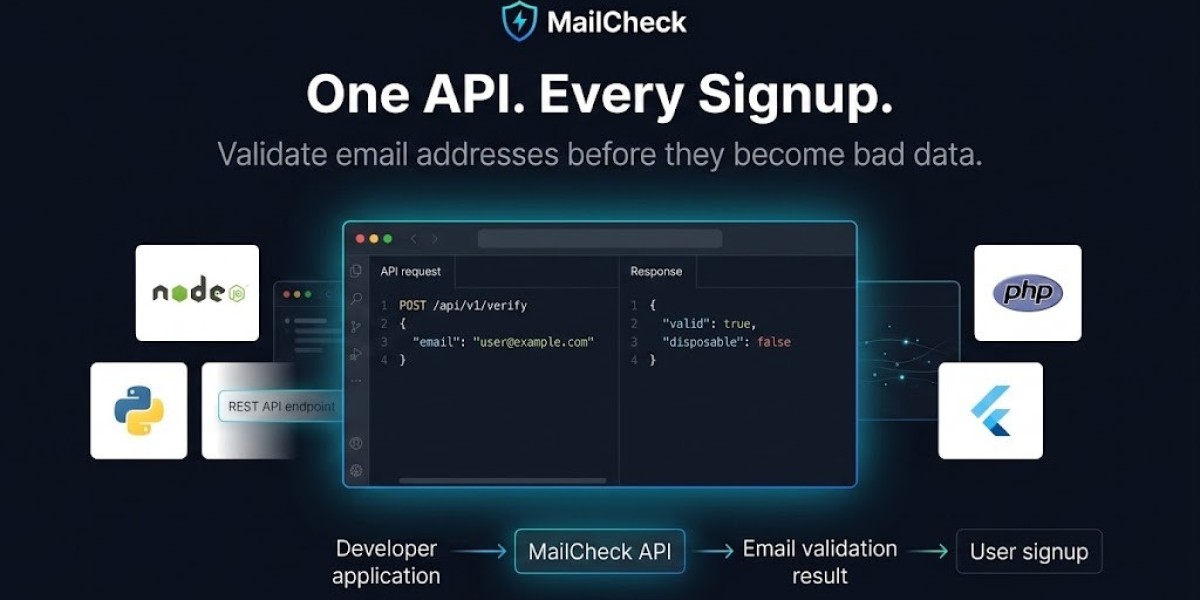


Choosing an email validation API is no longer just a question of finding the cheapest service that returns valid or invalid.
Modern applications use email validation for much more than cleaning marketing lists. Developers now integrate verification directly into signup forms, SaaS onboarding, lead-generation workflows, checkout pages, CRMs, and fraud-prevention systems.
The right API can help identify invalid addresses, disposable domains, risky addresses, domain configuration problems, and other signals before bad data enters your system.
But the wrong API can create unnecessary costs, slow down signup flows, introduce difficult rate limits, or provide capabilities your application doesn't actually need.
In 2026, the market includes developer-focused APIs, email-marketing platforms with verification features, sales-intelligence platforms, and dedicated email-validation services. Recent comparisons also show that pricing varies considerably depending on whether you're validating individual addresses in real time or cleaning large lists in bulk.
This guide compares the most relevant options for developers and explains what to look for before choosing an email validation API.
What Is an Email Validation API?
An email validation API is a service that lets your application submit an email address programmatically and receive information about its validity and risk characteristics.
A simplified workflow looks like this:
User enters email ↓Your application ↓Email validation API ↓Validation result ↓Accept / reject / challengeDepending on the provider, an API may evaluate:
Email syntax
Domain validity
DNS records
MX records
Disposable-email domains
Role-based addresses
Free email providers
Typo patterns
Catch-all behavior
Spam-trap or abuse signals
Risk scores
The exact checks vary between providers.
For example, ZeroBounce describes validation and scoring capabilities alongside tools for risky contacts, while Hunter combines email verification with its broader email-finding and sales platform.
For developers who specifically need signup-time validation, the key question is not simply whether an API can validate email. It's how quickly, reliably, and predictably it can return a result inside your application's workflow.
Why Use an Email Validation API?
There are several reasons developers add email validation to an application.
Prevent Invalid Data
A simple syntax check can catch obvious mistakes, but deeper validation can identify problems that aren't visible from the email string itself.
Reduce Fake Signups
SaaS companies can use disposable-email detection as one signal when deciding whether to allow new accounts.
Improve Lead Quality
B2B applications can validate addresses before storing them in a CRM or sales database.
Protect Email Deliverability
Sending large volumes of messages to invalid addresses can contribute to bounce problems and poor list quality.
Reduce Database Cleanup
Preventing bad addresses from entering your database is usually easier than trying to clean them out later.
Improve User Experience
Some services can identify likely domain typos and allow an application to suggest a correction before the user submits the form.
The important architectural distinction is that real-time validation and bulk list cleaning are different use cases. A synchronous API may be appropriate for a signup form, while an asynchronous bulk system can be better for processing hundreds of thousands of existing records. Recent 2026 comparisons emphasize this distinction.
The Best Email Validation APIs in 2026
There isn't one universal winner.
The best option depends on what you're building.
For a developer choosing an API for a SaaS signup flow, these are the providers worth evaluating:
MailCheck — developer-focused email validation and disposable-email detection
ZeroBounce — broad email validation and deliverability tooling
Hunter — email discovery and verification combined
Kickbox — developer-oriented email verification
NeverBounce — email verification and list cleaning
Abstract API — straightforward developer API
Verifalia — validation with privacy-oriented positioning
Emailable — real-time and bulk email verification
Clearout — email verification combined with prospecting features
Mailgun — useful for teams already using its email infrastructure
The right shortlist will depend heavily on whether you're building real-time signup validation, bulk verification, or a broader email-data workflow.
Quick Comparison
| API | Best for | Real-time validation | Disposable detection | Bulk validation | Pricing approach |
|---|---|---|---|---|---|
| MailCheck | SaaS developers & signup protection | Yes | Yes | Yes | Tiered |
| ZeroBounce | Validation + deliverability | Yes | Yes | Yes | Credits/subscription |
| Hunter | Sales + verification | Yes | Yes | Yes | Credits |
| Kickbox | Developer-first verification | Yes | Yes | Yes | Pay-per-use |
| NeverBounce | List cleaning | Yes | Yes | Yes | Volume-based |
| Abstract API | Simple API integration | Yes | Yes | Yes | Subscription |
| Verifalia | Privacy-focused validation | Yes | Yes | Yes | Credits |
| Emailable | General validation | Yes | Yes | Yes | Credits/subscription |
| Clearout | Validation + lead generation | Yes | Yes | Yes | Credits |
| Mailgun | Existing email-platform users | Yes | Yes | Yes | Add-on/platform pricing |
Treat this table as a starting point rather than a permanent pricing sheet. API pricing and plan structures change, so developers should verify the provider's current pricing before purchasing.
1. MailCheck
MailCheck is particularly relevant for developers building signup and account-creation workflows.
Its API is designed around programmatic email validation, with documented signals such as format validation, disposable status, free-provider classification, role-account detection, domain information, and risk scoring.
The service also provides SDK and API documentation for developers integrating validation into applications.
For a SaaS product where the primary requirement is:
"Check this email before creating an account."
a focused validation API can be more appropriate than paying for a much larger sales or marketing platform.
You can review the MailCheck email validation API to see how the service fits into a signup workflow.
Best for
SaaS signup forms
Disposable-email detection
Developer integrations
Real-time validation
Signup-abuse prevention
Applications that need email risk signals
Important consideration
If your main requirement is large-scale marketing-list cleaning or a complete deliverability platform, you should compare MailCheck with services built specifically around those workflows.
2. ZeroBounce
ZeroBounce is one of the better-known email-validation platforms and offers a broader deliverability toolkit alongside email verification.
Its current pricing page lists a free tier with 100 monthly validation credits, while the ZeroBounce ONE subscription starts at $99/month for 10,000 credits. Pay-as-you-go pricing is volume-based, with the price per credit falling as volume increases.
ZeroBounce also states that one credit is used per email address verified and that unknown results are not charged.
Best for
Email-list cleaning
Deliverability teams
Larger organizations
Validation plus additional deliverability tools
Teams already using broader email-quality services
Pricing
Current published pricing includes:
Free: 100 validation credits/month
ZeroBounce ONE: $99/month for 10,000 credits
Pay-as-you-go: volume-based pricing
At higher volumes, published pay-as-you-go rates decrease substantially.
The important point is that ZeroBounce isn't merely an API. You're buying into a broader email-quality ecosystem.
3. Hunter
Hunter is particularly interesting for companies that need both email discovery and email verification.
Its current plans include a free tier and paid plans beginning at $34/month for Starter. Hunter's Data Platform also provides API access to its email-finding and verification capabilities.
One unusual detail developers should understand is Hunter's credit model.
Hunter currently states that email verification consumes 0.5 credit per verified email, while disposable addresses are automatically skipped and don't consume verification credit.
Best for
B2B sales teams
Lead discovery
Email verification
CRM workflows
Teams already using Hunter
Pricing
Hunter's current public plans include:
Free
Starter: $34/month
Growth: $104/month
Scale: $209/month
Enterprise: custom
The exact value of Hunter depends on whether you also need its prospecting and outreach capabilities.
If all you need is a lightweight signup-validation endpoint, a specialized API may be simpler.
4. Kickbox
Kickbox is another established option for email verification and is particularly relevant when developers want an API-oriented verification workflow.
Recent 2026 comparisons highlight Kickbox's real-time API, developer documentation, published volume pricing, and treatment of unknown results.
Best for
Developers
Real-time validation
Marketing automation
Bulk verification
Applications requiring a straightforward verification service
One advantage of a dedicated verification provider is that you don't necessarily need to purchase a larger sales or email-marketing platform simply to obtain verification.
5. NeverBounce
NeverBounce is another established name in email verification and list cleaning.
It's particularly relevant for teams whose primary requirement is cleaning an existing database rather than adding a verification call to a signup form.
For developers, the important question is whether your workload is:
One email at a timeor:
100,000 existing emailsThose are very different technical problems.
If you're cleaning a large marketing database, bulk-processing features and pricing may matter more than the latency of an individual API call.
6. Abstract API
Abstract API is worth considering when you want a relatively straightforward developer-oriented API.
Recent 2026 comparisons list email verification features such as syntax, MX, typo, and related detection capabilities, with a free allowance available for testing.
Best for
Developers who want simple API integration
Smaller projects
Applications needing real-time validation
Teams that already use other Abstract APIs
One advantage of an API-first provider is that integration can be simpler than adopting a complete email-marketing platform.
7. Verifalia
Verifalia is another option worth considering, particularly for teams that put strong emphasis on privacy and flexible validation.
Recent 2026 comparisons highlight its privacy-oriented approach, quality controls, and free daily allowance.
Best for
Privacy-conscious applications
Developers
Bulk verification
Teams needing configurable validation
As always, privacy claims should be evaluated against the provider's current documentation and your own data-processing requirements.
8. Emailable
Emailable focuses on email verification and can support both real-time and bulk workflows.
It can be useful when the primary objective is keeping email data clean without adopting a broader sales platform.
Best for
Email-list cleaning
Signup validation
Marketing teams
Developers needing API access
Recent 2026 comparisons place Emailable among the established options for real-time validation and bulk verification.
9. Clearout
Clearout combines email verification with broader lead-generation functionality.
That can be useful for teams that don't want separate systems for every part of their prospecting workflow.
However, developers should pay particular attention to rate limits.
One recent 2026 comparison notes that Clearout's entry tier has a low request-per-minute limit, which may make that tier unsuitable for a busy real-time signup form even if its headline credit pricing looks attractive.
This illustrates an important lesson:
Never choose an API based only on price per verification.
A cheap API that can't handle your traffic isn't cheap for your application.
10. Mailgun
Mailgun is best known as an email-sending platform, but email validation is also available as part of its broader product ecosystem.
This can make sense if your application already uses Mailgun for transactional email.
The advantage is consolidation.
Instead of paying for one service to send email and another to validate addresses, you may be able to keep related functionality within one platform.
The disadvantage is that you're potentially paying for an entire email infrastructure ecosystem when your application only needs validation.
What Features Should Developers Compare?
A feature checklist is more useful than simply counting providers.
1. Real-Time API
If you're validating during signup, you need an API that can return a result quickly enough to fit naturally into the registration workflow.
Bulk-only validation isn't a substitute for synchronous signup validation.
2. Disposable Email Detection
This is especially important for SaaS platforms offering:
Free trials
Credits
Referral rewards
Premium features
Free API usage
A disposable address doesn't automatically mean fraud, but it can be a useful risk signal.
3. DNS and MX Checks
These checks can help determine whether a domain appears capable of receiving email.
They provide information that basic regex validation cannot.
4. Typo Detection
A good typo-detection feature can transform:
user@gmial.cominto a suggestion such as:
Did you mean user@gmail.com?This is particularly useful for signup forms because it can prevent users from accidentally creating accounts with unreachable addresses.
5. Catch-All Detection
Catch-all domains can complicate verification because a mail server may accept messages for addresses that don't necessarily correspond to individual mailboxes.
If you're using validation for B2B lead generation, catch-all handling can be particularly important.
6. Role-Based Detection
Addresses such as:
support@example.comsales@example.comadmin@example.commay be less useful for some applications.
A provider that identifies role accounts can give your application another signal.
7. Risk Scoring
Instead of returning only:
valid = truea provider may return a risk score or additional classifications.
This can support more nuanced decisions.
8. SDKs
If your team works with Node.js, Python, PHP, Ruby, Go, or another language, SDK availability can reduce integration effort.
9. Rate Limits
This is often overlooked.
A service might be inexpensive but impose a request rate too low for your signup volume.
10. Privacy
Understand:
Whether submitted addresses are stored
How long data is retained
Where processing occurs
Whether data is used for other purposes
What contractual protections are available
Real-Time API vs Bulk Verification
This is probably the most important decision to make before choosing a provider.
Real-Time Verification
Use real-time verification when a user submits an address.
For example:
Signup ↓Verify email ↓Decision ↓Create accountThe response needs to arrive quickly.
Bulk Verification
Use bulk verification when you already have a database of addresses.
For example:
CRM ↓100,000 contacts ↓Verification job ↓Cleaned databaseThe process can run asynchronously.
Recent comparisons specifically warn that an API designed for asynchronous bulk jobs may be inappropriate for an interactive signup form.
Before buying a service, identify which of these two problems you're actually solving.
How Much Do Email Validation APIs Cost in 2026?
Pricing varies substantially depending on the provider and workload.
For example, ZeroBounce currently offers 100 free monthly validation credits and a $99/month subscription for 10,000 credits, while its pay-as-you-go price per credit falls as volume increases.
Hunter's current Starter plan is $34/month, with verification included alongside its broader prospecting platform.
Recent 2026 comparisons show that some dedicated validation services start below $10 for small credit packages, while enterprise-oriented platforms can start considerably higher.
For your own application, calculate:
Monthly signups×Verification calls per signup=Monthly API requestsFor example, if you receive 20,000 registrations per month and make one validation request per registration:
20,000 signups× 1 verification=20,000 monthly verificationsThen compare the actual plan cost at 20,000 requests, rather than comparing the headline starting price.
Don't Compare Only Price Per Email
Two APIs can both advertise a price per verification while producing very different real costs.
Check:
Do credits expire?
Are unknown results charged?
Are duplicates charged?
Are disposable addresses charged?
Are bulk and API requests priced differently?
Are there monthly minimums?
Are overages expensive?
Does the free tier renew?
What happens when you exceed the rate limit?
ZeroBounce, for example, states that unknown results and duplicate removal don't consume credits and that its current credits don't expire under its published terms.
Those billing rules can matter just as much as the nominal price.
What Is the Best Email Validation API for SaaS Signup?
If your main requirement is:
"I need to validate an email before creating a SaaS account."
then prioritize:
Real-time response
Disposable-email detection
DNS/MX checks
Clear API documentation
Reasonable rate limits
Predictable pricing
Reliable error handling
Privacy
SDK support
Useful response fields
A dedicated validation API can be preferable to a large marketing platform when signup validation is the only requirement.
For a SaaS team specifically interested in preventing disposable registrations and fake accounts, the SaaS email-validation guides can help map these checks into a signup architecture.
What Is the Best API for Bulk Email Verification?
For bulk verification, the priorities change.
You may care more about:
Cost per 1,000 addresses
Maximum batch size
Processing speed
Unknown-result billing
Catch-all handling
Export formats
List-cleaning tools
Credit expiration
Upload limits
Services such as ZeroBounce, NeverBounce, Kickbox, Emailable, and Verifalia are worth comparing for this use case.
The cheapest option at 1,000 addresses isn't necessarily the cheapest at 1 million addresses.
Always calculate your expected volume.
What Is the Best Free Email Validation API?
A free tier is useful for development, testing, and small applications.
But don't choose a provider solely because it advertises the largest free allowance.
Check whether the free tier includes:
API access
Disposable detection
DNS/MX checks
Production usage
Reasonable rate limits
Recurring credits
ZeroBounce currently advertises 100 free validation credits per month.
Recent comparisons also show free allowances from providers such as Abstract API and Verifalia.
For a development project, a small free tier can be more than enough.
For production, your paid plan and rate limits matter much more.
How to Integrate an Email Validation API
The typical architecture is straightforward.
User ↓Signup form ↓Your backend ↓Email validation API ↓Validation result ↓Risk/business rules ↓Create account ↓Email ownership verificationKeep secret API credentials on your backend.
Don't expose a private verification key directly in browser code.
A simplified implementation might look like:
async function signup(email) { const result = await verifyEmail(email); if (!result.isValidFormat) { return { error: "Invalid email address" }; } if (result.isDisposable) { return { error: "Please use a permanent email address" }; } return createAccount(email);}The actual response fields depend on the provider.
If you're evaluating MailCheck specifically, review its API documentation for current endpoints, response fields, authentication, and SDK details.
How to Handle API Failures
Never assume an external verification API will be available 100% of the time.
Your application should define what happens when:
The API times out
DNS fails
The provider returns an HTTP 429
Your API quota is exhausted
The provider returns an unknown result
Your network connection fails
For example:
Verification successful→ Apply normal rulesVerification says disposable→ Block or challengeVerification says invalid→ RejectVerification unavailable→ Retry or apply fallback policyThe correct fallback depends on your application's risk profile.
A high-value SaaS trial might fail closed or restrict access.
A low-risk newsletter form might allow the submission and handle verification later.
API Rate Limits Matter
Suppose your SaaS receives 100 signups per second during a successful product launch.
If your verification provider only permits a handful of requests per second, your signup flow could become a bottleneck.
That's why you should calculate:
Peak signup requests+Expected verification requests+Retry traffic=Required API capacityDon't plan around average traffic alone.
Peak traffic is what matters when the validation call sits directly in the signup path.
Security and Privacy Considerations
Email addresses are user data.
Before choosing a provider, review its privacy and security documentation.
Questions worth asking include:
Is email data retained?
Is it stored temporarily?
Is it used for model training or analytics?
Where does processing occur?
Can you delete submitted data?
Are enterprise data-processing agreements available?
Your provider choice should fit your application's legal and compliance requirements.
Which API Should Developers Choose?
There is no single answer for every project.
Here's a practical framework.
Choose MailCheck if:
Your focus is SaaS signup validation
Disposable-email detection is important
You want developer-focused validation
You need real-time API checks
You want email risk signals
Choose ZeroBounce if:
You need broader deliverability tooling
You clean large email lists
You want validation plus additional email-quality services
Your organization needs a mature deliverability platform
Choose Hunter if:
You already use email discovery
You're building B2B prospecting workflows
Verification is part of a larger sales-data system
Choose Kickbox if:
You want a dedicated verification service
Developer integration is important
You need both real-time and bulk workflows
Choose NeverBounce if:
List cleaning is a major requirement
Your team processes existing databases
Choose Abstract API if:
You want a straightforward developer API
You need a relatively simple validation integration
Choose Verifalia if:
Privacy is a major consideration
You need configurable validation
Choose Emailable if:
You want a dedicated general-purpose verifier
Both real-time and bulk validation matter
Choose Clearout if:
Verification and prospecting are both important
Your expected request volume fits its rate limits
Choose Mailgun if:
You're already using Mailgun for email delivery
You want to keep sending and validation within one ecosystem
What Should You Test Before Buying?
Don't choose an API based only on its marketing page.
Run a small test.
Create a dataset containing:
Valid personal emailsValid business emailsInvalid domainsTypo domainsDisposable addressesRole addressesCatch-all domainsFree-provider addressesKnown problematic addressesThen compare:
Response time
Returned fields
Disposable detection
Invalid detection
Typo detection
Catch-all handling
Unknown results
API errors
Rate limits
Actual credit consumption
This gives you a much better picture of how a provider will behave in your application.
A Simple Developer Evaluation Scorecard
You can score each provider from 1–5 on:
| Category | Weight |
|---|---|
| API quality | 20% |
| Detection coverage | 20% |
| Reliability | 15% |
| Latency | 10% |
| Pricing | 15% |
| Rate limits | 10% |
| Documentation/SDKs | 5% |
| Privacy | 5% |
This prevents a provider from winning simply because it has the lowest price.
For a SaaS application, API reliability and detection quality may be more important than saving a few dollars per month.
Final Verdict
The best email validation API in 2026 depends on your workload.
There is no reason to choose the same provider for every application.
For a SaaS signup form, prioritize real-time validation, disposable-email detection, API reliability, rate limits, and developer experience.
For bulk list cleaning, prioritize cost per verification, batch processing, catch-all handling, unknown-result billing, and credit expiration.
For sales teams, an integrated platform such as Hunter may make more sense because verification sits alongside email discovery and outreach.
For organizations that need a broad deliverability toolkit, ZeroBounce is worth evaluating, particularly given its current combination of validation, scoring, and deliverability features.
And for a SaaS product whose primary problem is checking email quality before account creation, a focused API can be the simplest architecture.
Before making the final decision, calculate your expected monthly volume, test the providers against the same sample addresses, check peak rate limits, and read the current pricing and privacy terms.
Most importantly, don't choose an API simply because it says it has "99% accuracy" or because it has the lowest advertised price.
Choose the service that fits your actual signup flow, traffic pattern, validation requirements, and budget.
If you're specifically looking for a developer-focused option for real-time email validation and disposable-email detection, you can explore MailCheck's email verification API and its current pricing before comparing it against the alternatives above.
Frequently Asked Questions
What is the best email validation API in 2026?
There is no universal winner. For SaaS signup validation, prioritize real-time API access, disposable detection, reliability, latency, rate limits, and predictable pricing. For bulk list cleaning, cost and batch-processing capabilities become more important.
How much does email validation cost?
Pricing varies by provider and volume. Current public examples range from free developer tiers to subscription plans and pay-as-you-go credit systems. ZeroBounce currently offers 100 free monthly validation credits and a $99/month 10,000-credit subscription, while Hunter's broader platform starts at $34/month.
Can an email validation API detect disposable emails?
Many providers can identify known disposable domains. However, detection coverage varies, so test the provider against disposable domains relevant to your application.
Is email validation the same as email verification?
The terms are often used interchangeably, but they can describe different processes. Technical validation evaluates characteristics such as syntax, domain, DNS, and risk. Email ownership verification generally requires the user to click a link or enter a code sent to the mailbox.
Should I use an API for every signup?
If email quality is important to your application, real-time validation can be valuable. For low-risk applications, basic local validation may be sufficient. The right choice depends on the cost of bad registrations versus the cost and latency of API verification.
Should I build my own email validation API?
You can build basic syntax, DNS, and MX checks yourself, but maintaining disposable-domain intelligence, risk signals, infrastructure, reliability, and ongoing data updates can become a substantial engineering project. For many teams, an established API is simpler.
What is more important: price or accuracy?
Neither should be considered in isolation. A low-cost API with poor detection or insufficient rate limits can cost more through bad data and failed signups. Compare actual results, latency, billing rules, and capacity using your own test dataset.
Conclusion
Email validation has become an important part of modern application infrastructure.
For a simple form, a regex may be enough.
For a SaaS platform, CRM, marketplace, or high-volume application, deeper email intelligence can prevent bad data from entering your system in the first place.
The best email validation API is therefore the one that fits your specific use case.
Real-time signup? Focus on latency and API reliability.
Disposable-email problem? Focus on domain intelligence.
Large database? Focus on bulk pricing and processing.
B2B prospecting? Consider a platform that combines verification with lead discovery.
Deliverability team? Look for broader validation and monitoring capabilities.
And before choosing, always test the API yourself.
The right email-validation layer should disappear into your application: fast enough that users barely notice it, accurate enough to improve data quality, and flexible enough to support the business rules your product actually needs.









