

Introduction
Small business owners often need to create invoices while they are away from an office. A contractor may finish a job at a customer's location, a freelancer may complete work while traveling, or a service provider may work in an area where internet access is unreliable. In these situations, depending entirely on an online billing system can make invoicing less convenient.
An offline invoice app can provide a practical solution by allowing users to prepare invoice information without requiring a constant internet connection. Depending on the application's design, users may be able to create invoices, save customer information, and keep billing details available on their mobile device.
For businesses that frequently work outside traditional offices, offline invoicing can make everyday billing more flexible and convenient.
What Is an Offline Invoice App?
An offline invoice app is an invoicing application designed to provide some billing functionality without requiring continuous internet connectivity.
The exact offline capabilities vary by application. Some may allow users to:
- Create invoice drafts
- Save customer information
- Add products or services
- Calculate invoice totals
- Save invoice records locally
- Review previously saved information
- Prepare documents for later sharing
Some applications may require an internet connection for features such as synchronization, cloud backup, online payments, updates, or sending invoices.
Therefore, businesses should check the application's documentation and current feature list to understand exactly what works offline.
7 Powerful Benefits of Offline Invoicing
1. Work Without Constant Internet Access
One of the main benefits of offline invoicing is flexibility.
Internet access may be unreliable when working:
- At construction sites
- In rural locations
- During travel
- In basements or buildings with weak signals
- At temporary work locations
- During network interruptions
An offline-capable invoicing application can allow users to continue preparing billing information instead of stopping work because the connection is unavailable.
This can be especially valuable for businesses that regularly work in the field.
2. Create Invoices at the Job Location
Waiting until you return to an office can delay billing.
For example, a repair professional completes a customer's service at 2:00 PM. Rather than writing down the information and preparing the invoice hours later, an offline-capable application may allow the professional to prepare the invoice while the job details are still fresh.
This can help reduce:
- Forgotten details
- Delayed billing
- Repeated data entry
- Paperwork
- Administrative tasks
The exact ability to send or synchronize the finished invoice may still depend on an internet connection.
3. Use an Invoice App for Android
For businesses using Android smartphones and tablets, an invoice app for Android can make mobile billing easier.
A suitable Android application may provide tools for:
- Creating invoices
- Managing customers
- Saving services
- Reviewing invoice history
- Editing billing information
- Preparing invoices offline
Before installing an application, users should confirm that it supports their Android device and provides the offline functions they require.
4. Combine Billing With Client Management
An invoice app with client management can make customer organization easier.
Instead of keeping customer details in a separate notebook, spreadsheet, or contact list, a suitable application may allow users to save information within the billing workflow.
A client profile may contain:
- Customer name
- Phone number
- Email address
- Billing details
- Previous invoice information
- Notes
This can be useful for repeat customers.
For example, when a returning customer requests another service, the business may be able to select the existing customer profile and create a new invoice without entering all their information again.
5. Reduce Repetitive Data Entry
Manual invoice preparation often requires entering the same information repeatedly.
Businesses may frequently use the same:
- Business details
- Customer details
- Product names
- Service descriptions
- Prices
- Payment terms
Saving frequently used information can make invoice creation more efficient.
A mobile application may allow users to select existing information instead of typing everything again.
This can save time and may reduce the risk of common typing mistakes.
6. Consider an Invoice App No Subscription
Software costs are an important consideration for freelancers and small businesses.
Some users look for an invoice app no subscription because they prefer not to commit to recurring monthly or yearly payments.
However, "no subscription" does not always mean that every feature is free.
Different applications may use:
- Free basic features
- One-time purchases
- Optional premium upgrades
- Monthly subscriptions
- Annual subscriptions
- Usage-based pricing
Businesses should carefully check the current pricing model before choosing an application.
A good solution should provide the features your business actually needs at a cost that fits your budget.
7. Keep Billing Information Organized
Good invoicing is not only about creating a document. Keeping records organized is also important.
An invoicing application may help users maintain:
- Invoice numbers
- Customer information
- Invoice dates
- Service descriptions
- Product information
- Amounts
- Previous invoices
- Billing history
For example, a business could use a numbering system such as:
- INV-001
- INV-002
- INV-003
- INV-004
Consistent numbering makes invoices easier to identify and organize.
Businesses should maintain appropriate financial records according to applicable tax and legal requirements. An invoice app can help with organization but may not replace dedicated accounting software.
How to Create an Invoice With an Offline-Capable App
The exact steps depend on the application, but the general process can look like this:
Step 1: Add Business Details
Enter your business name and relevant contact information.
Step 2: Add the Customer
Create a new client profile or select an existing customer.
Step 3: Add Products or Services
Enter a clear description of the work or items being billed.
Step 4: Enter Pricing
Add quantities, rates, or fixed project prices.
Step 5: Add Taxes or Discounts
Apply any relevant taxes or discounts according to your business requirements.
Step 6: Add Payment Terms
Include the due date and payment instructions.
Step 7: Review the Invoice
Check:
- Customer name
- Invoice number
- Date
- Due date
- Description
- Prices
- Taxes
- Discounts
- Final total
Step 8: Save and Share
Save the invoice according to the application's offline workflow. When an internet connection is available, use the application's supported synchronization or sharing options if required.
Features to Look For in an Offline Invoice App
Not all apps provide the same offline functionality. Before choosing one, consider these features.
Offline Invoice Creation
Check whether invoices can actually be created and saved without internet access.
Data Synchronization
If the app supports cloud synchronization, understand when and how offline data is uploaded.
Customer Management
Client profiles can make repeat invoicing easier.
Invoice Templates
Templates can help businesses create consistent billing documents.
Invoice History
A history feature can make previous records easier to find.
Android Compatibility
Confirm that the application supports your Android device and operating system.
Privacy and Security
Invoice records can contain business and customer information. Review the application's privacy and security practices before using it.
Who Can Benefit From Offline Invoicing?
Contractors
Contractors often work at job sites where internet access may not always be reliable.
Freelancers
Freelancers who travel or work from different locations can prepare billing information on the go.
Field Service Providers
Repair professionals, technicians, cleaners, and similar workers may need mobile billing tools at customer locations.
Small Businesses
Small businesses can use offline invoicing to maintain flexibility when internet access is interrupted.
Remote Workers
Professionals working from temporary locations can benefit from having essential billing tools available on their devices.
Invoice Spark for Mobile Billing
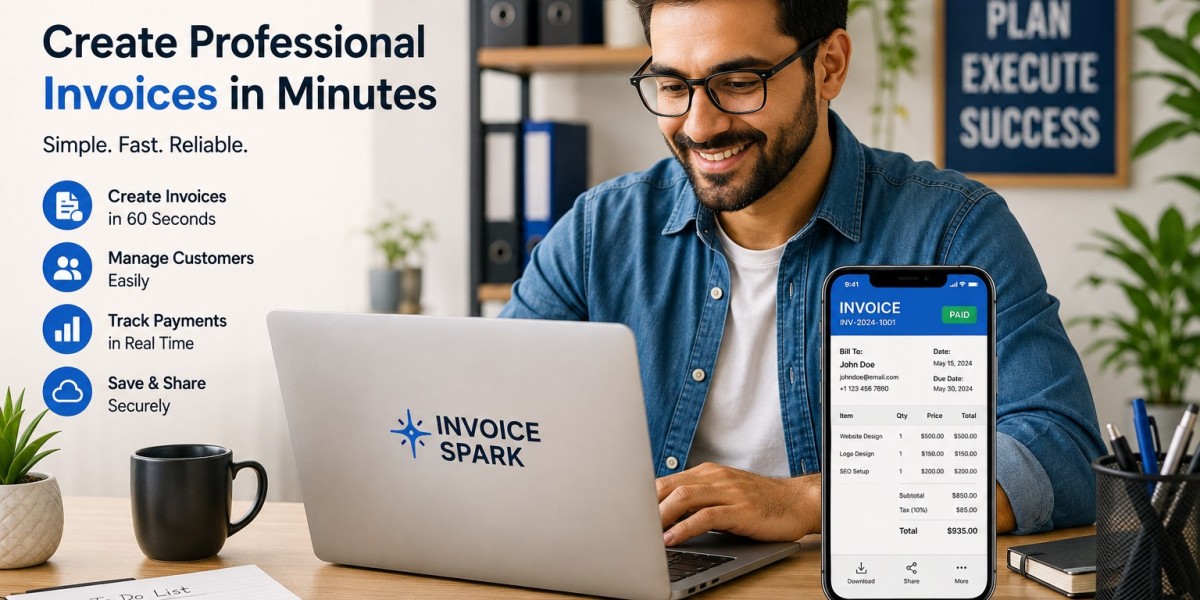
Invoice Spark is the brand featured in this article.
A useful invoicing workflow should fit the way a business actually operates. For professionals who frequently work away from an office, offline capabilities can be an important consideration.
Whether you need an invoice app for Android, an invoice and billing app for Android, an invoice app with client management, or an invoice app no subscription, compare the features and pricing carefully.
The right invoicing workflow can make billing more organized while reducing unnecessary administrative work.
Frequently Asked Questions
1. Why use an offline invoice app?
It can help businesses continue preparing billing information when internet access is unavailable or unreliable.
2. Is an offline invoice app completely independent of the internet?
Not always. Some features may work offline while synchronization, cloud backup, updates, online payments, or sharing may require a connection.
3. Can freelancers use offline invoicing?
Yes. Freelancers who travel or work from different locations can benefit from having invoice tools available without constant connectivity.
4. Can I use an offline invoice app on Android?
Yes, provided the application supports Android and offers the offline functionality you need.
5. What is an invoice app with client management?
It is an invoicing application that also provides tools for storing and organizing customer information.
Conclusion
An offline-capable invoicing solution can be valuable for businesses that do not always have reliable internet access. It can help contractors, freelancers, field workers, and small business owners prepare billing information while working away from an office.
An invoice app for Android can provide convenient mobile access, while an invoice app with client management can help organize customers and billing records. Businesses looking for flexible pricing can also explore an invoice app no subscription, while carefully reviewing the application's terms and available features.