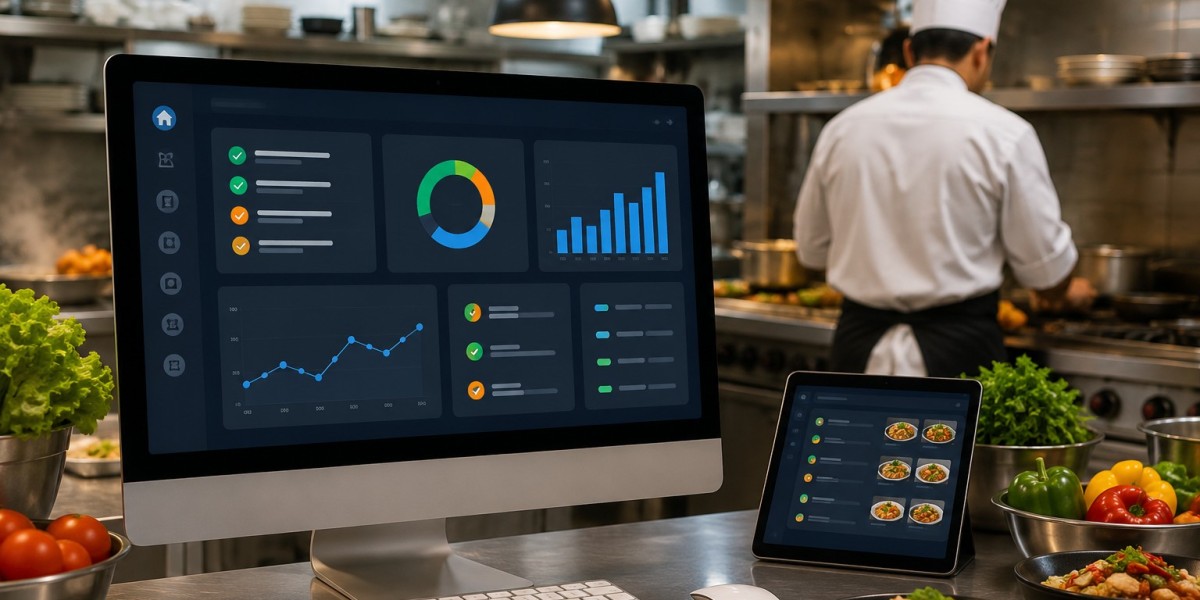


What is a restaurant kitchen management system?
A restaurant kitchen management system (KMS) is a digital platform that connects your front-of-house ordering channels — POS, online ordering, delivery apps, and phone orders — to your kitchen stations in real time. It replaces paper tickets with digital displays, routes orders to the correct preparation station automatically, tracks ticket times and order accuracy, and gives managers live visibility into kitchen performance across all service areas. Modern systems integrate with inventory, labour scheduling, and analytics to turn the kitchen from a reactive operation into a data-driven one.
A restaurant kitchen management system digitises back-of-house operations by replacing paper-based order tickets with real-time digital displays connected directly to the POS. It routes orders to preparation stations, tracks ticket times, monitors order accuracy, flags bottlenecks, and integrates with inventory and delivery management to give restaurant operators complete kitchen visibility. The global KDS market is projected to reach USD 520 million in 2025 with a 7.15% CAGR, and 60% of new restaurants in North America now use kitchen display solutions. This guide explains how a KMS works, what features to look for, how it compares to paper systems, and why the operational and financial case for adoption has never been stronger.
The Back-of-House Problem No One Talks About Enough
Ask most restaurant owners where their biggest operational headaches live, and they'll point to the kitchen.
Not the menu. Not the front of house. The kitchen — specifically, the chain of events between when an order is placed and when it reaches the pass, ready to serve.
Paper tickets get lost in the rush. Verbal modifications don't make it from the server to the cook. Two chefs at different stations prepare parts of the same order at completely different speeds, so dishes arrive at the table minutes apart. A delivery order coming in through a third-party app has no clean way to reach the kitchen alongside the dine-in orders that are already stacking up.
These aren't failures of effort. They're failures of system.
Restaurant margins are razor-thin — often just 3–5% — and operators waste thousands monthly on disconnected systems, manual processes, and poor visibility into their numbers. The kitchen is where a significant portion of that waste originates: in remade dishes, in slowed ticket times, in orders that go out wrong and come back to haunt you in reviews.
A restaurant kitchen management system is the structural solution to this set of problems. And in 2026, it's no longer the preserve of large chains with enterprise budgets.
What Is a Restaurant Kitchen Management System?
A restaurant kitchen management system (KMS) — sometimes called a kitchen display system (KDS) or kitchen management software — is a digital platform that manages the flow of orders through your back-of-house operations.
At its core, it does two things: it receives order data from wherever that order originates (your POS, online ordering platform, delivery app, or call center), and it displays that order — correctly formatted, correctly routed — to the relevant kitchen station in real time.
But modern kitchen management systems go well beyond simple display. Kitchen management software is a cloud-based digital platform that streamlines and automates back-of-house operations. It centralises functions for your restaurant's kitchen like order management (including online ordering), recipe control, menu engineering, food prep tracking, labour optimisation and inventory tracking and reporting.
In practical terms, a kitchen management system is the connective tissue between your customer-facing ordering systems and your back-of-house execution. It ensures that what a customer orders — exactly as they ordered it, with every modification and special instruction — reaches the right cook, at the right station, at the right time.
The number of KDS units in commercial kitchens is estimated to grow from roughly 3.8 million in 2025 to more than 9.5 million by 2035. The adoption curve is accelerating — driven by delivery growth, labour pressure, and the increasingly multi-channel nature of restaurant orders.
How a Restaurant Kitchen Management System Works: Step by Step
Understanding the operational mechanics helps you evaluate systems with much more clarity. Here's how the process flows from order to delivery:
Step 1: Order Placed A customer places an order through any channel — dine-in via a server entering into the POS, takeaway via a self-service kiosk, online via your ordering website or app, through a delivery platform, or via your call center.
Step 2: Order Transmitted to KMS The moment the order is confirmed, it is transmitted instantly from the ordering system to the kitchen management software. No paper is printed. No verbal relay is needed. The order appears on the kitchen display in seconds.
Step 3: Automatic Station Routing The KMS routes each component of the order to the correct station. The grilled chicken goes to the grill station. The side salad goes to the cold prep station. The soft drink goes to the barista or drinks station. Each station only sees the items relevant to them — not the full order, which would create confusion and noise.
Step 4: Timer Starts and Ticket is Tracked As soon as the order appears on a station display, a timer begins. The system monitors how long each component has been in preparation. If a ticket exceeds a configured threshold — say, 8 minutes for a specific item — an alert fires, prompting the kitchen team or a manager to investigate.
Step 5: Station Marks Items Complete When a cook finishes their component, they mark it complete with a tap or bump bar press. The system updates the order status across all connected displays — the expo screen at the pass can see which stations are ready and which are still preparing.
Step 6: Order Bumped at the Pass When all components of an order are ready simultaneously, the expo cook assembles the full order and bumps it at the pass. The system logs the total ticket time, updates the order status, and (if integrated with delivery management) triggers the next step — dispatch notification for a rider, or a table-ready notification for dine-in.
Step 7: Data Captured for Reporting Every action taken in the above process is logged. Ticket times by station, by shift, and by menu item. Remake events. Bottlenecks. This data flows into your management reporting layer, giving operators the performance intelligence to make informed decisions.
Core Features of a Modern Kitchen Management System
Not all kitchen management systems are equal. As you evaluate options, here are the capabilities that genuinely move the needle on kitchen performance:
Real-Time Order Display
The foundation. Orders appear on kitchen displays the instant they are placed — with all modifications, special requests, allergen flags, and dietary requirements displayed clearly. Kitchen display screens provide an organised view of orders and track modifications and cancellations in real-time, preventing staff from preparing incorrect orders or making duplicates.
Smart Station Routing
Orders are automatically divided and sent to the relevant preparation stations based on item type. The grill station doesn't see the dessert order. The barista doesn't see the steak. Each station has a clean, manageable queue relevant only to their work — reducing cognitive load and error rate under pressure.
Colour-Coded Priority and Age Indicators
As tickets age, they change colour — typically from green to amber to red — giving the entire kitchen team an at-a-glance indication of which orders need attention without anyone needing to shout across the pass. Priority orders (allergies, VIP tables, time-sensitive delivery slots) can be surfaced to the top of the queue automatically.
Multi-Channel Order Integration
Teams often struggle to manage orders coming from multiple platforms at the same time. The right kitchen management software handles online orders, kitchen workflows, inventory tracking, delivery coordination, and customer management from one system. A modern KMS consolidates all ordering channels — dine-in, takeaway, online, delivery app, and phone — into a single kitchen queue. This eliminates the chaos of managing separate ticket streams for each channel during peak service.
Ticket Time Tracking and Alerts
Every order has a timer running from the moment it enters the queue. The system tracks average ticket times by station, by shift, by menu item, and by day part. When a ticket breaches a defined threshold, an alert fires immediately — catching delays before they cascade into a backlog. Kitchen display systems deliver a 30–45 second improvement in average ticket times and 90%+ improvement in order accuracy during rush periods.
Remake and Void Tracking
Every remade dish is logged — when it happened, which station was responsible, and which item was involved. Over time, this data reveals whether errors are concentrated in specific menu items (often those with complex modifiers), specific shifts, or specific kitchen staff. This is operational intelligence that paper tickets cannot generate.
Multi-Station and Multi-Screen Configuration
Different kitchen layouts require different display configurations. A QSR drive-thru needs a different screen layout than a full-service restaurant with five prep stations. A good KMS is configurable to your specific kitchen architecture — including expo screens at the pass, prep screens at each station, and customer-facing order-status displays in the dining area.
Management Reporting Dashboard
With kitchen management systems, you can make informed decisions with real-time insights. Historical order flow analytics, kitchen performance metrics (ticket time, station lag), prep time tracking and accuracy rates, inventory depletion, food waste metrics, and multi-location comparisons all become accessible — turning kitchen performance from something you feel into something you measure.
POS and Inventory Integration
The highest-value configuration connects your KMS directly to both your POS and your inventory system. Every dish produced depletes the relevant ingredients from theoretical stock. Recipe deviations are flagged when actual usage diverges from the recipe standard. This integration converts kitchen operations data into inventory and cost intelligence simultaneously.
KMS vs. Paper Tickets: The Direct Comparison
Capability | Paper Ticket System | Kitchen Management System |
Order transmission speed | Printed or handwritten, then walked to kitchen | Instant — appears on display at moment of order |
Modification accuracy | Dependent on handwriting and legibility | Digital, exact, colour-highlighted |
Station routing | Manual — expo cook distributes tickets | Automatic — system routes by item type |
Multi-channel order management | Separate streams, manually managed | All channels consolidated in one queue |
Order status visibility | Unknown until physically checked | Real-time across all connected displays |
Ticket time tracking | Manual observation only | Automated timer with alerts |
Remake and error logging | Not tracked | Logged per station, per shift, per item |
Management reporting | None | Historical data, performance benchmarks |
Paper cost | $50–$60 per case, ~1 case per week | Eliminated |
Staff training time | Immediate | Typically 1 shift to become proficient |
Multi-location visibility | Impossible | Centralised cloud dashboard |
POS and inventory integration | None | Full integration available |
The operational gap is significant. But the financial gap — across ticket times, remake costs, paper spend, and management efficiency — is what makes the business case decisive.
How a KMS Benefits Each Type of Food Business
Quick-Service Restaurants (QSRs)
Speed is the product. A QSR kitchen management system eliminates the handoff delay between order taking and kitchen preparation. Orders appear on kitchen displays in real time, enabling prep to begin the moment a customer orders — not when a ticket is walked to the pass. Quick-service and fast-casual restaurants make up an estimated 42% of global KDS unit placements, as speed and order-volume pressure make digital tickets especially valuable in that segment.
Drive-thru operations specifically benefit from KMS integration that begins preparation before the vehicle reaches the payment window — a capability impossible with paper systems.
Casual and Fine Dining Restaurants
Order accuracy and course timing become the priority. A multi-station KMS ensures that when a table orders starters, mains, and desserts, each course fires at the right moment — and all components of the same course are ready simultaneously, not one at a time. Allergen and dietary flagging is particularly critical in fine dining, where a missed special requirement can become a serious incident.
Cloud Kitchens
Teams managing cloud kitchens often struggle to manage orders coming from platforms like multiple delivery apps at the same time. Inventory mismatches, delayed deliveries, missed orders, and disconnected systems can quickly impact customer experience and daily operations.
A KMS is foundational infrastructure for cloud kitchens — consolidating orders from all delivery platforms into a single, prioritised kitchen queue. For cloud kitchens operating multiple virtual brands from the same physical kitchen, the routing capability is essential: each brand's orders flow to the correct prep area without manual sorting.
Cafés and Beverage-Led Businesses
Drink preparation has its own specific workflow — separate from food preparation, often faster, and with different customisation complexity. A KMS configured for café operations maintains a dedicated barista display that receives drink orders independently from food items, preventing the situation where a barista is preparing three espresso drinks while simultaneously trying to track food ticket status they don't need to see.
Multi-Branch Restaurant Groups and Franchises
If you run more than one restaurant branch, coordinating operations manually is nearly impossible. A centralised dashboard in a cloud-based KMS allows managers to monitor all branches from a single screen. You can spot which location has a bottleneck, push menu changes across all branches simultaneously, and maintain quality consistency everywhere without physically being there. Multi-location restaurants using centralised dashboards report 40% faster response times to operational issues compared to those without digital systems.
For franchises, consistent kitchen execution across locations is a brand-protection issue as much as an operational one. A KMS enforces the same ticket time standards, the same routing logic, and the same performance reporting at every branch — regardless of who's managing the kitchen that day.
The Measurable Impact: Real-World Numbers
The business case for kitchen management systems is grounded in consistent, well-documented operational improvements. Here's what the data shows:
Ticket Time Improvement Kitchen display systems deliver a 30–45 second improvement in average ticket times during rush periods. In a high-volume QSR serving 200 covers during a lunch period, a 30-second reduction per ticket compounds to meaningful throughput gains — more covers served in the same window, without adding staff.
Order Accuracy KDS systems deliver a 90%+ improvement in order accuracy during rush periods. Every remake avoided is a double cost saved: the ingredient cost of the original dish plus the ingredient cost of the replacement, plus the lost kitchen time and the risk of a delayed table or negative review.
Remake Cost Reduction Restaurant KDS systems deliver a 15–25% reduction in remake costs. For a restaurant running 5% of meals as remakes at a food cost of PKR 500 per dish, a 25% reduction in remakes across 100 daily covers recovers over PKR 6,000 per week — without changing a single recipe.
Paper Cost Elimination Operators report that at almost $50–60 a case, going through about a case a week made the switch to a kitchen display system a straightforward financial decision. Eliminating printer paper costs is a small but immediate recovery — and it continues every week indefinitely.
Multi-Location Operational Efficiency Multi-location restaurants using centralised dashboards report 40% faster response times to operational issues compared to those without digital systems. In practice, this means a problem that would have taken three hours of phone calls and branch visits to diagnose is identified and addressed in minutes from a single management screen.
Market Growth The global KDS market is projected to reach USD 520 million in 2025 with a 7.15% CAGR, signaling steady price competition and innovation in the coming years. This growth trajectory confirms that KMS adoption is not a trend — it's a structural shift in how professional kitchens operate.
What to Look for When Choosing a Kitchen Management System
With a growing number of providers in the market, evaluating systems against the right criteria is important. These are the questions that separate good systems from the ones that cause more problems than they solve:
Does it integrate with your existing POS? This is non-negotiable. A KMS that doesn't connect directly to your point-of-sale creates a data gap that requires manual bridging — defeating the core purpose of the system. Ask specifically which POS systems are supported, and whether the integration is native or requires a third-party connector.
Does it handle all your ordering channels? If you take dine-in, takeaway, delivery app, and phone orders, your KMS needs to consolidate all four into a single queue. A system that only handles dine-in POS orders leaves your delivery operation on paper — which creates exactly the kind of split-stream chaos a KMS is designed to eliminate.
Is it configurable to your kitchen layout? A café with two stations has different display requirements than a QSR with five. Ask to see how the system is configured for your specific kitchen architecture, and whether station routing rules can be adjusted without contacting support every time your menu changes.
What happens during an internet outage? Most KDS systems work within the restaurant's local network and continue operating during internet outages, syncing data once the connection is restored. Verify this explicitly — a cloud-based system that fails completely when connectivity drops is a serious operational risk for any business.
What does the reporting actually show? Ask to see a real sample report — not a mock-up. Useful kitchen management reporting shows ticket time by station, by shift, and by menu item; remake and void events; order accuracy rates; and multi-location comparisons. Vague "analytics" that don't answer operational questions aren't useful under service pressure.
What is the training requirement? Modern kitchen management software is designed with a user-friendly interface that requires minimal training. Most staff are up and running within a single shift, which means lower onboarding costs and faster service from day one. Verify this with reference customers, not just the vendor's marketing materials.
What does implementation actually look like? Implementation timeline for a KMS is typically 1–2 weeks for basic setup and 3–4 weeks for complex multi-station configurations. A vendor who promises overnight deployment without a proper onboarding process is under-selling the complexity of a good implementation.
Common Mistakes When Implementing a Kitchen Management System
Most KMS failures aren't technology failures. They're implementation failures. Here are the mistakes that cost restaurants the most:
Configuring it around the old workflow rather than redesigning for the new one A KMS is not a digital version of your paper ticket process. It enables a fundamentally different workflow — one where routing happens automatically, timing is tracked, and stations operate with independent queues. Operators who simply replicate their paper system in digital form miss the majority of the value.
Skipping staff training because "it's intuitive" The interface may be intuitive. The operational shift is not. Kitchen staff who understand why the system works differently — why they only see their station's items, why the colour coding matters, why they should never ignore a red ticket — adopt the system faster and use it more consistently.
Going live during peak service Pilot the system during an off-peak period — a mid-week lunch, a slower evening. Give your team time to develop muscle memory with the new system before a Friday night service where any hesitation compounds into delays.
Not connecting it to inventory A KMS that operates independently from your inventory system captures only half its potential value. The integration between kitchen production data and inventory depletion is where food cost intelligence lives. If your systems don't communicate, you're leaving money on the table.
Not reviewing the reporting The reporting is the long-term value. Ticket time trends, remake rates, station bottlenecks — this data tells you where your kitchen is losing time and money. Operators who install a KMS but never review the performance data are using an expensive timer, not a management tool.
How CherryBerry RMS Kitchen Management Fits Your Operation
CherryBerry RMS's kitchen management capability is built as an integrated component of its full restaurant management platform — not a standalone product that requires a separate integration to become useful.
Kitchen Management System: CherryBerry RMS's kitchen management module digitises order flow from all channels into a single, station-routed display environment. Orders from dine-in, takeaway, delivery, and phone are consolidated and routed to the correct preparation area in real time. Kitchen staff see only the items relevant to their station — with timing indicators, modification highlights, and priority flags displayed clearly.
Cloud-Based POS System: The kitchen management module works in direct integration with CherryBerry RMS's POS system. Every sale recorded at the point of sale creates an immediate kitchen event — no manual handoff, no paper relay, no transmission delay. The POS-KMS integration is native, not third-party, which means no sync gaps and no manual reconciliation.
Restaurant Back Office: Kitchen performance data flows directly into the CherryBerry RMS back office reporting layer. Ticket times, remake events, and order accuracy rates are visible alongside food cost, labour cost, and inventory variance — giving management a complete operational picture in one dashboard rather than across disconnected tools.
Order Management Software: CherryBerry RMS consolidates all ordering channels into a unified order management layer that feeds the kitchen display. Whether an order comes in through your restaurant's own ordering interface or via your call center, it reaches the kitchen through the same system with the same formatting and the same routing logic.
Rider App: For restaurants managing their own delivery operations, the CherryBerry RMS Rider App connects delivery dispatch directly to kitchen order status. Riders are notified when orders are ready, reducing the window during which prepared food sits at the pass waiting for pickup — protecting food quality and delivery timing.
For restaurant owners across Pakistan managing single-location restaurants, multi-branch QSRs, or growing cloud kitchen operations, this integration means the kitchen management system isn't an island. It's connected to everything — orders, inventory, delivery, and reporting — in a way that makes each component more valuable than it would be in isolation.
Actionable Tips to Improve Kitchen Operations Right Now
Whether or not you're ready to implement a full kitchen management system, these operational improvements can begin immediately:
1. Time your tickets manually for one week. Track average ticket times by meal period for your top 10 menu items. This baseline gives you the data to measure improvement after any system change — and often reveals bottlenecks you weren't aware of.
2. Map your order flow before choosing a system. Draw out how orders currently travel from placement to the pass. Identify every handoff point where information can be lost, delayed, or distorted. A good KMS should eliminate each of these handoffs — if a vendor's system adds steps rather than removing them, that's a signal.
3. Talk to your kitchen team before selecting a system. The people who will use the system daily have the clearest view of where the current process fails. Involve them in evaluation — their feedback on what the system needs to do will be more operationally specific than any vendor's feature list.
4. Start with your highest-volume channel. If most of your volume comes through delivery platforms, prioritise a system that consolidates delivery orders first. The biggest operational improvements come from fixing the highest-volume workflows first, not from implementing features you rarely need.
5. Define your success metrics before going live. Average ticket time, remake rate, and order accuracy rate are the three most meaningful KPIs for kitchen performance. Define your current baseline for each before implementation. Review them at 30, 60, and 90 days post-launch. Without a baseline, you can't measure improvement.
Key Takeaways
A restaurant kitchen management system digitises back-of-house operations by replacing paper tickets with real-time digital displays connected to the POS, all ordering channels, inventory, and management reporting.
Modern KMS platforms route orders to the correct preparation station automatically, track ticket times with alerts, log remake events, and generate actionable performance reports.
60% of new restaurants in North America now use kitchen display solutions, and the adoption curve is rising rapidly as delivery growth and labour pressure make paper systems increasingly uncompetitive.
A kitchen management system delivers a 30–45 second improvement in average ticket times, a 90%+ improvement in order accuracy during rush periods, and a 15–25% reduction in remake costs — based on industry data from 2025 restaurant technology reports.
Every restaurant type — QSR, casual dining, cloud kitchen, café, multi-branch franchise — has specific KMS requirements that a properly configured system addresses differently.
The highest value is realised when a KMS is fully integrated with POS, inventory, order management, and delivery — as part of a connected restaurant management platform rather than as a standalone tool.
Common implementation failures have nothing to do with the technology: they come from replicating old workflows digitally, skipping staff training, and not reviewing the performance data the system generates.
FAQs
Q1: What is a restaurant kitchen management system?
A restaurant kitchen management system (KMS) is a digital platform that receives orders from all channels — dine-in POS, online ordering, delivery apps, and phone — and displays them in real time on screens at the relevant kitchen preparation stations. It replaces paper tickets, automates station routing, tracks order timing, and generates kitchen performance data for management reporting.
Q2: What is the difference between a KMS and a KDS?
A Kitchen Display System (KDS) refers specifically to the display hardware and software that shows orders in the kitchen. A Kitchen Management System (KMS) is a broader term that includes the KDS functionality plus order routing logic, performance analytics, multi-channel integration, and often connections to inventory and back-office systems. In practice, many vendors use the terms interchangeably, but a full KMS offers significantly more capability than a standalone display.
Q3: How does a kitchen management system improve order accuracy?
Kitchen display screens provide an organised view of orders and track modifications and cancellations in real-time, preventing staff from preparing incorrect orders or making duplicates. Every modification, allergen note, and special instruction appears digitally on the relevant station's display — eliminating the misread handwriting, lost tickets, and verbal miscommunications that cause errors on paper systems.
Q4: Is a kitchen management system suitable for a small restaurant or café?
Yes. Small restaurants benefit from improved order accuracy, faster preparation, and smoother kitchen coordination. Smaller operations often benefit most from KMS adoption because their margins are tightest and their teams have less buffer to absorb errors. Most modern KMS platforms are cloud-based, scalable, and accessible at pricing that suits independent operators.
Q5: How long does it take to implement a kitchen management system?
Implementation timeline is typically 1–2 weeks for basic setup and 3–4 weeks for complex multi-station configurations. For most independent restaurants, basic implementation with a connected POS can be achieved within two weeks. Multi-branch or multi-station configurations require more setup time for routing rules, screen configuration, and staff training.
Q6: Can a kitchen management system work with delivery apps?
Yes — this is one of its most important functions. A modern KMS consolidates orders from all channels including third-party delivery platforms into a single kitchen queue. This eliminates the operational chaos of managing separate order streams during peak service and ensures delivery orders are treated with the same visibility and timing accountability as dine-in orders.
Q7: How does a kitchen management system reduce food waste?
By improving order accuracy, a KMS directly reduces the number of dishes that need to be remade. Remade dishes represent double the food cost with zero additional revenue. Additionally, by connecting kitchen production data to inventory depletion tracking, a KMS enables the real-time visibility that catches over-portioning and prep waste before they compound into significant food cost overruns.
Q8: What happens to a kitchen management system during an internet outage?
Most KDS systems work within the restaurant's local network and continue operating during internet outages, syncing data once the connection is restored. When evaluating any system, verify this explicitly — a cloud-based system that fails completely during connectivity interruptions creates a serious operational risk during service.
Q9: How does a kitchen management system help multi-branch restaurant operations?
A centralised dashboard in a cloud-based KMS allows managers to monitor all branches from a single screen. You can spot which location has a bottleneck, push menu changes across all branches simultaneously, and maintain quality consistency everywhere without physically being there. For franchise operations, standardised performance metrics across all branches also enable meaningful benchmarking — identifying which kitchens are performing above standard and which need support.
Professional CTA
Your Kitchen Deserves Better Than Paper Tickets
Every order that goes out late, every dish that gets remade, every delivery that arrives at the pass while the rider waits — these are operational costs with a system solution.
CherryBerry RMS's integrated kitchen management system connects your orders, your stations, your inventory, and your management reporting into one platform — so your kitchen runs faster, more accurately, and with the visibility that lets you actually manage it rather than just react to it.
? Book a Free Demo with CherryBerry RMS and see how a connected kitchen management system changes what your back of house can do.
? +92 42 32109257 | ? info@cherryberryrms.com









