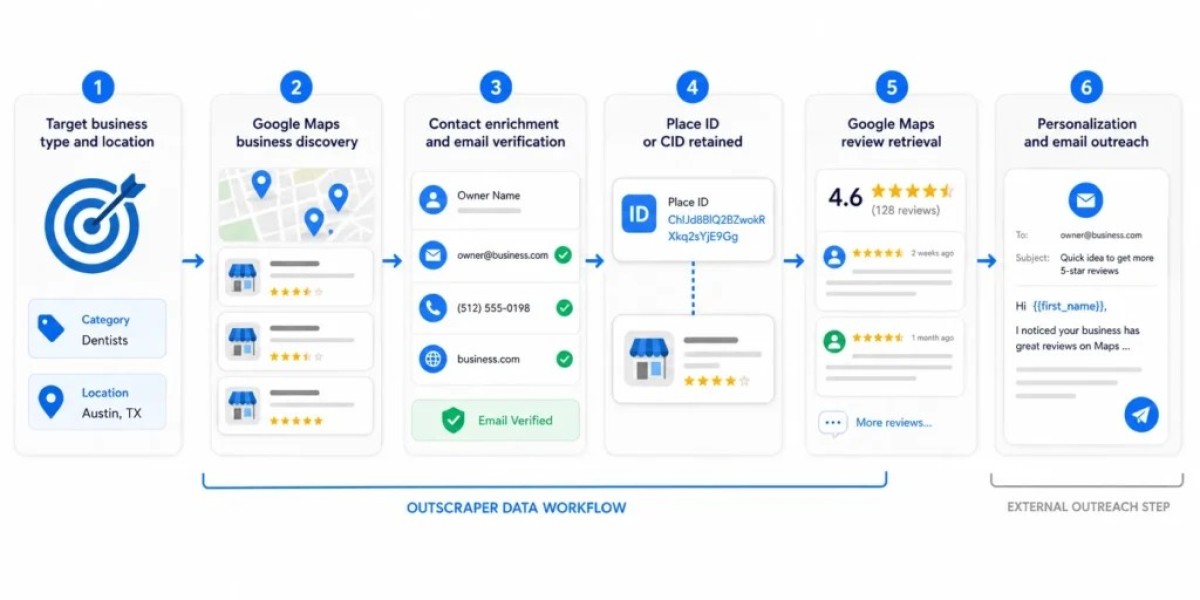


Google Maps is often treated as a simple navigation app, but it also functions as one of the largest, most current directories of local businesses in the world. The challenge has always been getting that information out in a usable format. Outscraper addresses this directly, letting users search by keyword and location and export structured results ready for spreadsheets, CRMs, or outreach campaigns. Below, we break down the setup process, the data fields available, and practical ways different teams are putting this kind of extraction to work.
Importing Data into Your Workflow
Because exports come in standard CSV or Excel formats, importing them into a CRM, email platform, or spreadsheet-based workflow is usually straightforward. Most CRMs accept bulk CSV imports with field mapping, so a business name column maps to a company field, a phone number column maps to a contact field, and so on. Teams running cold outreach campaigns often pair this kind of exported data with an email finder or verification step before uploading contacts into their outreach platform, ensuring that the list going into a campaign is both accurate and properly formatted for whatever sequencing tool they're using.
Why Targeted Searches Work Better
Rather than pulling every business in a broad category, more targeted searches, combining specific keywords, locations, and filters, tend to produce lists that convert better in outreach. A campaign aimed at boutique fitness studios in a handful of cities will perform differently than one built from a generic 'gyms near me' search covering an entire state. Segmenting searches by neighborhood, business size indicators like review count, or even by whether a business has a website at all can help teams prioritize which leads to contact first. This kind of targeting turns a large, generic dataset into a prioritized list that's far more actionable.
Benefits for Agencies
Agencies managing outreach for multiple clients benefit from being able to generate fresh, localized lists on demand rather than relying on outdated purchased databases. This makes it possible to tailor prospecting lists to each client's specific market and industry without waiting on a data vendor or paying for records that don't apply. Teams running outreach at scale also benefit from being able to re-run searches periodically to catch new businesses that have opened or updated their listings, keeping prospecting lists current rather than static snapshots that go stale after a few months.
Running Your First Search
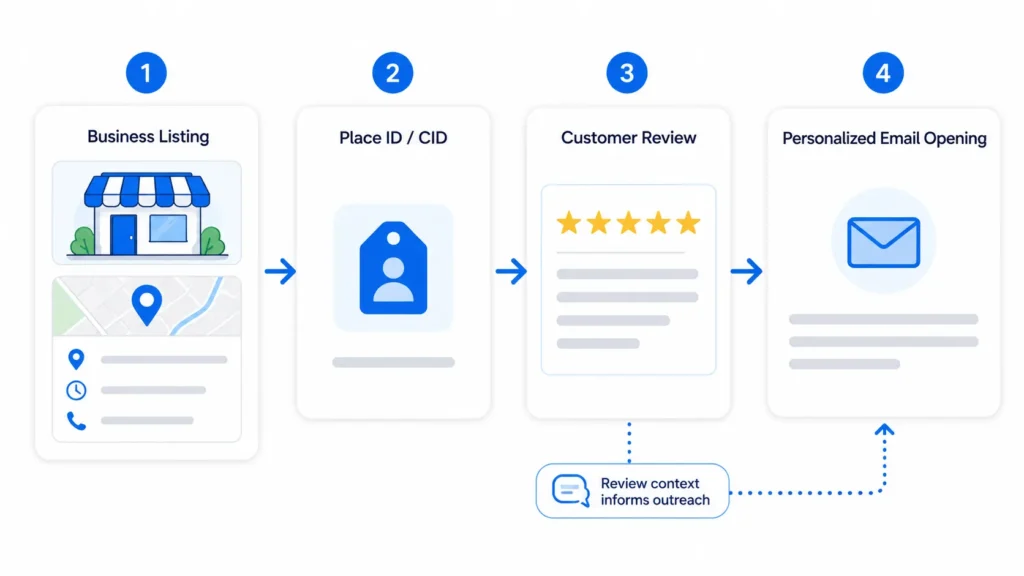
Getting started typically involves entering a search term, such as a business category combined with a city or zip code, and letting the tool pull every matching listing within that scope. Once the search runs, results can be filtered, sorted, and exported directly to CSV or Excel, making it easy to hand the file off to a sales team or import it into another platform. New users often start with a small test search to get a feel for the output format before running larger extractions across multiple cities or categories. This approach helps confirm that the data fields returned match what's actually needed for the project, whether that's just names and phone numbers or a fuller dataset including websites and review counts. This is exactly the kind of workflow Outscraper was designed to support.
The Data Fields You Can Export
Beyond the basics of name, address, and phone number, exports can include website URLs, business categories, star ratings, total review counts, and sometimes email addresses pulled from linked websites. Each of these fields serves a different purpose: ratings and review counts help prioritize which leads are most established, while categories make it easy to segment a list by industry before starting outreach. Having structured fields rather than raw text makes filtering and sorting dramatically easier. A sales team might want only businesses with fewer than fifty reviews, since these are often newer or under-marketed and more receptive to outreach, while a market researcher might care more about geographic density than review counts at all. For teams that rely on accurate local business information on an ongoing basis, automating this part of the process tends to pay for itself quickly in saved hours alone.









