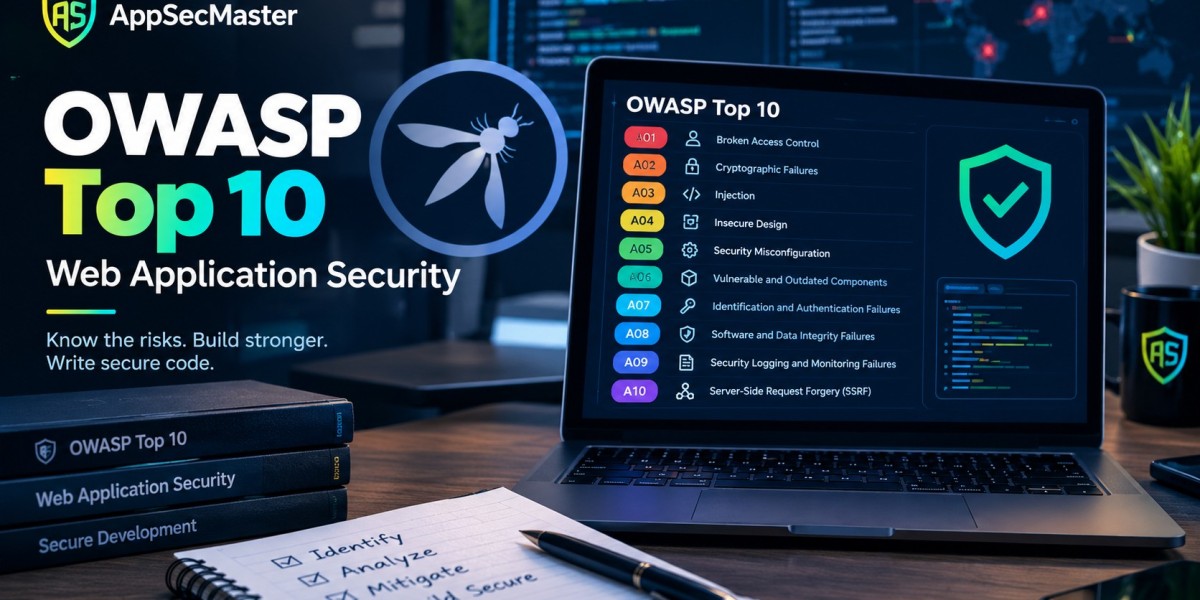


To test for OWASP Top 10 web vulnerabilities, scope the engagement, map the application, then work through a test case for each risk category authorization checks for Broken Access Control, input handling for Injection, configuration and dependency review for Misconfiguration and Supply Chain Failures and failure path testing for the newer categories. Combine automated scanning for breadth with manual testing for business logic, then report each finding with proof, impact and a concrete fix.
Reading about the OWASP Top 10 is easy. Turning it into a repeatable testing routine is where most practitioners struggle. A list of OWASP Top 10 risks does not tell you which requests to send, which responses matter, or when a clean scanner report is hiding a serious flaw. This guide treats the OWASP Top 10 vulnerabilities list as a web security testing plan: a sequence of concrete checks you can run on a real target, in a defined order, with evidence you can hand to a developer, covering the most common web application vulnerabilities.
It is written for people who already understand the basics junior penetration testers, cybersecurity analysts, QA engineers moving into security and developers who want to test their own applications properly. If you need the OWASP Top 10 explained from scratch, want the OWASP Top 10 vulnerabilities explained in detail, or are still asking what is OWASP Top 10 in the first place, start with our reference on OWASP Top 10 web application security, then return here to put it to work.
Start With Scope and Rules of Engagement
Application security testing begins with paperwork, not payloads. Before you send a single request, confirm in writing which hosts, environments and accounts are in scope, what testing windows apply, whether destructive actions such as account deletion or bulk data export are allowed and who to contact if something breaks. Testing without authorization is not a gray area and even authorized tests can disrupt production if you run an aggressive scan against a fragile system.
Agree on test accounts early. Meaningful authorization testing needs at least two ordinary users in the same role and one privileged user, because most access control flaws only appear when you compare what one account can do to another data.
Finally, decide which reference standard you will test against. The OWASP Web Security Testing Guide (WSTG) provides detailed test cases and the OWASP Application Security Verification Standard (ASVS) provides verification requirements at three levels. Pairing the OWASP web security Top 10 with those two documents gives you categories to prioritize, test procedures to follow and requirements to cite.
Phase 1 Reconnaissance and Application Mapping
You cannot test what you have not found. Spend the first stretch of the engagement building a map of the attack surface.
Browse the application through an intercepting proxy such as OWASP ZAP or Burp Suite, exercising every feature while logged out, logged in as each role and during multistep flows like registration, checkout and password reset. The proxy history becomes your inventory of endpoints, parameters, cookies and headers. Then extend it, review JavaScript files for hidden API routes, check robots.txt and sitemap files, inspect API documentation if it is exposed and note the technology stack from headers and error pages.
Record three things for every endpoint: how it authenticates the caller, what usercontrolled input it accepts and what it returns. Those three columns drive almost every test that follows. An endpoint that accepts an object identifier is a candidate for access control testing. An endpoint that reflects input is a candidate for crosssite scripting. An endpoint that fetches a URL on the user behalf is a candidate for ServerSide Request Forgery.
Testing Injection Attacks
Injection remains the most widely tested category because the symptoms are visible and the tooling is mature. The method is the same across variants: find every place usercontrolled data reaches an interpreter, change it in a way that would alter meaning and observe the response.
For SQL injection, start with a single quote or a logically neutral change and watch for errors, content differences, or timing changes. Test numeric parameters, string parameters, headers, cookies and JSON bodies, because developers often protect form fields but forget the rest. Confirm findings manually even when a tool reports them and capture the exact request and response as proof. If you want a safe target for building this instinct, the SQL injection lab lets you practice detection and exploitation legally.
For crosssite scripting, track where input is reflected or stored, then identify the output context HTML body, attribute, JavaScript string, or URL. The context decides which characters matter and which encoding would have prevented the flaw. Practicing against dedicated crosssite scripting labs teaches you to recognize contexts quickly instead of firing generic payloads everywhere.
Do not stop at the two famous examples: OS command, template and NoSQL injection attacks share the same root cause of data crossing into an interpreter without a safe boundary.
Testing Access Control and SSRF
Broken Access Control is both the most common finding and the one scanners miss most often, because it depends on knowing who is supposed to see what. Your two account setup does the heavy lifting here.
Run the horizontal test first perform an action as user A, capture the request, then replay it using user B session. If user B can read or change user A data, you have found an insecure direct object reference. Repeat the pattern for every endpoint that takes an identifier, including those hidden in request bodies, GraphQL variables and file download paths. Then run the vertical test replay privileged requests using a lowprivilege account and try to reach administrative routes directly by guessing or discovering their URLs.
ServerSide Request Forgery now sits inside this category. Look for any feature that fetches a remote resource using a user supplied address webhooks, image or document importers, URL previews and PDF generators. Test with an address you control and watch for outbound connections, then check whether internal addresses or cloud metadata endpoints are reachable. The fix lives in allowlists and network segmentation, so your report should describe which internal resources the application could be made to reach.
Testing Authentication and Session Management
Authentication failures hide in the edges of flows rather than in the main login form. Walk through each of these in turn
Credential handling. Test for account lockout or rate limiting, username enumeration through different error messages or timing, default or weak password acceptance and password policy enforcement.
Session lifecycle. Confirm that session identifiers change after login, expire after logout and inactivity and are not accepted after a password change. Check cookie flags Secure, HttpOnly and an appropriate SameSite value.
Recovery flows. Password reset and account recovery are frequent weak points. Test token predictability, token reuse, expiry and whether the flow reveals which accounts exist.
The 2021 category was called Identification and Authentication Failures and older reports and tools still use that label. The tests are the same under either name.To sharpen this skill without a client engagement, practice in the source code review labs, where the goal is to find and explain vulnerabilities directly in code.
Testing Configuration, Supply Chain, Cryptography and Integrity
These four categories reward patience and a methodical approach more than clever exploitation.
Security Misconfiguration testing is largely observation. Check response headers such as ContentSecurityPolicy, StrictTransportSecurity and XContentTypeOptions; look for directory listing, debug endpoints, exposed administrative interfaces, default credentials, unnecessary HTTP methods and error pages that disclose stack traces or versions.
Software Supply Chain Failures testing starts with an inventory. List the direct and transitive dependencies, identify known vulnerable versions with a software composition analysis tool and check whether builds use pinned versions and verified sources. This is the modern form of the older Vulnerable and Outdated Components category, widened to cover build systems and distribution infrastructure. If you have repository access, review the pipeline configuration for secrets, unreviewed deployment steps and overly broad permissions.
Cryptographic Failures testing covers transport and storage. Scan TLS configuration for outdated protocols and weak ciphers, confirm that sensitive pages never load over plain HTTP and, where code or data access allows, verify that passwords are stored with a slow, salted algorithm such as Argon2id, bcrypt, or scrypt instead of a fast general purpose hash.
Software or Data Integrity Failures (called Software and Data Integrity Failures in 2021) testing asks what the application trusts without verifying. Look for serialized objects accepted from clients, unsigned update mechanisms, scripts loaded from third party origins without integrity attributes and client side values the server accepts as authoritative, such as a price or role in a hidden field.
Testing Design Flaws, Logging and Failure Handling
The last three categories need human judgment, which is why they are the hardest to automate.
Insecure Design testing means attacking the logic. Ask what the feature was meant to prevent, then try to do it anyway, apply a discount code repeatedly, skip a step in a multistage purchase, transfer a negative amount, or exceed a quota by sending requests in parallel. A threat model, even a rough one, tells you which abuse cases deserve attention.
Security Logging and Alerting Failures (the 2021 name was Security Logging and Monitoring Failures) are tested by cooperating with the defenders. Perform a set of noisy, authorized actions, such as repeated failed logins and attempted privilege escalation and then ask whether the logs captured them and whether anyone received an alert. A system that records events nobody reads has the same practical weakness as one that records nothing.
Mishandling of Exceptional Conditions testing is fault injection. Send malformed, oversized, or unexpected input, drop connections midrequest and trigger errors in dependent services. You are looking for two outcomes: responses that leak internal detail and logic that fails open, granting access or skipping a check when something throws an exception.
WhiteBox Testing Using the Source Code
Blackbox testing tells you that something is broken. Source access tells you why and it finds problems that probing would never reach, such as an unreachable but dangerous code path or a hardcoded secret. If the engagement allows it, combine both approaches.
Start by tracing each risky input from where it enters the application to where it is used for queries, commands, file paths, redirects and outbound requests. A structured secure code review method keeps this systematic rather than ad hoc. Pair it with a code review checklist so that the same questions are asked on every pull request and every assessment.
Reporting Findings Developers Can Act On
A finding that cannot be reproduced or understood will not be fixed. Write each one so a developer who was not present can verify it and learn how to prevent OWASP Top 10 vulnerabilities of that type.
A strong finding contains a clear title, the affected endpoint and parameter, step by step reproduction with the exact request, the observed result, the business impact in plain language, a severity rating with the reasoning behind it and a specific remediation. Validate input is not remediation; use a parameterized query for the name parameter in the search handler is.
Map each finding to its OWASP Top 10 application security category and, where useful, to the relevant WSTG test and CWE identifier, so teams can track patterns across assessments. Link the remediation to guidance developers can follow independently, such as our overview of web security best practices.
Building Testing Skill Through Practice
Methodology only becomes instinct with repetition. A dedicated web security CTF track gives you realistic targets for each category and the wider set of application security challenges includes formats where you must identify the vulnerability class yourself, which is closer to real assessment work.
Conclusion
Effective OWASP Top 10 testing is a process, not a tool run. Define scope and permissions, map the application thoroughly, test each category with techniques matched to its root cause and use automation for breadth while keeping human attention on access control and design. Support every finding with proof and a precise fix and fold what you learn into the team secure coding standards and secure software development process so the same flaw does not return next quarter.
Keep sharpening the craft by practicing on realistic targets, comparing your methodology with other testers and revisiting the matrix in this guide before each engagement. When you are ready for structured, handson practice across every category, explore the labs and challenges at AppSecMaster and turn this methodology into a skill you can rely on.
Frequently Asked Questions (FAQs)
How do you test for the OWASP Top 10?
Scope the engagement, map the application with an intercepting proxy, then run category specific tests, replay requests across accounts for access control, manipulate input for injection, review headers and dependencies for configuration and supply chain issues and attack workflows for design flaws. Combine automated scans with manual verification.
Which tools are best for OWASP Top 10 testing?
An intercepting proxy such as OWASP ZAP or Burp Suite is the core tool. Add a software composition analysis scanner for dependencies, a TLS scanner for transport checks and scripting for repetitive tests. Tools support the process, but they cannot replace judgment on authorization and logic.
Can an automated scanner find every OWASP Top 10 vulnerability?
No. Scanners perform well on injection, missing headers and known vulnerable components but struggle with Broken Access Control, Insecure Design and business logic problems, because those depend on intended behavior the tool cannot know. Manual testing fills the gap.
How often should web applications be tested?
Run automated checks on every build or release and schedule in depth manual testing before major releases, after significant architectural changes and at least annually. High risk applications that handle payments or sensitive data justify more frequent assessments.
What is the difference between the OWASP Top 10 and the OWASP Web Security Testing Guide?
The Top 10 ranks the most critical risk categories and tells you what to prioritize. The Web Security Testing Guide is a detailed testing manual that explains how to check for each weakness. Use the Top 10 to decide where to look and the WSTG to decide how.









