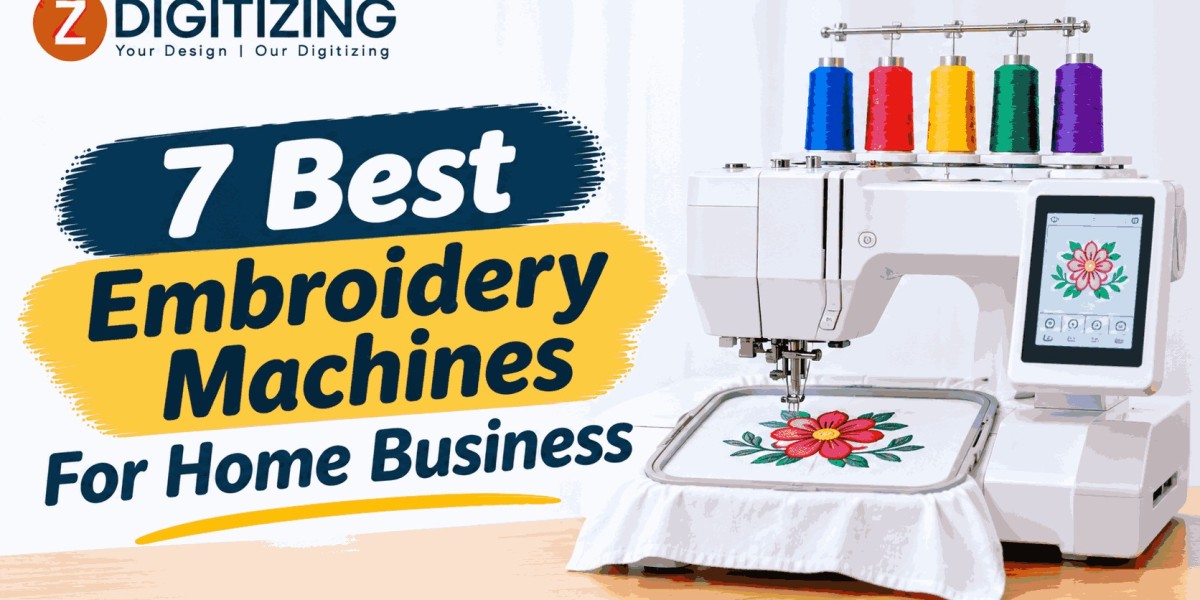


Starting an embroidery business from home can be an exciting way to turn creativity into income. Whether you want to personalize clothing, create custom gifts, embroider business logos, or sell embroidered caps and bags, the right embroidery machine can help you produce professional-looking products and grow your business.
However, choosing a machine is not always easy. Different models offer different hoop sizes, embroidery speeds, built-in designs, connectivity options, and levels of automation. Some are designed for beginners, while others provide advanced features for handling larger orders and more detailed designs.
Before investing in equipment, consider what products you plan to make, how much space you have, and how much you can afford to spend. In this guide, we will explore seven best embroidery machines for a home business, along with their features, advantages, and potential limitations.
1. Brother PE900 – Best for Beginners Starting a Home Business
The Brother PE900 is a practical choice for beginners who want a dedicated embroidery machine without investing in a large commercial setup. It offers a balance of useful features, straightforward operation, and enough embroidery space for many common customer orders.
It has a 5 × 7-inch embroidery area, making it suitable for names, monograms, small business logos, and decorative designs. Its color touchscreen allows users to preview and adjust designs, while wireless connectivity and USB support make transferring embroidery files more convenient.
Key Features:
5 × 7-inch embroidery field
Built-in embroidery designs and lettering fonts
Color touchscreen for design selection and editing
USB and wireless design transfer
Single-needle embroidery system
Advantages:
Beginner-friendly operation
Suitable for personalized clothing and accessories
Larger embroidery area than many entry-level machines
Convenient custom design transfer
Potential Drawback: Since it is a single-needle machine, users must change thread colors manually. This can slow down production when completing large orders with several colors.
Best For: Beginners producing personalized gifts, small logos, monograms, and custom apparel.
2. Brother SE2000 – Best Sewing and Embroidery Combination
The Brother SE2000 is a combination sewing and embroidery machine. It is useful for home business owners who want to offer more than embroidery, including basic garment construction, alterations, and decorative stitching.
Its 5 × 7-inch embroidery area provides room for many common designs. The machine also includes a touchscreen, automatic thread cutting, and wireless design transfer features that help simplify everyday work.
Because it combines two functions, it can be a practical choice for people who have limited workspace and do not want to purchase separate sewing and embroidery machines.
Key Features:
5 × 7-inch embroidery area
Sewing and embroidery capabilities
Built-in designs and lettering fonts
Wireless and USB design transfer
Touchscreen editing features
Automatic thread-cutting functionality
Advantages:
Handles sewing and embroidery projects
Useful for personalized clothing businesses
Convenient design transfer options
Suitable for a variety of home projects
Potential Drawback: Switching between sewing and embroidery functions takes time. Its single-needle system also requires manual thread changes.
Best For: Home businesses selling embroidered garments, customized gifts, and sewn products.
3. Janome MB-7 – Best Multi-Needle Machine for Growing Businesses
The Janome MB-7 is a seven-needle embroidery-only machine designed for users who want to increase production efficiency. Unlike a single-needle model, it can hold multiple thread colors at once, reducing the need to stop and rethread the machine whenever a design changes color.
This is especially helpful for businesses that regularly receive orders for multicolored logos, uniforms, promotional products, and personalized apparel.
Its multi-needle setup makes it more suitable for repeated embroidery jobs than a basic home machine. However, owners should still learn proper hooping, thread setup, and maintenance to get consistent results.
Key Features:
Seven-needle embroidery system
Large embroidery workspace compared with basic starter machines
Multiple thread colors loaded at once
USB design transfer
Dedicated embroidery functionality
Advantages:
Reduces manual thread changes
Useful for repeated multicolor designs
Better suited to growing order volumes
Allows users to focus on production efficiency
Potential Drawback: It requires a larger investment than beginner single-needle machines. Its learning curve and maintenance requirements may also be challenging for someone completely new to embroidery.
Best For: Home businesses handling regular custom-logo orders and multicolor embroidery projects.
4. Janome Memory Craft 550E – Best for Larger Embroidery Designs
The Janome Memory Craft 550E is an embroidery-only machine worth considering for businesses that need more space for their designs. Its larger embroidery area makes it suitable for projects that may be difficult to complete within a small starter-machine hoop.
This can be useful when producing decorative clothing, personalized home accessories, larger motifs, and other products that require more design space.
The machine provides on-screen editing features and USB connectivity, allowing users to work with custom embroidery designs. Its embroidery-focused setup is also useful for people who already own a separate sewing machine.
Key Features:
Large embroidery field with compatible hoops
Embroidery-only operation
On-screen design editing
USB design transfer
Built-in designs and lettering options
Advantages:
Suitable for larger embroidery projects
Dedicated embroidery workflow
Useful for decorative and personalized products
Offers more design space than many entry-level machines
Potential Drawback: It is a single-needle machine, so multicolor designs require manual thread changes. Buyers should also consider the space needed for its larger working area.
Best For: Home businesses creating larger designs, decorative items, and personalized products.
5. Bernette B79 – Best for Versatile Sewing and Embroidery Projects
The Bernette B79 combines sewing and embroidery functions in one machine. It is a useful option for business owners who want to create finished products as well as add decorative embroidery.
Its embroidery workspace is larger than the 4 × 4-inch field found on many entry-level models. It also offers a touchscreen interface, built-in designs, and features that help users manage their projects.
For example, a small clothing business could use the machine to sew and customize certain products without needing separate equipment for every task.
Key Features:
Sewing and embroidery functions
Large embroidery workspace
Built-in embroidery designs
Touchscreen controls
Automatic thread-cutting features
USB connectivity
Advantages:
Supports different types of creative work
Useful for personalized clothing and accessories
Offers a larger embroidery area
Combines two machine functions
Potential Drawback: Its many features can take time to learn. It may also be more expensive than a basic single-purpose starter machine.
Best For: Home businesses that create sewn products and offer embroidery customization.
6. Baby Lock Altair 2 – Best Premium Option for an Advanced Home Studio
The Baby Lock Altair 2 is a premium sewing and embroidery machine designed for users who want advanced creative features and a larger working environment.
It offers a generous embroidery workspace, a large touchscreen, and connectivity options that make working with custom designs easier. Its advanced features can be helpful when handling detailed projects or producing different types of personalized products.
The machine is also suitable for users who want to combine garment sewing with embroidery rather than operating separate machines.
Key Features:
Large embroidery workspace
Advanced touchscreen interface
Wireless design transfer options
Built-in embroidery designs and fonts
Automatic thread management features
Sewing and embroidery capabilities
Advantages:
Advanced design and editing options
Suitable for detailed embroidery projects
Combines sewing and embroidery
Useful for an established home studio
Potential Drawback: Its premium price makes it a significant investment. Beginners should carefully consider whether they will use its advanced features often enough to justify the cost.
Best For: Experienced home business owners who want advanced features and have a larger equipment budget.
7. Brother PR680W – Best for Higher-Volume Home Business Production
The Brother PR680W is a six-needle embroidery machine designed for users who need more production capacity than a typical beginner machine can provide.
Its multiple needles allow several thread colors to remain loaded, making multicolor designs more convenient to produce. It also offers a larger embroidery workspace and features designed to support a more organized production process.
This type of machine can be useful for a home business that has moved beyond occasional personalized orders and is receiving regular requests for uniforms, caps, logos, and promotional products.
Key Features:
Six-needle embroidery system
Large embroidery workspace
Multiple thread colors loaded simultaneously
Touchscreen controls
Design transfer and editing features
Support for different embroidery projects
Advantages:
Reduces repeated manual thread changes
Better suited to frequent multicolor orders
Supports a wider range of business projects
Offers more production-oriented features
Potential Drawback: It requires a considerably larger budget and more workspace than entry-level home embroidery machines. New users may also need training to operate it efficiently.
Best For: Established home businesses that receive regular orders and want to increase their embroidery production capacity.
Quick Comparison of the 7 Best Embroidery Machines
| Machine | Machine Type | Best For |
|---|---|---|
| Brother PE900 | Single-needle embroidery | Beginners |
| Brother SE2000 | Sewing and embroidery | Versatile home businesses |
| Janome MB-7 | Seven-needle embroidery | Growing businesses |
| Janome Memory Craft 550E | Single-needle embroidery | Larger designs |
| Bernette B79 | Sewing and embroidery | Versatile projects |
| Baby Lock Altair 2 | Premium sewing and embroidery | Advanced home studios |
| Brother PR680W | Six-needle embroidery | Higher-volume production |
The best option depends on your order volume, budget, product range, and available workspace. Features and machine availability can vary by country and retailer, so check the manufacturer's current specifications before purchasing.
How to Choose the Best Embroidery Machine for Your Home Business
Buying an embroidery machine is an important business decision. Instead of selecting a model only because it has more features, think about the products you intend to sell and the number of orders you expect to complete.
1. Choose the Right Hoop Size
Hoop size determines the maximum design area a machine can embroider in one setup. A smaller hoop may be sufficient for names, monograms, and small chest logos, but larger products may require more embroidery space.
Consider the products you want to offer:
Small hoop: Names, initials, small logos, and baby clothing.
Medium hoop: Shirt designs, bags, and left-chest logos.
Large hoop: Larger jacket designs, decorative projects, and home accessories.
Choosing a suitable hoop size can reduce the need to split designs and reposition fabric.
2. Decide Between Single-Needle and Multi-Needle Machines
Single-needle machines are generally easier to understand and can be more affordable for beginners. However, they require manual thread changes when a design uses multiple colors.
Multi-needle machines keep several thread colors ready at once. This can save time when producing multicolored logos or handling repeated customer orders.
If you are just starting, a single-needle machine may be enough. If your business already has regular production work, a multi-needle model may be worth considering.
3. Check Embroidery File Compatibility
Every embroidery machine works with particular file formats. For example, many Brother machines use PES files, while Janome machines commonly support JEF. Other brands may use formats such as EXP or DST, depending on the model.
Before purchasing a machine, check which formats it accepts and how custom designs can be transferred.
4. Consider Connectivity and Editing Features
USB connectivity is useful for transferring designs from a computer. Some newer machines also offer wireless transfer, allowing users to send artwork without repeatedly connecting a storage device.
A touchscreen can make it easier to position, resize, rotate, and preview designs. These features are helpful when preparing customer orders with different placement requirements.
5. Set a Realistic Business Budget
The machine is only one part of your investment. You may also need to purchase:
Embroidery threads in different colors
Bobbins and needles
Stabilizers and backing materials
Hoops and embroidery accessories
Design or digitizing software
Blank garments and other products
Maintenance supplies
Planning for these expenses will help you avoid spending your entire budget on the machine itself.
Why Embroidery Digitizing Matters for a Home Business
An embroidery machine needs a compatible stitch file before it can produce a design. A regular image, logo, JPG, PNG, or vector file cannot usually be sent directly to the machine without proper preparation.
This is where embroidery digitizing becomes important. Digitizing converts artwork into machine-readable instructions that tell the machine how to stitch the design.
A properly digitized file considers several technical details:
Stitch types: Satin, fill, and running stitches are selected according to the artwork.
Stitch direction: The direction of stitches affects the appearance and texture.
Stitch density: Appropriate spacing helps prevent poor coverage and unnecessary thread buildup.
Underlay: Supporting stitches help stabilize the design.
Fabric type: Different materials may require different digitizing settings.
For a home business, good digitizing can make a major difference in the quality of finished products. At ZDigitizing, customers can get custom embroidery digitizing services for logos, caps, jackets, left-chest designs, and other projects.
Working with an experienced digitizing provider can also help when a customer supplies artwork that needs to be converted into a suitable machine format. ZDigitizing provides embroidery files in commonly used formats such as DST, PES, and EXP, depending on the machine requirements.
Conclusion
Starting an embroidery business from home requires more than buying a machine. You need equipment that matches your products, a suitable workspace, quality materials, and reliable embroidery designs.
The Brother PE900 and SE2000 are practical options for beginners who want to start with a manageable setup. The Janome MB-7 and Brother PR680W offer multi-needle capabilities for businesses handling more frequent orders. Meanwhile, the Janome Memory Craft 550E, Bernette B79, and Baby Lock Altair 2 provide options for larger designs or more versatile creative work.
Before making your decision, compare hoop size, needle count, file compatibility, connectivity, and total operating costs. Pairing the right machine with properly digitized designs can help you deliver consistent embroidery quality, satisfy customers, and build a successful home-based business.
5 Frequently Asked Questions
1. What is the best embroidery machine for a home business?
The best machine depends on your experience and order volume. The Brother PE900 is a practical option for beginners, while the Janome MB-7 and Brother PR680W are worth considering for businesses that need multi-needle production.
2. Can I start an embroidery business with a single-needle machine?
Yes. A single-needle machine can be enough to start a small embroidery business. It can handle names, monograms, logos, and personalized products. However, manual thread changes may increase production time for multicolor designs.
3. How much space do I need for a home embroidery machine?
You need enough room for the machine, its embroidery arm, hoops, thread supplies, and the fabric being worked on. Larger multi-needle machines require more space, so measure your work area before purchasing.
4. Do I need embroidery digitizing software to run a home business?
Not necessarily. You can purchase ready-made embroidery designs or use a professional digitizing service to prepare customer artwork. Digitizing software is useful if you want to create and edit your own machine-ready designs, but it is not essential for every beginner.
5. Which embroidery file format should I use for my machine?
The correct format depends on the machine brand and model. Brother machines commonly use PES, Janome machines often use JEF, and other machines may accept DST or EXP. Always check your machine's manual before ordering or transferring a design.







