

A cheapest transactional email service provider in India is a useful search for online stores that want to send reliable shipping notifications without spending too much. However, a good email service is only one part of the process. Your shipping update must also give customers correct order details, a working tracking link, a realistic delivery estimate, and a clear way to get help.
A shipping update email keeps customers informed after their order leaves the store. It tells them what has happened, where the parcel is going, and what they should expect next. When the information is clear and timely, customers do not need to contact your team for every small update.
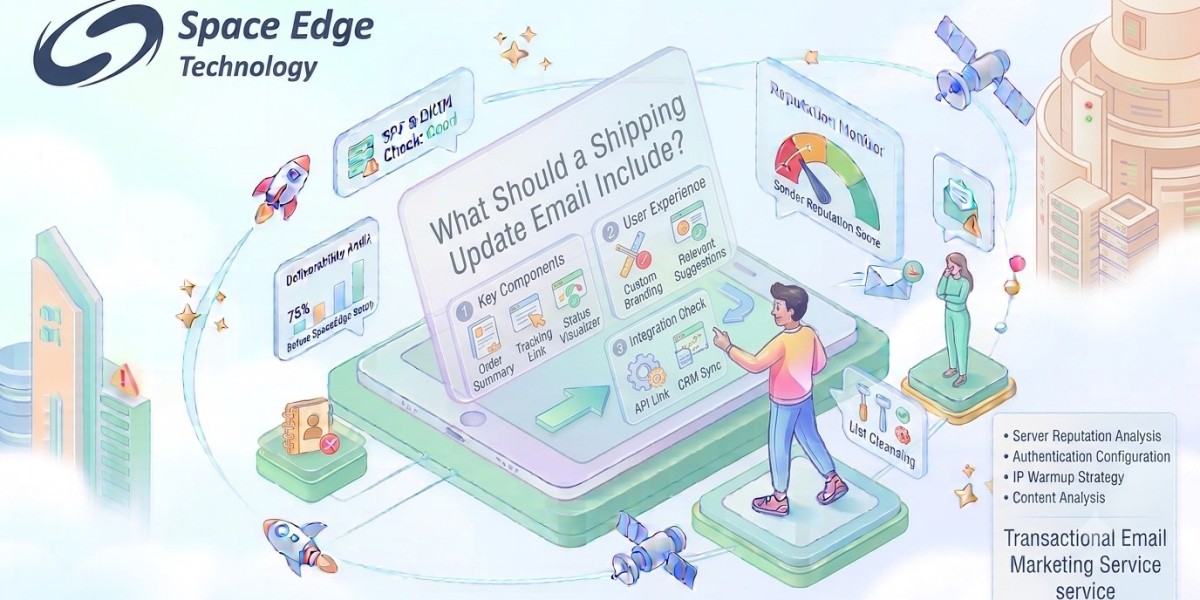
TL;DR: What Should a Shipping Update Email Include?
A shipping update cheapest transactional email service provider in India should include the customer's name, order number, shipped products, courier name, tracking number, tracking link, dispatch date, and estimated delivery date when available. It should also provide a clear shipment status and customer support details. Every update must match the latest confirmed information from the store or delivery partner.
Key Takeaways
Include the order number, product details, courier name, and shipping status.
Add a working tracking number and direct tracking link whenever available.
Share an estimated delivery date only when you have a reliable estimate.
Use separate messages for dispatch, transit, out-for-delivery, delays, and delivery confirmation.
Keep the email simple, mobile-friendly, and easy to understand.
Choose an email provider based on delivery performance, integration, security, support, and total cost.
What Is a Shipping Update Email?
A shipping update email is an automatic message that tells a customer about the progress of an order after it enters the delivery process.
For example, a customer buys a laptop from an online store. The store prepares the order and hands the parcel to a courier company. The store then sends an email to confirm that the parcel has been shipped.
Later, the customer may receive another update when the parcel reaches a sorting centre or goes out for delivery. A final message can confirm that the parcel has been delivered.
These messages help customers follow their orders without calling the store or visiting a physical location.
How Is a Shipping Update Email Different From an Order Confirmation?
An order confirmation and a shipping update serve different purposes.
An order confirmation tells the customer that the store has received the order. It usually includes the order number, purchased products, payment details, and order total.
A shipping update tells the customer what is happening with the parcel after the fulfilment process begins. It may include the courier name, tracking number, dispatch date, and delivery estimate.
For example:
Order confirmation: "We have received your order."
Shipping confirmation: "Your order has been dispatched."
Out-for-delivery update: "Your parcel is expected to arrive today."
Delivery confirmation: "Your parcel has been marked as delivered."
Do not use these messages as if they mean the same thing. Each one should match the actual order or delivery status.
Why Are Shipping Update Emails Important?
Customers want to know where their orders are. After making a payment, they may check their inbox to see when the product will arrive.
Without useful updates, customers may become worried. They may contact support several times or believe that the store has not shipped their order.
Shipping update emails help businesses:
Keep customers informed about delivery progress.
Reduce repeated order-status questions.
Make tracking information easy to find.
Explain delays and delivery problems.
Build trust through clear communication.
Give customers a record of important delivery events.
Support a better post-purchase experience.
A shipping email cannot prevent every delivery problem. However, it can explain what is happening and tell customers what to do next.
What Information Should a Shipping Update Email Include?
A useful shipping email should answer the customer's most important questions:
Which order is being shipped?
Which products are included?
Which courier is delivering the parcel?
What is the tracking number?
Where can the customer track the parcel?
When is the parcel expected to arrive?
How can the customer contact the store?
The following details help answer these questions.
1. Customer Name
Use the customer's name when it is available and accurate.
For example:
"Hello Priya, your order is on its way."
A personalised greeting can make the message feel more natural. However, personalisation is not more important than correct order information.
If the customer's name is missing, use a simple greeting such as "Hello" rather than showing an empty field.
2. Order Number
Always include the order number.
The order number helps customers and support teams identify the correct purchase. It is especially useful when a customer has placed more than one order.
For example:
"Order Number: SE45821"
Place it near the top of the email. Make sure the number matches the order in your store system.
3. Shipping Status
The shipping status should be easy to understand.
Examples include:
Order packed.
Ready for dispatch.
Shipped.
Picked up by courier.
In transit.
Arrived at a delivery centre.
Out for delivery.
Delivery delayed.
Delivered.
Use only the status confirmed by your store, fulfilment system, or courier.
Do not tell customers that a parcel has shipped when the courier has only created a shipping label. A label may exist before the courier collects the package.
4. Product Details
Show which products are included in the shipment.
Useful product details include:
Product name.
Product variant.
Size or colour, where relevant.
Quantity.
SKU, if useful.
Product image, if it helps identify the item.
If an order is split into multiple shipments, clearly show which products are included in the current parcel.
For example, if a customer orders three products and only two are ready to ship, the email should not suggest that all three are on their way.
5. Courier or Delivery Partner Name
Tell the customer which courier company is handling the parcel.
This helps them recognise the delivery service when they open the tracking link or receive a delivery call.
For example:
"Delivery Partner: ABC Courier"
Use the actual courier name from your fulfilment system. Do not display an old courier name after a shipment has been reassigned.
6. Tracking Number
The tracking number is one of the most important parts of a shipping update email.
It is a unique reference assigned by the courier or shipping service. Customers can use it to check the progress of their parcel.
For example:
"Tracking Number: AWB123456789"
Check that the tracking number belongs to the correct order. A wrong number can send customers to another person's shipment information or show an unrelated parcel.
If the courier has not provided a tracking number, do not invent one. Tell the customer that tracking information will be shared when it becomes available.
7. Tracking Link
A tracking link takes customers directly to the shipment tracking page.
Instead of asking customers to copy a long tracking number, provide a clear link or button such as "Track Your Order."
The link should:
Open the correct tracking page.
Work on mobile devices.
Use a secure HTTPS address.
Match the correct courier and tracking number.
Avoid unnecessary redirects.
Remain accessible for a suitable period.
You can link to the courier's tracking page or your own order status page.
A store tracking page can be useful because it keeps customers within your website while showing shipment updates. Shopify, for example, supports tracking through order status pages and customer notification emails when tracking information is added to an order.
8. Dispatch Date
Show the date when the parcel was actually handed over to the courier or marked as dispatched according to your fulfilment process.
A dispatch date helps customers understand when the delivery journey started.
Use a clear date format. For customers in different countries, avoid formats that can be misunderstood. Writing "2 November 2026" is clearer than using a short date such as "02/11/26."
9. Estimated Delivery Date
Customers often want to know when their parcel will arrive.
Include an estimated delivery date or delivery window when the courier or your shipping system provides a reliable estimate.
For example:
"Estimated Delivery: 5 November 2026"
If the courier cannot provide a reliable estimate, say that the delivery date is not yet available. You can also provide a link where the customer can check the latest status.
Do not promise an exact delivery date when the information is uncertain. Weather, local conditions, customs checks, and courier delays can affect delivery.
10. Shipping Address
Show enough delivery information to help customers confirm that the parcel is going to the correct location.
You may include:
Recipient name.
City.
State or region.
Postal code.
A shortened address.
Avoid displaying unnecessary personal information. Use only the details needed for order identification and delivery clarity.
If customers need to change their address, explain how they can contact the store and whether changes are still possible. Do not suggest that an address can be changed after dispatch if the courier does not support it.
11. Shipping Method
Mention the shipping service selected by the customer when it is useful.
Examples include:
Standard shipping.
Express delivery.
Same-day delivery.
Next-day delivery.
International shipping.
This helps customers understand the service they selected during checkout.
If the store changes the shipping method, explain the change when it affects the delivery estimate or customer experience.
12. Customer Support Information
Every shipping update should make it easy to get help.
Include at least one working support option, such as:
Customer support email.
Phone number.
Help centre link.
Contact form.
Live chat link.
You can also explain what information customers should share when they contact support.
For example:
"If you need help with this shipment, contact our support team and mention your order number."
Do not include contact details that your team does not monitor.
What Should Different Shipping Status Emails Include?
A customer may receive more than one shipping email during the delivery journey. Each email should explain a different event.
Sending the same message repeatedly can create confusion. Use separate templates for important delivery stages.
1. Shipment Confirmation Email
A shipment confirmation email tells the customer that the parcel has been dispatched or handed over to the courier, based on the actual fulfilment event.
Include:
Customer name.
Order number.
Products in the shipment.
Courier name.
Tracking number.
Tracking link.
Dispatch date.
Estimated delivery date, if available.
Customer support details.
Example subject line: Your Order Has Been Shipped
The main message should clearly state that the order is on its way.
2. Picked-Up by Courier Email
This message confirms that the courier has collected the parcel.
It may be useful for businesses that want to separate warehouse dispatch from courier pickup.
Include:
Order number.
Pickup status.
Courier name.
Pickup date and time, if available.
Tracking number.
Tracking link.
Do not send this message based only on a planned pickup. Wait until the courier confirms collection.
3. In-Transit Shipping Update
An in-transit email tells customers that the parcel is moving through the courier network.
It may include:
Current shipment status.
Latest available location.
Date and time of the update.
Tracking number.
Tracking link.
Estimated delivery date, if available.
You do not need to email customers after every scan. Send updates at useful milestones or when a meaningful change occurs.
4. Out-for-Delivery Email
An out-for-delivery email tells customers that the parcel is with the local delivery team and is expected to arrive soon.
Include:
Order number.
Out-for-delivery status.
Expected delivery date.
Estimated delivery window, if reliable.
Delivery partner.
Tracking link.
Support contact.
If the courier supports it, you may include a delivery instruction reminder. Do not promise an exact arrival time unless the courier provides one.
5. Delivery Delay Email
A delay email explains that the parcel will not arrive within the earlier estimate.
Customers should receive a clear update when the delay is known and relevant.
Include:
Order number.
Current shipment status.
Known reason for delay, if confirmed.
Updated delivery estimate, if available.
Tracking link.
Support contact.
Avoid blaming the courier without evidence. If the reason is unknown, say that the shipment is delayed and that the latest information is available through the tracking page.
6. Failed Delivery Attempt Email
A failed delivery attempt can happen when no one is available, the address cannot be located, or the courier cannot complete the delivery for another reason.
The email should explain:
That a delivery attempt was unsuccessful.
The date of the attempt.
The reason, if the courier provides it.
Whether another attempt is planned.
How the customer can contact the courier or store.
The tracking link.
If the customer needs to take action, explain the next step clearly.
7. Delivered Confirmation Email
A delivered email tells the customer that the courier has marked the parcel as delivered.
Include:
Order number.
Delivery status.
Delivery date.
Delivery time, if available.
Product or shipment details.
Support contact information.
If the courier provides a delivery confirmation or proof-of-delivery link, include it where suitable.
Do not mark a shipment as delivered based on an assumption. Use a reliable delivery event from the courier or fulfilment system.
How to Write a Good Shipping Update Email
The details matter, but the way you present them also affects how useful the email is.
A customer should be able to understand the message in a few seconds.
Use a Clear Subject Line
The subject line should tell the customer why they received the email.
Good examples include:
Your Order Has Been Shipped
Your Package Is on Its Way
Your Shipment Is Out for Delivery
Your Delivery Has Been Delayed
Your Order Has Been Delivered
Shipping Update for Order SE45821
Avoid vague subject lines such as "Important Information" or "Please Read."
The customer should know what the email is about before opening it.
Start With the Main Update
Do not begin with a long company introduction.
Start with the actual shipment status.
For example:
"Your order SE45821 has been shipped. You can use the tracking link below to follow its progress."
This gives the customer the most important information first.
Use Short Sentences
Write in simple language.
Instead of:
"We are pleased to inform you that the fulfilment process has been completed and your consignment has now entered the carrier's delivery network."
Write:
"Your order has been shipped. The courier is now handling your parcel."
Simple wording is easier to read on a phone.
Make the Tracking Button Easy to Find
The tracking button should be visible without forcing customers to search through the message.
Use a clear label such as:
Track Your Order.
View Shipment Status.
Check Delivery Progress.
Make sure the button opens the correct page.
Use a Mobile-Friendly Layout
Many customers read shipping updates on mobile devices.
Use:
A single-column layout.
Readable text.
Clear headings.
Buttons that are easy to tap.
Enough space between sections.
A simple product summary.
A visible support link.
Do not rely only on images to show important shipping information. Some email clients block images, and customers should still be able to read the order details.
Use Your Brand Identity
Use your store name, logo, and familiar colours.
Customers should recognise the sender. A consistent design also helps separate genuine store notifications from unexpected messages.
Make sure the sender name and email address are accurate. Do not use a misleading display name.
Keep Promotional Content Out of the Main Update
A shipping update should focus on delivery information.
Large sales banners, discount codes, and unrelated product recommendations can distract customers from the information they need.
If you want to send promotional messages, use a separate marketing email and follow the relevant consent and unsubscribe requirements.
The best shipping update answers the customer's question before asking for their attention.
Shipping Update Email Template Examples
Templates help online stores create consistent messages. You can adjust the wording to match your brand and delivery process.
Template 1: Shipment Confirmation
Subject: Your Order Has Been Shipped
Hello [Customer Name],
Your order [Order Number] has been shipped.
Here are your shipment details:
Order Number: [Order Number]
Product: [Product Name]
Courier: [Courier Name]
Tracking Number: [Tracking Number]
Dispatch Date: [Dispatch Date]
Estimated Delivery: [Estimated Date]
You can track your parcel using the link below:
[Track Your Order]
Thank you for shopping with [Store Name].
If you need help, contact us at [Support Email].
Regards,
[Store Name] Support Team
Template 2: Parcel Picked Up by Courier
Subject: Your Parcel Has Been Picked Up
Hello [Customer Name],
Your parcel for order [Order Number] has been collected by [Courier Name].
You can check the shipment progress using the tracking details below.
Tracking Number: [Tracking Number]
[Track Your Parcel]
We will share another update when there is an important change in your delivery status.
Thank you,
[Store Name]
Template 3: In-Transit Update
Subject: Your Order Is on Its Way
Hello [Customer Name],
Your parcel for order [Order Number] is currently in transit.
Current Status: [Shipment Status]
Latest Update: [Location or Scan Details]
Estimated Delivery: [Estimated Date]
You can check the latest shipment information here:
[Track Your Order]
Thank you for your patience.
[Store Name] Support Team
Template 4: Out-for-Delivery Update
Subject: Your Order Is Out for Delivery
Hello [Customer Name],
Good news. Your order [Order Number] is out for delivery.
Expected Delivery: [Date]
Courier: [Courier Name]
Tracking Number: [Tracking Number]
Please check your delivery details and use the link below to follow the shipment.
[Track Your Order]
If you have any questions, contact [Support Contact].
Thank you,
[Store Name]
Template 5: Delivery Delay Update
Subject: Update About Your Order Delivery
Hello [Customer Name],
We wanted to let you know that your order [Order Number] has been delayed.
Current Status: [Shipment Status]
Reason: [Confirmed Reason, if available]
Updated Delivery Estimate: [New Estimate, if available]
You can check the latest tracking information here:
[Track Your Order]
We apologise for the delay. If you need help, contact our support team at [Support Email].
Thank you for your understanding.
[Store Name] Support Team
Template 6: Delivery Confirmation
Subject: Your Order Has Been Delivered
Hello [Customer Name],
Your order [Order Number] has been marked as delivered.
Delivery Date: [Delivery Date]
Delivery Partner: [Courier Name]
If you have received your parcel, we hope you enjoy your purchase.
If you cannot find the parcel, please contact us at [Support Email] so we can help you check the delivery details.
Thank you for shopping with [Store Name].
Template 7: Failed Delivery Attempt
Subject: Delivery Attempt Update for Order [Order Number]
Hello [Customer Name],
Our delivery partner has reported an unsuccessful delivery attempt for your order [Order Number].
Current Status: [Status]
Reason: [Reason Provided by Courier]
Please check the tracking page for the next delivery update.
[Track Your Order]
If you need help, contact [Support Contact].
Regards,
[Store Name] Support Team
How to Automate Shipping Update Emails
Manual shipping emails take time and can lead to mistakes. Automation helps your store send the correct message after a shipment event.
Step 1: Connect Your Store to a Shipping System
Your online store should connect to the courier, fulfilment platform, or shipping management system that handles your orders.
The connection should provide accurate shipment information, such as tracking numbers and delivery events.
Step 2: Create a List of Shipping Events
List the events that should trigger customer emails.
For example:
Shipment created.
Parcel picked up.
Parcel in transit.
Parcel out for delivery.
Delivery delayed.
Delivery attempt failed.
Parcel delivered.
Choose the events that are useful to customers. Avoid sending an email for every small scan if it adds no value.
Step 3: Create Separate Email Templates
Prepare a template for each important event.
Keep the design consistent, but change the message to match the status.
A delivery delay email should not use the same wording as a successful dispatch email.
Step 4: Add Dynamic Order Information
Use fields that your system can fill automatically.
Examples include:
Customer name.
Order number.
Product name.
Courier name.
Tracking number.
Tracking URL.
Dispatch date.
Delivery estimate.
Test every field. A message should never show missing data or raw placeholder text.
Step 5: Connect the Email Service
Connect your store or shipping platform to your transactional email provider.
Depending on the system, this may use an API, SMTP connection, app, plugin, or built-in integration.
Check that the provider supports the sending volume and event-based automation your store needs.
Step 6: Test Every Shipping Event
Create test orders and check the full delivery process.
Test:
Correct shipment confirmation.
Correct tracking number.
Correct tracking link.
Delayed shipment.
Failed delivery.
Split shipment.
Delivered status.
Missing tracking information.
Also check what happens when the same courier event arrives more than once. Your system should avoid sending duplicate messages unnecessarily.
Step 7: Monitor Sending and Delivery
After launch, check email logs and delivery reports.
Look for failed messages, invalid addresses, authentication problems, and customer complaints.
If a message fails, your system should record the error and retry safely when appropriate.
How to Choose the Cheapest Transactional Email Service Provider in India
Price matters, especially for a new online store. However, a low price is not useful if shipping notifications fail or tracking links are not sent correctly.
When comparing the cheapest transactional email service provider in India, review the complete service.
1. Reliable Email Delivery
Check how the provider handles email delivery, errors, and sending volume.
Ask whether it provides message logs, bounce reports, and delivery event tracking. No provider can guarantee that every email will reach the inbox because receiving email services apply their own filtering.
2. API and E-commerce Integration
Your email service should connect with your store and shipping system.
Look for:
API access.
SMTP support, if needed.
E-commerce integrations.
Webhooks.
Clear documentation.
Testing options.
A suitable integration can reduce manual work and help prevent incorrect notifications.
3. Email Authentication
Check whether the provider supports domain authentication.
Important methods include:
SPF, which identifies authorised sending services.
DKIM, which adds a digital signature to outgoing messages.
DMARC, which helps receiving servers handle messages that fail authentication checks.
Google's email sender guidelines require all senders to Gmail accounts to use SPF or DKIM. Bulk senders must also set up DMARC. Google recommends using SPF, DKIM, and DMARC to improve authentication and protect sender identity.
4. Sending Capacity
Your store may send more emails during major sales, festivals, and shopping events.
Ask about:
Daily sending limits.
Hourly sending limits.
Rate limits.
Queue handling.
High-volume support.
Scaling options.
Make sure the service can handle the expected number of shipping notifications during busy periods.
5. Tracking and Reports
A useful provider should help you understand what happened to each email.
Look for:
Message acceptance status.
Delivery events, where available.
Bounce reports.
Error details.
API logs.
Complaint information.
Understand what the provider means by "delivered." Acceptance by a receiving server does not always mean the message reached the primary inbox.
6. Security and Privacy
Shipping emails contain customer information and delivery details.
Check the provider's security practices, data handling policies, access controls, and account protection options.
Use secure tracking links and avoid exposing more customer information than necessary.
7. Customer Support
Shipping notifications are important after a customer makes a purchase.
Check whether the provider offers support when email sending stops or API requests fail. Review the available support channels, documentation, and response process.
8. Transparent Pricing
Compare the total cost rather than looking only at the advertised starting price.
Check:
Monthly fees.
Email volume included.
Extra sending charges.
API or integration costs.
Dedicated IP charges, if applicable.
Additional user fees.
Support plan charges.
The cheapest transactional email service provider in India should offer the features your store needs at a cost that fits your sending volume.
9. Scalability
Choose a provider that can support your business as it grows.
You may start with a small number of orders and later send thousands of shipping notifications each day. Check how easy it is to increase your plan or sending capacity.
10. Testing Before Full Launch
If a trial or testing option is available, use it before moving all customer notifications.
Send test messages and review the layout, tracking links, delivery reports, API connection, and support experience.
How to Improve Shipping Update Email Deliverability
A shipping email is useful only if it reaches the customer's mailbox. Your store should follow good email practices to reduce avoidable delivery problems.
Set Up SPF, DKIM, and DMARC
Authenticate the domain used to send your shipping emails.
Check that your SPF record includes authorised sending services. Enable DKIM signing and publish a DMARC record that matches your organisation's email setup.
If you use an email service provider, follow its domain authentication instructions and verify the records after setup.
Use a Recognisable Sender Address
Use a sender name that customers recognise.
For example:
Store Name Shipping.
Store Name Order Updates.
Store Name Support.
Use an email address from your own domain, such as shipping@yourstore.com, if your email setup supports it.
Make sure replies go to a monitored address.
Keep the Subject Line Accurate
The subject line should match the message.
Do not say "Your Order Has Been Delivered" when the parcel is still in transit. Misleading subjects can reduce trust and create complaints.
Check Email Addresses
Typos can cause messages to bounce.
Validate email addresses during checkout where possible. Make it easy for customers to review their contact details before placing an order.
Avoid Broken or Suspicious Links
Use secure links that lead to the correct order or tracking page.
Do not hide the destination behind misleading text. Customers should be able to understand where a link will take them.
Monitor Bounces and Complaints
Review hard bounces, soft bounces, and spam complaints.
Fix invalid addresses where possible. Investigate repeated sending errors and make sure customers receive only relevant messages.
Keep Transactional and Promotional Messages Separate
Shipping updates should focus on delivery information.
Separate marketing campaigns from essential order notifications where possible. This can make it easier to monitor different message types and manage customer preferences.
Common Shipping Update Email Mistakes to Avoid
Small mistakes can create confusion even when your email system works correctly.
1. Sending a Tracking Number That Does Not Work
A wrong tracking number makes customers lose confidence in the update.
Check that the tracking number belongs to the correct parcel before sending the message.
2. Sending a Shipping Email Before Dispatch
Creating a shipping label does not always mean the parcel has left the warehouse.
Use the correct fulfilment event before telling customers that the courier has collected the parcel.
3. Showing an Incorrect Delivery Date
Delivery estimates can change.
Use the latest reliable estimate from the courier. If no estimate is available, explain that the date is not confirmed.
4. Sending Too Many Updates
Customers do not need an email for every small movement inside a sorting centre.
Choose useful milestones. Send additional messages when a delay or delivery issue requires customer attention.
5. Forgetting Split Shipments
Some orders are shipped in more than one parcel.
Show which products are included in each shipment. If another parcel is still being prepared, explain that it will receive a separate update.
6. Using Confusing Language
Avoid technical courier terms that customers may not understand.
If you use a status such as "exception," explain what it means or link to the latest shipment details.
7. Leaving Out Support Information
Customers should not have to search your website to find help.
Add a working support email, phone number, or help centre link.
8. Making the Email Difficult to Read on Mobile
Use a responsive layout. Keep the tracking button easy to tap and place the main information near the top.
9. Showing Private Customer Information
Do not display unnecessary personal details.
Use secure links for information that requires customer verification. Avoid placing sensitive account or payment information in a shipping email.
10. Not Testing Automated Templates
A template can look correct in the editor but fail when real order information is inserted.
Test it with different products, long names, missing tracking details, multiple parcels, and unusual delivery statuses.
What Should International Shipping Update Emails Include?
International shipments may need more information than local deliveries.
A parcel may pass through customs, international sorting centres, and local delivery partners. Customers may also need to understand import duties or customs-related steps.
Include the standard shipping details, plus relevant information such as:
Destination country.
International tracking number.
Local tracking number, if available.
International courier name.
Local delivery partner, if known.
Customs status.
Estimated delivery range.
Customs duties or taxes information, where applicable.
Link to the relevant tracking page.
Support contact for international orders.
Do not tell customers that customs charges have been paid unless your system confirms it. If the buyer may need to pay duties or provide documents, explain the process using accurate information from the carrier or customs service.
How Should You Explain Customs Delays?
Customs checks can affect delivery times.
If a shipment is held for inspection or needs additional information, explain the confirmed status. Tell the customer whether they need to take action.
Avoid guessing why a parcel is delayed. If the courier has not provided a reason, say that the shipment is undergoing a customs-related delay only when that status is confirmed.
How Should Shipping Emails Work for Cash-on-Delivery Orders?
Cash-on-delivery orders need clear payment information because the customer pays when the parcel arrives.
A shipping email for a cash-on-delivery order may include:
Order number.
Products in the parcel.
Courier name.
Tracking number.
Expected delivery date.
Amount due on delivery.
Available payment methods, if confirmed.
Support contact.
Show the amount due clearly. If the customer has already paid part of the order, show the remaining amount rather than the original order total.
Do not request card details, passwords, or payment codes by email. Customers should use an approved payment method through the courier or store's secure payment process.
How Should Stores Handle Split Shipments?
A split shipment happens when products from one order are sent in separate parcels.
This can happen because items are stored in different warehouses, some products are not ready, or the order needs more than one package.
The store should send a separate update for each parcel.
Include:
Original order number.
Shipment or package reference.
Products included in that parcel.
Courier name.
Tracking number.
Tracking link.
Dispatch date.
Estimated delivery date, if available.
Information about remaining products.
For example:
"Your order contains three products. Two products have been shipped in this parcel. The remaining product will be sent separately."
This prevents customers from thinking that the store has forgotten part of the order.
How Can Online Stores Measure Shipping Email Performance?
Tracking performance helps you find errors and improve the customer experience.
Email Sending Success
This shows how many messages your store successfully submits to the email service.
A low rate may indicate an API issue, incorrect request, authentication problem, or sending limit.
Delivery Rate
Delivery rate usually measures how many messages receiving mail servers accept.
Check the provider's definition. A message accepted by a receiving server may still go to spam or another folder.
Bounce Rate
A bounce happens when a message cannot be delivered.
Review hard bounces and temporary failures separately. Fix invalid addresses and investigate repeated delivery errors.
Time Between Shipment Event and Email
Measure how long it takes for a shipping event to trigger an email.
For example, compare the time when the courier confirms pickup with the time the customer receives the notification.
This can help you find delays in your store integration or email queue.
Tracking Link Clicks
Tracking link clicks can show whether customers use the email to check their parcels.
However, some email security systems may automatically open or scan links. Do not treat every click as a real customer action.
Customer Support Questions
Review questions about missing tracking numbers, wrong delivery dates, and unclear shipment status.
Repeated questions may show that your email template needs better information.
Do not depend on open rate alone. Email privacy features can make open tracking incomplete or inaccurate.
A Simple Shipping Email Setup Plan for Online Stores
You can build your shipping email system in stages.
Week 1: Review Your Delivery Process
List the shipping events your store can track.
Identify which system provides each status. This may be your store platform, warehouse system, shipping software, or courier integration.
Check whether your system provides tracking numbers and delivery estimates.
Week 2: Prepare Email Templates
Create separate templates for:
Shipment confirmation.
Courier pickup.
In-transit update.
Out-for-delivery update.
Delivery delay.
Failed delivery.
Delivery confirmation.
Use a consistent design and include the correct support details.
Week 3: Connect Your Email Provider
Connect your online store and shipping system to your transactional email service.
Configure authentication and test the API or integration.
Check that the correct tracking information enters each template.
Week 4: Test and Launch
Run test orders through the full shipping process.
Check every link, status, date, and dynamic field. Test split shipments and delivery failures.
After launch, monitor sending reports and customer questions. Fix errors before adding more complex notifications.
Why Should You Choose a Reliable Transactional Email Service for Shipping Updates?
A shipping email system should work with your store and delivery process. It should send the correct message after the correct event.
When selecting the cheapest transactional email service provider in India, consider the features that support this process:
Reliable sending infrastructure.
API or SMTP integration.
Event-based automation.
Domain authentication support.
Delivery and bounce reporting.
Secure data handling.
Scalable sending capacity.
Clear pricing.
Helpful technical support.
A low price alone does not make a provider suitable. Compare the total cost with the features and service quality your store needs.
How SpaceEdge Technology Fits Into Transactional Email Communication
SpaceEdge Technology provides digital communication solutions for businesses. For an online store planning its transactional email setup, the important first step is to understand its message volume, technical requirements, order workflow, and customer support needs.
A well-planned shipping email process should connect order and courier events with accurate email templates. It should also help the business monitor sending activity and identify delivery issues.
Before choosing a provider, define the shipping updates your store needs. Compare the available features, integration options, reporting, security, support, and total cost.
This approach helps businesses make a more informed decision when evaluating the cheapest transactional email service provider in India.
Final Shipping Update Email Checklist
Use this checklist before launching your shipping notifications.
Customer name is correct, where available.
Order number matches the correct purchase.
Product details match the parcel.
Shipping status reflects the latest confirmed event.
Courier name is correct.
Tracking number belongs to the shipment.
Tracking link opens the correct page.
Dispatch date is accurate.
Estimated delivery date is reliable or clearly marked as unavailable.
Shipping address information is limited to what is needed.
Shipping method is correct.
Customer support details are visible.
Split shipments are explained clearly.
Delivery delay messages give useful information.
The email works on mobile devices.
SPF, DKIM, and DMARC are configured as appropriate.
Dynamic fields have been tested.
Duplicate notifications are controlled.
Failed sends are recorded and handled.
Promotional content does not distract from the delivery update.
Conclusion
A good shipping update email should tell customers what has happened to their parcel, where they can track it, and what they should expect next. Include the order number, product details, courier name, tracking number, tracking link, dispatch date, estimated delivery date, and support information when available.
Use separate messages for dispatch, transit, out-for-delivery, delays, failed attempts, and delivery confirmation. Make sure every message reflects the latest confirmed shipment status. Keep the content simple and easy to read on mobile devices.
When comparing the cheapest transactional email service provider in India, look beyond the price. Check integration, delivery performance, authentication, reporting, security, scalability, and support. A reliable setup helps your store keep customers informed and manage delivery communication with less manual work.







