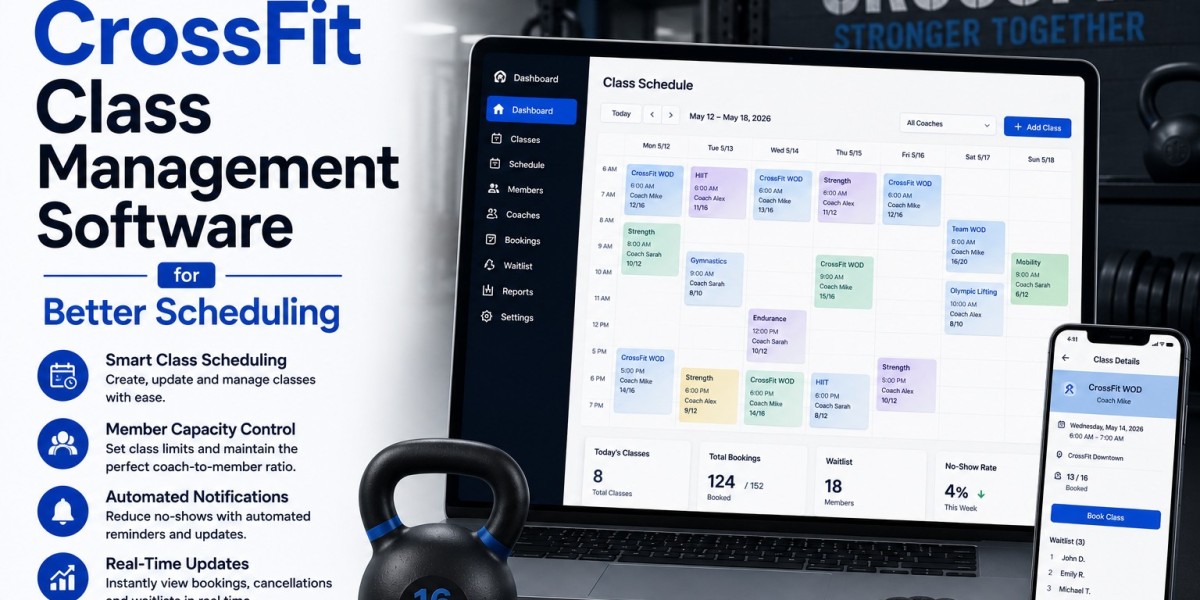


Running a successful CrossFit gym requires more than great coaching—it depends on how efficiently your classes are managed. From handling bookings and attendance to organizing coaches and tracking performance, every detail impacts the member experience. As class sizes grow and schedules become more complex, manual management quickly becomes overwhelming. This is where CrossFit class management software becomes essential.
The right system helps you streamline daily operations, reduce administrative workload, and ensure every class runs smoothly and on time. In this guide, we’ll explore the best CrossFit class management software and how it helps create organized, high-impact training environments.
Why Class Management Software Matters for CrossFit Gyms
CrossFit gyms operate on structured group classes, often with limited capacity and high demand. Without proper systems, issues like overbooking, missed sessions, and poor communication can arise.
Class management software helps solve these challenges by:
- Automating class scheduling and bookings
- Managing class capacity and waitlists
- Tracking attendance and performance
- Improving communication between coaches and members
- Reducing no-shows and last-minute cancellations
This allows gym owners and coaches to focus more on training and less on administrative tasks.
Key Features to Look For
1. Smart Class Scheduling
A reliable scheduling system allows gym owners to create, modify, and manage classes with ease. Members should be able to book sessions online, view availability in real time, and receive instant confirmations.
2. Booking and Waitlist Management
High-demand classes often fill up quickly. A good platform includes automated waitlists that notify members when spots become available, ensuring maximum class utilization.
3. Attendance Tracking
Tracking attendance helps identify trends, monitor member consistency, and improve retention strategies. It also gives coaches insights into participation levels.
4. Coach Coordination
Assigning coaches to specific classes and managing their schedules is essential for smooth operations. The software should allow easy coordination between staff and classes.
5. Member Notifications
Automated reminders, updates, and alerts keep members informed about their bookings, schedule changes, or cancellations—reducing confusion and missed sessions.
6. Performance Tracking Integration
Many CrossFit gyms benefit from tracking workouts and progress. Integrating performance tracking with class management improves the overall member experience.
Top CrossFit Class Management Software Options
1. GymWyse
GymWyse is a modern solution designed for fitness businesses that need efficient class management. It simplifies scheduling, automates bookings, and ensures smooth daily operations. With its intuitive interface, gym owners can easily manage classes, monitor attendance, and optimize schedules for better efficiency.
2. Wodify
Wodify is widely recognized in the CrossFit community for combining class management with performance tracking. It allows gyms to manage bookings while also offering workout tracking, leaderboards, and engagement tools.
3. Zen Planner
Zen Planner provides a complete management system that includes class scheduling, attendance tracking, and member management. It’s ideal for gyms looking for an all-in-one platform with strong organizational capabilities.
4. PushPress
PushPress is known for its simplicity and ease of use. It offers straightforward scheduling, booking, and attendance tools that help gyms operate efficiently without unnecessary complexity.
5. TeamUp
TeamUp offers flexible scheduling and customization options. It’s suitable for gyms that want more control over how classes are organized and managed.
6. Glofox
Glofox focuses on enhancing the member experience through mobile access and seamless booking. It helps gyms manage classes while keeping members engaged through a user-friendly interface.
Benefits of Using Class Management Software
Improved Organization
Everything from schedules to attendance is centralized, reducing confusion and manual errors.
Better Member Experience
Easy booking, timely notifications, and smooth class flow create a more satisfying experience for members.
Increased Efficiency
Automation reduces the time spent on administrative tasks, allowing gym owners to focus on growth.
Higher Class Utilization
Waitlists and booking systems ensure classes are filled efficiently, maximizing revenue opportunities.
Data-Driven Decisions
Access to reports and insights helps optimize class schedules, staffing, and overall operations.
How to Choose the Right Software
Selecting the right CrossFit class management software depends on your gym’s size, goals, and operational needs. Consider the following:
- Ease of use for both staff and members
- Scalability as your gym grows
- Integration with billing and member management systems
- Customization options for scheduling
- Reporting and analytics capabilities
A platform that aligns with your workflow will make a significant difference in day-to-day operations.
Final Thoughts
Efficient class management is the backbone of a successful CrossFit gym. Without the right systems in place, even the best coaching can be overshadowed by scheduling issues and operational inefficiencies.
By investing in the right CrossFit class management software, you can create a well-organized, professional environment where classes run smoothly and members stay engaged. Solutions like GymWyse, Wodify, and others provide the tools needed to simplify operations, improve class flow, and deliver a high-impact fitness experience.









