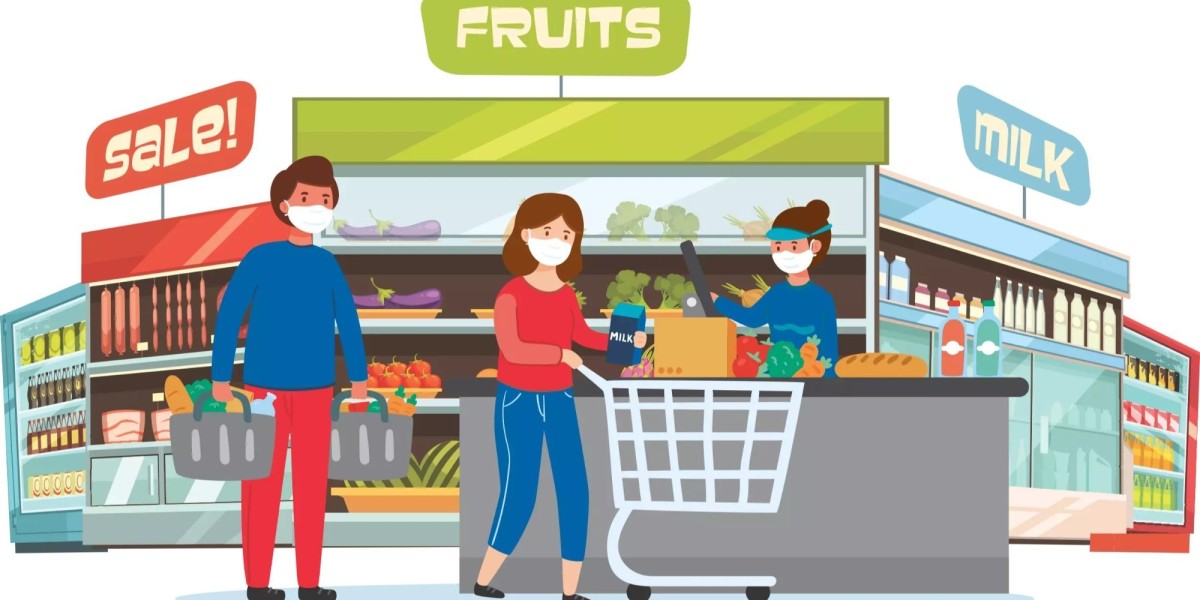


Choosing the right software is an important decision for any supermarket. As a retail business grows, managing billing, inventory, purchases, customer information, payments and accounts becomes more complicated. Handling these activities through separate registers or spreadsheets can take valuable time and make it difficult to maintain accurate records.
A supermarket may have hundreds of products, multiple suppliers, several billing counters and customers purchasing different items throughout the day. Store owners need a system that can manage these activities without making daily operations unnecessarily complicated.
This is where Supermarket Software becomes useful. It brings important retail activities together and helps business owners manage their stores in a more organized way. However, not every software solution offers the same features, flexibility, or level of control.
Before investing in a system, retailers should understand their requirements and compare the available options carefully. This guide explains what to look for when choosing supermarket software, which features matter most and how Marg ERP can help manage supermarket operations.
What Is Supermarket Software?
Supermarket software is a digital management system designed to handle the daily activities of grocery stores, supermarkets and other retail businesses. It generally combines billing, inventory management, purchase management, customer records, accounting, payment tracking and business reporting.
Instead of maintaining separate records for every activity, retailers can use one connected platform to manage their operations.
For example, when a cashier sells a product, the software records the transaction and updates the relevant stock information. The sale can also contribute to sales reports and accounting records. This connection helps reduce repeated data entry and gives store owners better visibility into their business.
A complete supermarket management system may also include barcode scanning, POS billing, MRP management, GST invoicing, discount schemes, loyalty programs and multi store management.
Why Is Choosing the Right Supermarket Software Important?
The software a retailer selects can affect how smoothly the store operates every day. A system that only generates invoices may not be enough for a supermarket with a large product range and frequent stock movement.
For example, imagine a store where customers regularly purchase groceries, packaged food, beverages, personal care products and household essentials. Employees need to identify products quickly, apply the correct prices, process payments and maintain updated stock records.
If billing and inventory are disconnected, the store owner may have to check stock separately after every sale. Similarly, if purchase and accounting records are maintained in different places, reviewing business performance can take additional effort.
The right supermarket software connects these activities. It can help retailers improve billing efficiency, organize stock information, maintain transaction records and make purchasing decisions using business reports.
The objective should not simply be to purchase software with the largest number of features. It should be to select a solution that fits the store's actual working requirements.
1. Understand Your Supermarket's Business Requirements
The first step is to understand what your store needs before comparing software providers.
A small grocery shop may have a limited product range and one billing counter. A medium sized supermarket may handle thousands of products, multiple employees and a higher volume of daily transactions. A retail chain may need centralized management across several locations.
These businesses do not necessarily need the same software configuration.
Start by reviewing your daily activities. Consider how many products you sell, how many bills you generate, how purchases are recorded, how stock is monitored and whether you operate multiple branches.
Also identify the problems you want to solve. You may want faster checkout, better inventory visibility, easier GST billing, improved purchase management, or more detailed reports.
Once these requirements are clear, it becomes easier to compare software based on practical value rather than promotional claims.
2. Check Billing Speed and POS Functionality
Billing is one of the most important activities in a supermarket. Customers expect a smooth checkout experience, particularly during busy shopping hours.
Look for Supermarket Billing Software that makes it easy to search for products, scan barcodes, calculate bills, apply discounts and record payments.
A Point of Sale (POS) system should also be convenient for employees. Touch screen support, product shortcuts, customer details and compatible billing hardware can make counter operations easier.
Barcode scanning is particularly useful for supermarkets that sell a large number of packaged products. Instead of entering product information manually, cashiers can scan the barcode to retrieve the stored details.
Marg ERP offers barcode and MRP wise billing features along with touch screen POS integration for supermarket operations.
Before selecting a solution, test the billing process with a realistic basket of products. Check how easily employees can scan items, search for products without barcodes, apply offers and complete a transaction.
3. Evaluate Inventory Management Features
Inventory is directly connected to supermarket sales and purchasing decisions. Poor stock management can lead to empty shelves, unnecessary purchases and products remaining unsold for long periods.
A suitable Inventory Management Software should help retailers record purchases, update stock after sales, monitor available quantities and identify products that need replenishment.
Check whether the system offers:
Product wise stock tracking.
Purchase and sales based stock updates.
Low stock alerts or reorder points.
Rack wise inventory management.
Expiry or batch tracking where required.
Stock reports and product movement analysis.
Marg ERP provides stock management and reorder point features, along with rack wise stock management and reporting.
For example, if a supermarket sells a particular brand of cooking oil regularly, the owner can review its stock position and plan the next purchase before the product becomes unavailable.
When evaluating software, check whether stock updates happen automatically after billing and whether employees can access accurate inventory information.
4. Verify Barcode and Product Management Capabilities
A supermarket may have products from many brands, each with different sizes, packaging, prices and barcodes. Maintaining these details properly is important for accurate billing.
Your software should allow you to organize product names, categories, units, barcodes, MRP, selling prices and relevant tax information.
Barcode management can reduce manual product searches and make billing more convenient. However, retailers should also check how the software handles products without barcodes, loose items and products sold by weight.
Marg ERP supports barcode related product management and MRP wise billing for supermarket operations.
A useful test is to create a few sample products with different units, prices and barcodes. Then check whether employees can identify and bill them correctly.
5. Look for GST Billing and Compliance Support
For supermarkets in India, GST related requirements should be part of the software evaluation process.
GST Billing Software should support appropriate tax settings, invoice generation and maintenance of transaction records. Depending on the business's applicable requirements, retailers may also need e invoicing, e way bill and GST return related functionality.
Before purchasing software, ask the provider how tax rates and HSN details are maintained, how invoice information is recorded and how the system supports applicable compliance workflows.
Marg ERP offers GST billing and related capabilities, including e invoicing, e way bill and GST return workflows.
Retailers should confirm that the selected edition and configuration support their particular GST requirements. Software can assist with record management, but businesses remain responsible for maintaining correct product tax details and following applicable regulations.
6. Check Purchase and Supplier Management
Supermarkets purchase products from different distributors, manufacturers and wholesalers. Managing supplier information and purchase records is therefore an important part of retail operations.
Your software should make it easier to record purchase invoices, update inventory, maintain supplier details and review outstanding payments.
It is also useful to check whether the system supports purchase returns, supplier wise reports and importing purchase information through supported digital formats.
Marg ERP includes purchase management and online purchase import options for supported formats such as Excel, CSV and PDF.
For example, when a supermarket receives a delivery from a distributor, the purchase entry should help update the relevant product quantities and maintain the supplier transaction record.
A connected purchase and inventory process can help store owners understand how much stock they are buying and how quickly those products are moving.
7. Evaluate Accounting and Financial Management
Billing records alone do not provide a complete picture of business performance. Retailers also need to manage expenses, payments, supplier balances, customer dues and other financial transactions.
Integrated Accounting Software can connect financial records with sales and purchase activities.
Before choosing a solution, check whether it supports the accounting functions relevant to your business, such as ledger management, payment records, outstanding balances, expense tracking and financial reports.
Bank reconciliation is another useful feature. It helps retailers compare recorded financial transactions with bank activity and identify differences that may need attention.
Marg ERP provides integrated accounting and bank reconciliation related capabilities as part of its business software ecosystem.
Having billing and accounting connected can reduce the effort involved in maintaining separate records and reviewing transactions.
8. Check Payment Options and Cash Management
Supermarkets may accept several payment methods, including cash, UPI, cards and other digital payment options.
Your billing system should allow cashiers to record the payment method used for each transaction. It should also provide suitable controls for cash handling and payment records.
If the supermarket has multiple cashiers or shifts, user wise access and cash drawer management can help organize counter operations.
Marg ERP lists cash drawer management with user wise controls among its supermarket related features.
During the demonstration, test different payment situations. Check how the system records payments, handles split payments if supported and helps store owners review daily collections.
9. Review Customer Management and Loyalty Features
Customer relationships can influence repeat purchases. A supermarket that understands its regular customers can plan more relevant offers and provide a better shopping experience.
Customer management features may include customer records, purchase history, loyalty points and promotional offers.
A loyalty program can encourage customers to return by offering benefits according to the retailer's reward policy. Discount management can also help supermarkets run seasonal promotions and product specific schemes.
Marg ERP provides loyalty point and discount related features for supermarket operations.
When evaluating this functionality, check whether the system allows you to configure offers easily and whether the billing process applies eligible discounts correctly.
10. Confirm Hardware Compatibility
Software and hardware need to work together for smooth supermarket operations.
A retailer may already use barcode scanners, thermal printers, cash drawers, weighing machines, or other billing equipment. Before purchasing software, confirm that the selected solution supports the hardware required by your store.
Weighing scale integration is especially useful for supermarkets selling fruits, vegetables, grains and other products priced by weight.
Marg ERP lists weighing scale attachment, cash drawer management, barcode billing and POS integration among its supermarket features.
Do not assume that every hardware model will work automatically. Ask the provider to confirm compatibility and test the complete setup before implementation.
11. Consider Multiple Store and Godown Management
If you operate multiple supermarket branches or plan to expand, multi store functionality should be an important part of your decision.
Managing every branch separately can make it difficult to compare sales, monitor inventory and maintain consistent business records.
Multi Store Management Software can help retailers review location wise business information and maintain better coordination between branches.
Marg ERP supports multiple store and godown management, including location wise stock and sales reporting.
For example, a retailer with two supermarket branches may want to check which location has more stock of a particular product. Centralized information can help management review the difference and plan stock movement.
Even if you currently operate only one store, consider whether the software can support additional locations if your business expands.
12. Compare Reports and Business Analysis
Reports help supermarket owners understand what is happening inside their stores.
Daily sales reports show transaction activity, while product wise reports help identify items that sell frequently. Purchase reports provide information about supplier transactions and inventory reports help monitor stock availability.
Look for reports that are useful for your actual business decisions rather than choosing software simply because it offers a large number of report formats.
Marg ERP provides business reporting capabilities across sales, purchases, inventory, accounting and other management activities.
A useful reporting system should allow you to review information clearly and make decisions about purchasing, pricing, stock replenishment and business performance.
13. Understand Data Security, Backup and Access Control
Supermarket software stores important business information, including product records, sales transactions, supplier details, customer information and financial records.
Retailers should understand how their software protects this information.
Ask the provider about data backup, restoration, user permissions, access controls and the process for handling technical problems. If the system offers cloud related services, understand how data access and synchronization work.
For desktop based systems, clarify the backup process and who is responsible for maintaining backups. For connected or cloud based systems, check what happens when the internet connection is unavailable.
Do not assume that every software package offers the same backup, security, or offline capabilities. Confirm these details before making a decision.
14. Check Customer Support and Staff Training
Even useful software can become difficult to operate if employees do not understand its features.
Training is important when introducing a new billing and inventory system. Cashiers need to understand product scanning, billing, discounts and payment entry. Managers may need training in purchase records, stock reports and accounting.
Before choosing a provider, ask about installation support, employee training, software updates and technical assistance.
Also understand how support is provided, including available communication channels and service arrangements.
Marg ERP has a sales and support network for its business software customers. Retailers should confirm the support arrangements available in their area and for their selected product configuration.
15. Compare Total Cost, Not Just the Starting Price
Price is an important consideration, but the lowest priced option may not always be the most suitable.
Some software solutions may include basic billing in the initial package while offering additional features through separate modules or plans. Hardware, installation, training, data migration, maintenance and support may also affect the total investment.
Before finalizing your decision, ask for a clear cost breakdown.
Understand whether the quoted price includes the number of users and billing counters you require. Check whether multi store management, additional reports, cloud access, or other features involve extra charges.
Compare the total cost with the actual value the software provides to your business. A system that saves time and helps control stock may offer better long term value than one selected only because of its initial price.
Common Mistakes to Avoid When Choosing Supermarket Software
One common mistake is selecting software based only on its billing screen. Billing is important, but a supermarket also needs inventory, purchase, accounting and reporting functions.
Another mistake is ignoring hardware compatibility. Retailers should confirm that their barcode scanners, printers, cash drawers and weighing machines work with the selected software.
Some businesses also overlook staff training and support. A system with useful features may not deliver the expected results if employees do not know how to use it properly.
Finally, avoid purchasing software without testing common business activities. A demonstration should include actual examples from your store, such as creating products, recording purchases, scanning items, applying discounts, generating invoices and checking stock reports.
Practical Checklist Before Buying Supermarket Software
Use the following checklist when comparing different solutions:
Does it support fast barcode based billing?
Can it manage MRP and product information?
Does inventory update after purchases and sales?
Does it provide GST billing and relevant compliance workflows?
Can it manage suppliers and purchase records?
Does it support the payment methods used by your store?
Can it generate useful sales and stock reports?
Does it support customer discounts and loyalty programs?
Is it compatible with your existing billing hardware?
Can it manage multiple branches if required?
Are backup, security and user permissions clearly explained?
Is installation, training and technical support available?
Is the total cost clear, including any additional modules?
The answers will help you compare software based on your business needs instead of relying only on marketing claims.
Why Consider Marg ERP for Supermarket Management?
Marg ERP provides a range of features designed to manage supermarket and retail operations through connected business workflows.
Its supermarket related capabilities include barcode and MRP wise billing, touch screen POS integration, stock management, rack wise inventory, weighing scale attachment, cash drawer management, GST billing, discount schemes, loyalty points and multiple store management.
The platform also offers purchase management, accounting, reporting, online purchase import and WhatsApp related communication features.
For retailers, the benefit of an integrated solution is that important business activities can be managed within a connected system rather than depending entirely on separate tools for billing, stock and accounts.
However, the right choice depends on your store's requirements. Before purchasing, request a demonstration of the relevant features, confirm hardware compatibility, understand the available configuration and review the support arrangements.
Final Thoughts
Choosing the right supermarket software requires more than comparing feature lists or looking at the starting price. Retailers should understand their current business requirements, identify operational problems and evaluate how each system can support their daily work.
The right solution should make billing easier, improve inventory visibility, organize purchase records, support GST related activities and provide useful business reports. It should also fit the store's hardware, staff, budget and future expansion plans.
Whether you operate a small grocery shop, a medium sized supermarket, or multiple retail outlets, take time to test the software before making your final decision.
With its retail billing, inventory, accounting, GST and store management capabilities, Marg ERP offers a solution that supermarket owners can evaluate for managing everyday operations and supporting business growth.
Frequently Asked Questions
1. What is the best supermarket software for retail stores?
The best supermarket software depends on store size, billing volume, product range, inventory requirements and the number of locations. Retailers should compare billing, inventory, GST, accounting, reporting, hardware compatibility and customer support before selecting a solution.
2. What features should supermarket software include?
Important features include barcode billing, POS integration, inventory management, MRP wise pricing, purchase management, GST invoicing, payment tracking, customer loyalty, sales reporting and multi store management.
3. Is supermarket software suitable for small grocery shops?
Yes. Small grocery shops can use supermarket software to manage billing, product details, purchases, stock and sales records. They should select a package that matches their actual requirements instead of paying for unnecessary features.
4. How does supermarket software help manage inventory?
It helps retailers record purchases and sales, monitor stock quantities, identify low stock items and review product movement. Depending on the software, it may also support reorder points, rack wise stock and expiry tracking.
5. Can supermarket software generate GST invoices?
GST enabled supermarket software can generate invoices with applicable tax details and maintain transaction records. Retailers should confirm support for the compliance features relevant to their business.
6. Should I choose cloud based or desktop supermarket software?
The choice depends on how your store operates. Desktop software may suit businesses that prefer local installation and established counter workflows. Cloud based systems may be useful when remote access and connected operations are important. Compare data access, backup, internet dependency, offline working and total cost before deciding.
7. Can supermarket software support multiple branches?
Yes. Suitable multi store systems can help retailers manage location wise inventory, sales and other business information. Confirm whether the software supports centralized management and stock transfers if your business needs them.
8. Does supermarket software work with barcode scanners and weighing machines?
Many supermarket solutions support barcode scanners and compatible weighing machines. However, hardware compatibility depends on the software configuration and device model, so retailers should verify it before purchasing.
9. How much does supermarket software cost in India?
The cost depends on the software edition, number of users, billing counters, branches, hardware and additional modules. Ask the provider for a complete quotation covering installation, training, support and recurring charges where applicable.
10. How can I test supermarket software before buying it?
Request a product demonstration or trial where available. Test product creation, purchase entry, barcode billing, discounts, payment recording, stock updates, GST invoices and business reports using examples similar to your store's daily operations.







