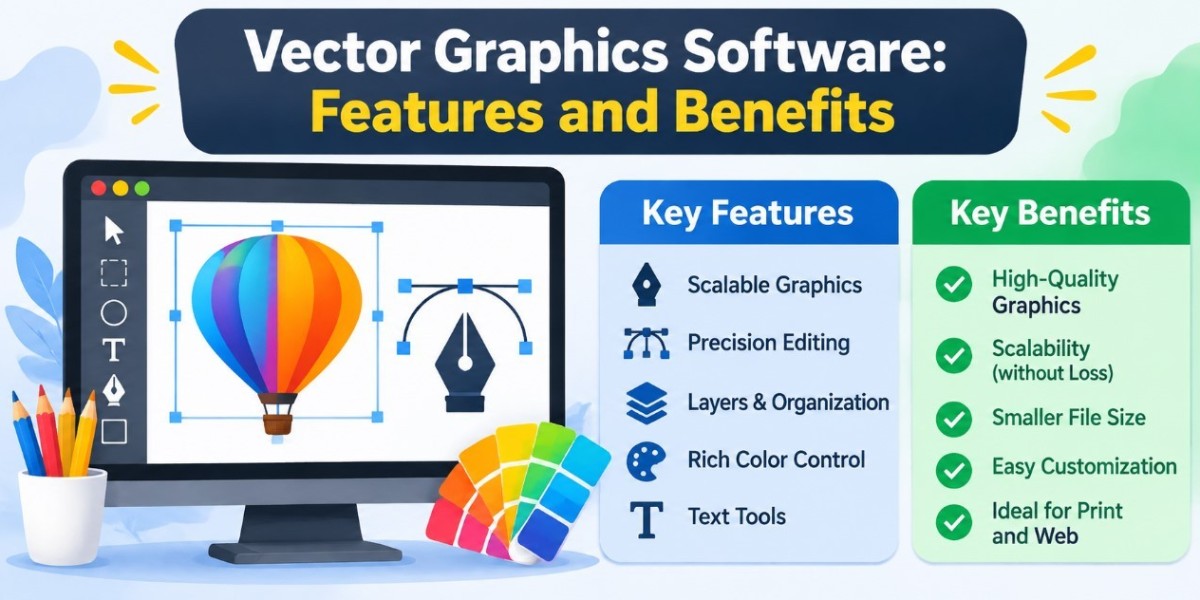


Visual communication has become an essential part of modern business, marketing, education, and digital creativity. From professional logos and website illustrations to product packaging and advertising materials, high quality graphics help communicate information clearly and create a consistent visual identity.
Creating these designs requires suitable tools that offer precision, flexibility, and reliable results. This is where vector graphics software becomes valuable. Vector design applications allow users to create professional artwork that can be resized, edited, and customized without losing its original clarity.
Whether you are a beginner learning graphic design or an experienced designer working on commercial projects, understanding how vector graphics software works can help improve your creative process and design quality.
What Is Vector Graphics Software?
Vector graphics software is a digital design application used to create and edit images through mathematical paths, points, lines, curves, and geometric shapes. Unlike raster graphics, which consist of individual pixels, vector images are created using scalable objects and mathematical calculations.
This difference allows vector artwork to maintain its sharpness at different sizes. For example, a logo designed as a vector image can be printed on a business card, displayed on a website, or enlarged for a billboard without becoming blurry or distorted.
Vector graphics software is commonly used for logo creation, digital illustrations, typography, technical diagrams, icons, infographics, and professional marketing materials. It provides designers with greater control over individual design elements and makes it easier to modify artwork when project requirements change.
Important Features of Vector Graphics Software
Modern vector design applications include various tools that simplify the process of creating professional digital artwork. Understanding these features can help users select appropriate software for their creative needs.
1. Scalable Design Elements
Scalability is one of the most important features of vector graphics. Users can increase or decrease the dimensions of an illustration without affecting its quality. This is particularly useful for businesses that need the same visual assets across websites, printed advertisements, packaging, and promotional materials.
2. Shape and Drawing Tools
Vector applications provide drawing tools for creating circles, rectangles, polygons, custom shapes, and freehand illustrations. Designers can combine these elements to produce detailed graphics and original compositions.
3. Pen and Path Editing
Pen tools allow users to create accurate lines, curves, and customized paths. Designers can adjust anchor points and control handles to achieve specific shapes. These tools are especially helpful when creating detailed illustrations, icons, and logos.
4. Typography and Text Customization
Typography plays an important role in visual communication. Vector graphics software allows users to insert text, modify font styles, adjust spacing, and create customized lettering. These capabilities are useful for designing posters, brochures, packaging, and branding materials.
5. Color Management and Effects
Color management tools help designers maintain visual consistency throughout a project. Features such as gradients, transparency, blending, and color adjustment provide greater creative control while helping artwork meet specific design requirements.
How to Choose Right Vector Graphics Software
Selecting suitable vector graphics software depends on your experience, project requirements, and available budget. Beginners should consider applications with straightforward interfaces, essential drawing tools, and accessible learning resources.
Professional designers may require more advanced features, including detailed path editing, typography controls, alignment options, color management, and compatibility with different file formats.
File export capabilities should also be considered. Common vector formats include SVG, EPS, and AI, while PDF is frequently used for sharing and professional printing. Choosing software that supports the formats required by your projects can make collaboration and file sharing easier.
Pricing is another important consideration. Some applications provide free access, while others require subscriptions or one time payments. Comparing available features and testing trial versions can help you make a practical decision.
Frequently Asked Questions
1. What Is Vector Graphics Software Used For?
Vector graphics software is used to create and edit scalable digital artwork. Common applications include logo design, illustrations, icons, infographics, typography, website graphics, advertising materials, and product packaging.
2. What Is the Difference Between Vector and Raster Graphics?
Vector graphics use mathematical paths, curves, and shapes, allowing images to be resized without losing quality. Raster graphics consist of pixels and may become blurry or pixelated when enlarged beyond their original resolution.
3. Is Vector Graphics Software Suitable for Beginners?
Yes. Beginners can use vector design applications to learn basic drawing, shape creation, color selection, typography, and path editing. Starting with simple projects and practicing regularly can help develop essential graphic design skills.
4. Which File Formats Are Commonly Used for Vector Graphics?
SVG, EPS, and AI are commonly associated with vector artwork. PDF is also widely used for sharing and printing designs. The appropriate format depends on the intended application and the software being used.
Conclusion
Vector graphics software is an important resource for creating accurate, scalable, and editable digital artwork. Its features support a wide range of creative activities, including branding, illustration, marketing, website design, and product packaging.
Understanding the available tools, selecting suitable software, and following effective design practices can help users produce professional results. Whether you are learning graphic design or managing complex creative projects, developing vector design skills can improve your workflow, expand your capabilities, and help you create high quality visual content.