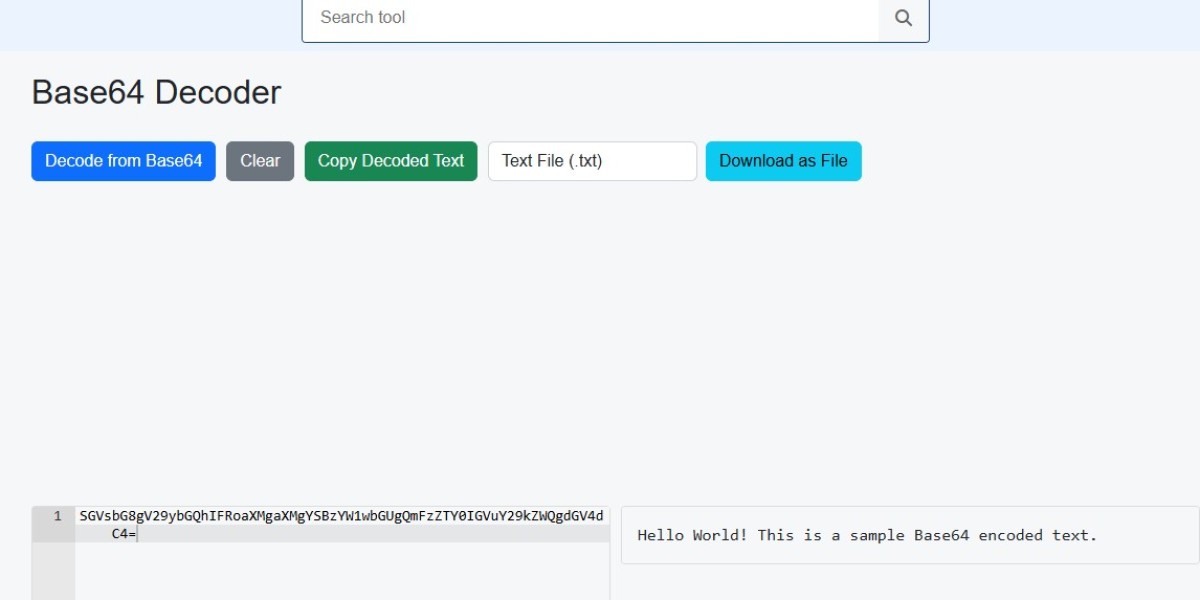


In the digital world, data is often transmitted in different formats for security, compatibility, and efficiency. One such encoding technique widely used is Base64, which converts binary data into a textual format. This encoding method ensures that data can be safely transferred over mediums that are designed to handle text. However, to get back the original data, the process of base64 decode is required. With the help of a base64 decoder, users can easily convert encoded strings back into their original form. Today, many people rely on online base64 decode tools to make this task faster, easier, and more accessible.
What is Base64 Encoding?
Base64 is a method of encoding binary data into ASCII text using a specific set of 64 characters (A-Z, a-z, 0-9, +, and /). The purpose of this encoding is to ensure that data remains intact when transported through systems that may not handle binary data properly. For instance, email systems, web APIs, and certain file formats use Base64 encoding to prevent data corruption.
While encoding makes the data safe for transmission, it is not meant for encryption or hiding information. Anyone with knowledge of Base64 and the right tools can easily perform base64 decode to retrieve the original data.
Why Do We Need Base64 Decode?
The decoding process is essential when working with files, APIs, or data transfers that rely on Base64 encoding. For example:
Email attachments: Attachments are often Base64 encoded to ensure they can be transmitted properly. To access them, they must undergo base64 decode.
Images and media: Some applications embed images as Base64 strings. A base64 decoder is required to turn the string back into an image file.
APIs and data handling: When working with web APIs, data is sometimes encoded. Using online base64 decode, developers can check or extract the real content.
Debugging and testing: Programmers frequently encounter Base64 strings during debugging. A quick decoding process makes it easy to analyze the actual data.
In each of these cases, decoding is vital to restore the data into its usable form.
How Does a Base64 Decoder Work?
A base64 decoder works by reversing the encoding process. Since Base64 encoding represents binary data as ASCII characters, decoding simply converts the encoded string back into its binary format.
Here’s a simplified explanation of how decoding works:
The encoded Base64 string is divided into chunks of four characters.
Each character is mapped back to its numerical value based on the Base64 index table.
These values are combined and converted back into the original bytes.
The result is the original binary or text data.
This process may sound technical, but with online base64 decode tools, users don’t have to worry about the complex steps. They simply paste the encoded text into the tool, and the output appears instantly.
Benefits of Using Online Base64 Decode
With the rise of web-based utilities, performing a base64 decode is now easier than ever. Here are some benefits of using online base64 decode tools:
No installation required: Users don’t need to download or install software; everything is done within a web browser.
Quick and convenient: Just paste the encoded data and decode it instantly.
Cross-platform accessibility: These tools work on any device, whether it’s a computer, tablet, or smartphone.
Supports large data: Some advanced decoders allow handling large chunks of Base64 data, such as images and documents.
User-friendly: Even beginners with no technical knowledge can easily decode data using simple online interfaces.
These advantages make online base64 decode tools a popular choice among developers, testers, and everyday users.
Common Uses of Base64 Decode
Base64 decoding has many practical applications in everyday digital tasks. Some of the most common uses include:
Converting encoded images: Web designers and developers often encounter images embedded in HTML or CSS as Base64 strings. A base64 decoder converts them back into usable image formats like PNG or JPEG.
Extracting hidden data: Sometimes encoded text or files are embedded within applications. Decoding helps reveal this data for analysis or debugging.
File conversion: Encoded documents or PDFs need to be decoded to restore them to their original state.
Programming and scripting: Developers often use base64 decode while working on scripts that transfer or process encoded information.
Educational purposes: Students learning about data encoding and transmission often experiment with Base64 encoding and decoding.
Security Considerations in Base64 Decode
While Base64 is excellent for encoding data, it should not be confused with encryption. Since decoding is straightforward, base64 decode should never be used as a security measure to hide sensitive information. Anyone with access to the encoded string and a base64 decoder can recover the original content.
For this reason, Base64 should only be used for data representation and transmission, not for protecting confidential data. For secure communication, proper encryption methods should always be implemented alongside Base64 encoding.
Final Thoughts
Base64 encoding and decoding play a vital role in digital communication, web development, and data handling. Whether it’s converting email attachments, decoding images, or processing API responses, the ability to base64 decode is essential. Thanks to modern tools, a base64 decoder is available to everyone, from developers to casual users.
The convenience of online base64 decode platforms has made this process accessible without requiring technical expertise. By understanding how encoding and decoding work, users can better manage data across different applications. However, it’s important to remember that Base64 is not encryption and should not be relied upon for security purposes.










