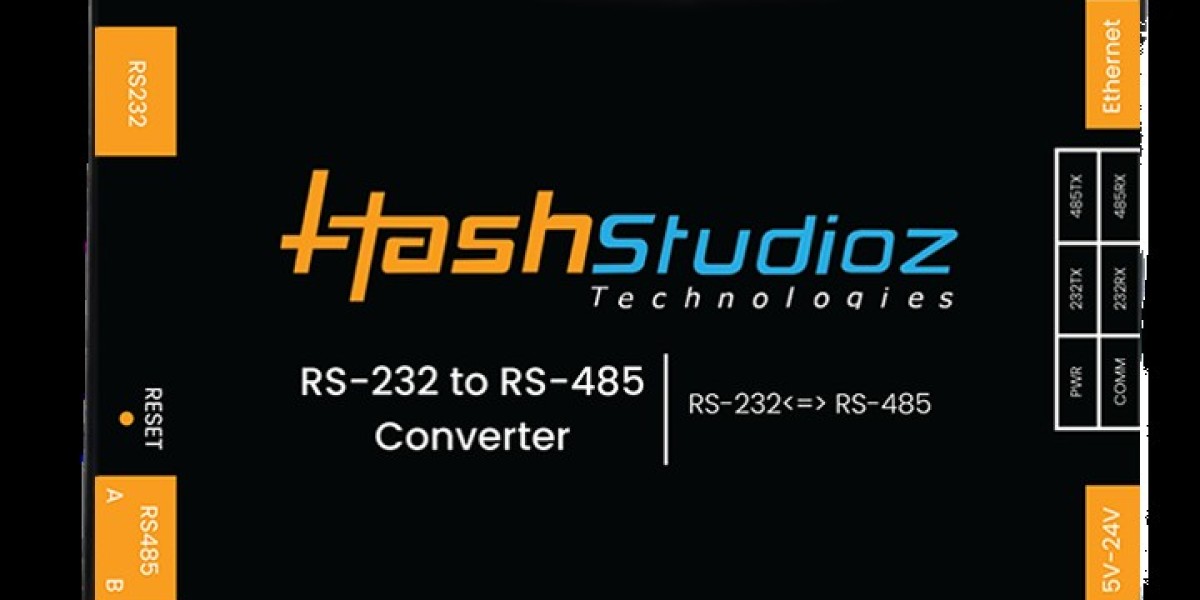


A RS-485 / RS-232 to Ethernet Converter provides the perfect solution by connecting traditional serial devices to modern Ethernet networks. This allows industries to remotely monitor, control, and manage equipment without replacing existing infrastructure.
Whether you're running a manufacturing plant, energy facility, water treatment system, or building automation project, a Serial-to-Ethernet converter enables seamless communication between legacy equipment and modern industrial networks.
In this comprehensive guide, we'll explore everything you need to know about RS-485 / RS-232 to Ethernet Converters, including how they work, key features, applications, benefits, and why they are essential for digital transformation.
What is an RS-485 / RS-232 to Ethernet Converter?
An RS-485 / RS-232 to Ethernet Converter is an industrial networking device that converts serial communication into Ethernet communication.
Instead of connecting directly to a PC using serial cables, industrial devices can communicate through an Ethernet LAN, WAN, or even the Internet.
It acts as a bridge between:
PLCs
Industrial Controllers
HMIs
Sensors
Barcode Scanners
Weighing Machines
CNC Machines
Industrial Robots
Energy Meters
Data Loggers
and modern Ethernet infrastructure.
Understanding RS-232 and RS-485
Before discussing the converter, it's important to understand the two serial communication standards.
RS-232
RS-232 is one of the oldest communication protocols.
Features
Point-to-point communication
Short communication distance (up to 15 meters)
Simple wiring
Low-speed communication
Common in laboratory equipment and legacy industrial machines
Typical applications include:
CNC Machines
Barcode Scanners
Medical Equipment
POS Systems
Industrial Instruments
RS-485
RS-485 is specifically designed for industrial communication.
Features
Multi-drop communication
Long-distance communication (up to 1200 meters)
High noise immunity
Differential signaling
Supports multiple devices on one bus
Common applications include:
PLC Networks
SCADA Systems
Building Automation
Factory Automation
Industrial Sensors
Modbus RTU Networks
Why Convert Serial to Ethernet?
Traditional serial communication has several limitations.
Limitations of Serial Communication
Limited cable length
Difficult remote monitoring
No cloud connectivity
Limited scalability
Difficult integration with enterprise systems
Ethernet communication solves these problems by providing:
Long-distance communication
High-speed networking
Remote accessibility
Cloud integration
Easy system expansion
How Does an RS-485 / RS-232 to Ethernet Converter Work?
The converter acts as a communication gateway.
Step 1
Industrial equipment sends serial data using RS-232 or RS-485.
↓
Step 2
The converter receives the serial data.
↓
Step 3
The device converts the serial protocol into Ethernet packets.
↓
Step 4
The Ethernet network transfers the data to:
Industrial PC
SCADA Server
Cloud Platform
PLC
HMI
Remote Monitoring Software
↓
Step 5
Commands can also travel back from the Ethernet network to the serial device.
This enables two-way communication.
Key Features of an Industrial RS-485 / RS-232 to Ethernet Converter
1. Dual Serial Interface Support
Supports both:
RS-232
RS-485
allowing one device to work with different industrial equipment.
2. High-Speed Ethernet
Supports:
10/100 Mbps Ethernet
RJ45 Interface
Auto Negotiation
3. Industrial-Grade Design
Designed for harsh industrial environments.
Features include:
Metal enclosure
Wide operating temperature
DIN Rail mounting
Compact design
4. Long-Distance Communication
Serial communication:
Up to 1200 meters using RS-485
Ethernet communication:
Virtually unlimited using switches and routers
5. Protocol Conversion
Supports common industrial protocols including:
Modbus RTU
Modbus TCP
TCP Server
TCP Client
UDP
Virtual COM
6. Remote Device Management
Engineers can access equipment remotely through:
Local Network
VPN
Internet
Cloud Dashboard
7. Multiple Connection Modes
Supports
TCP Server
TCP Client
UDP Server
UDP Client
Transparent Transmission
8. Easy Configuration
Configuration options include:
Web Interface
Configuration Software
Serial Commands










