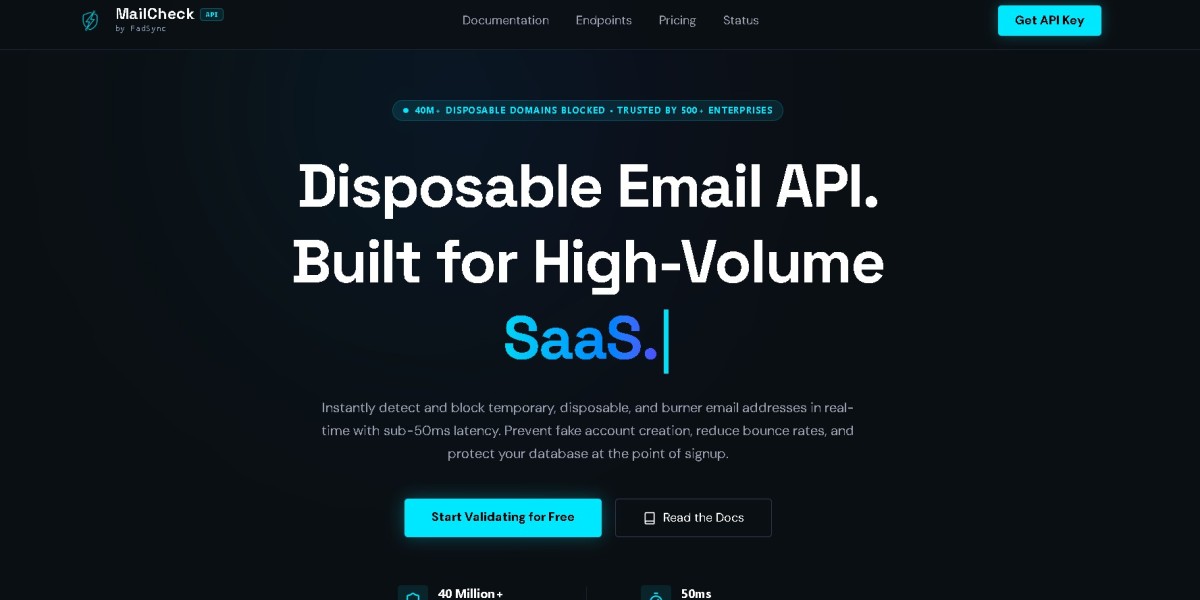


Email addresses are at the center of modern SaaS applications, lead-generation systems, marketplaces, newsletters, customer databases, and online services. But simply collecting an email address does not mean that the address is valid, deliverable, trustworthy, or suitable for your application.
A user can enter a misspelled address, a nonexistent domain, a temporary email address, or an address that creates problems for your business. If those addresses enter your database unchecked, they can contribute to bounced emails, poor-quality leads, fake registrations, trial abuse, and unnecessary operational costs.
An email validation API provides a way to check email addresses programmatically before your application accepts or processes them.
In this complete guide, we'll explain how real-time email verification works, what an email validation API checks, why it matters, how to integrate one into an application, and which features you should evaluate before choosing a provider in 2026.
What Is an Email Validation API?
An email validation API is a web service that lets an application submit an email address and receive structured information about its validity and risk signals.
Instead of relying entirely on a basic regular expression, your application can use an API to perform deeper checks.
A typical workflow looks like this:
User enters email address ↓Application receives input ↓Email validation API request ↓Syntax + domain + email checks ↓Structured validation response ↓Application makes a decisionFor example, a signup form might send user@example.com to a validation endpoint before creating the account.
The API could return information indicating whether the address appears valid, whether its domain is configured to receive email, and whether the address appears to be disposable.
If you're looking to implement this functionality, you can start with an email validation API and then review the technical documentation before integrating it into production.
Why Use Real-Time Email Verification?
Real-time verification means checking an email address during an application workflow rather than waiting until after the address has already entered your system.
This can be especially useful when an email address is collected during:
SaaS signup
Account registration
Checkout
Lead capture
Newsletter subscriptions
Free-trial registration
Marketplace onboarding
Contact forms
Customer imports
The main advantage is simple: you can make a decision before bad or unwanted data moves further through your system.
For example:
Without validation:User → Signup → Database → Email campaign → BounceWith validation:User → Signup → Validation → Decision → DatabaseMoving the validation step earlier can reduce unnecessary downstream problems.
What Does an Email Validation API Check?
The exact checks vary between providers, but an email validation service can evaluate multiple signals.
1. Email Syntax
The first step is determining whether the email address follows the expected structure.
For example:
john@example.comhas the basic components of an email address:
Local part:
john@symbolDomain:
example.com
An address such as:
john@is obviously malformed.
However, syntax validation is only the beginning.
A correctly formatted address can still point to a nonexistent domain or an address that your application does not want to accept.
2. Domain Validation
The API can examine the domain portion of an email address.
For example:
user@company.comrequires the application to consider whether company.com exists and is configured appropriately.
Domain-level checks can help distinguish an address that merely looks correct from one associated with a functioning email domain.
3. DNS and MX Checks
Email systems use DNS records to determine where mail should be delivered.
An email validation system can inspect relevant DNS information, including MX records, to determine whether the domain appears to have mail infrastructure configured.
This is an important distinction.
Consider these two addresses:
person@validdomain.comperson@nonexistentdomain.invalidBoth may have the correct syntax, but the second domain is not useful for normal email delivery.
DNS-related validation can therefore provide information that a simple regex cannot.
4. Disposable Email Detection
Disposable email addresses are temporary addresses designed for short-term use.
They can be legitimate in some situations, but they can also be associated with:
Fake registrations
Repeated free trials
Promotional abuse
Low-quality leads
Automated signups
Account farming
Whether you should block disposable addresses depends on your business model.
For applications where disposable addresses are a major concern, an API with disposable-email detection can provide an additional decision signal.
You can learn more in this guide to detecting and blocking disposable email addresses.
For applications built with Clerk and Next.js, there is also a dedicated guide on blocking disposable emails with Clerk and Next.js.
5. Risk Signals
Some email addresses may not be obviously invalid but can still deserve additional scrutiny.
A good validation architecture can therefore classify addresses into categories rather than simply returning a binary result.
For example:
ValidInvalidDisposableUnknownRiskyYour application can then map those categories to business rules.
For example:
Valid → Allow registrationDisposable → Require additional verificationInvalid → RejectUnknown → Allow with safeguardsThe exact rules should depend on your application.
Real-Time Email Verification Architecture
A typical real-time integration can be structured like this:
Signup Form | v Email Input | v Local Validation | v Email Validation API | +------------+------------+ | | | Valid Disposable Invalid | | | v v v Continue Business Reject Rules | v Create AccountThe important design principle is that the API should provide information, while your application determines what to do with that information.
This allows you to change your business rules without replacing your entire validation system.
How to Integrate an Email Validation API
A basic integration usually consists of five steps.
Step 1: Collect the Email Address
Your application receives an email address from a form or another source.
For example:
POST /signup{ "email": "user@example.com"}At this stage, you should perform basic input validation.
Step 2: Normalize the Input
Depending on your application, you may want to normalize the input before validation.
This can include removing accidental whitespace and ensuring that the value is treated consistently.
Be careful not to make assumptions about email addresses that could alter legitimate addresses.
Step 3: Send the Address to the API
Your backend sends the address to the validation service.
A simplified architecture might look like:
Browser ↓Your Backend ↓Email Validation API ↓Your Backend ↓BrowserFor security and control, server-side integration is often preferable when the API requires credentials.
You can review the API documentation and available API endpoints when planning the integration.
Step 4: Interpret the Response
The API returns structured information.
Your application should translate that information into a business decision.
For example:
API result ↓Is email invalid? ├── Yes → Reject └── No ↓Is email disposable? ├── Yes → Apply policy └── No → ContinueAvoid assuming that every response should be treated as a simple yes/no answer.
Step 5: Apply Your Business Rules
Different applications need different policies.
A B2B SaaS application might decide:
Invalid → BlockDisposable → BlockValid → AllowA community platform might use:
Invalid → BlockDisposable → AllowValid → AllowA financial application might use a much stricter verification workflow.
The API gives you signals; your application determines the appropriate action.
Email Validation for SaaS Applications
SaaS products are one of the strongest use cases for real-time email validation.
A SaaS company may rely on email addresses for:
Account identity
Login
Password recovery
Notifications
Billing communication
Trial management
Product updates
A poor-quality email address can therefore create problems throughout the user lifecycle.
Fake Account Creation
Fake accounts can consume infrastructure and distort product analytics.
For example, a SaaS company might notice:
10,000 registrations↓Only 4,000 meaningful usersIf a large portion of registrations come from disposable or low-quality addresses, the raw signup number becomes less useful.
Email validation can help create a cleaner registration pipeline.
For a deeper discussion, see how to stop fake account creation in SaaS.
Email Validation and Free Trial Abuse
Free trials are another common use case.
Suppose a SaaS application offers a 14-day trial.
Without additional controls, repeated account creation can potentially allow someone to repeatedly access promotional benefits.
Email validation can become one component of a broader abuse-prevention system.
A stronger approach might combine:
Email validation
Disposable-email detection
IP controls
Rate limiting
Device signals
Payment information
Account history
Behavioral analysis
For Stripe-based applications, see the guide on preventing free-trial abuse with Stripe and SaaS.
Email validation should not be treated as a complete fraud-prevention system. It is one signal within a larger architecture.
Email Validation for Lead Generation
Marketing and sales teams also benefit from email validation.
Imagine a lead database containing:
100,000 email addressesIf a significant percentage are invalid or unusable, campaigns can suffer from poor engagement and unnecessary delivery failures.
Validating addresses before they enter marketing workflows can help improve database quality.
A common workflow is:
Lead captured ↓Email validation ↓Quality decision ↓CRM ↓Marketing automationThis is particularly useful when leads originate from multiple sources.
Real-Time Validation vs. Email Verification Emails
These concepts should not be confused.
An API can perform technical validation without proving that the person actually controls the inbox.
For example:
Validation:Does this address appear technically usable?Ownership verification:Can the user prove they control this mailbox?A product may need both.
For instance:
The API validates the address.
The application creates a pending account.
The system sends a verification email.
The user clicks the verification link.
The account becomes fully activated.
This creates multiple layers of protection.
Why Regex Alone Isn't Enough
Developers sometimes attempt to solve email validation entirely with a regular expression.
Regex can be useful for catching obvious input errors, but it cannot provide all the information needed for real-world email validation.
A regex cannot reliably tell your application:
Whether the domain exists
Whether the domain has mail infrastructure
Whether an address is disposable
Whether a validation service considers the address risky
Whether an external service is currently available
A better architecture is:
Local syntax validation +Server-side email validation +Application-specific business rulesThis keeps simple checks local while using specialized infrastructure for deeper validation.
Handling API Rate Limits
Real-time validation can generate significant request volume.
For example, an application with thousands of signups per hour needs to consider API rate limits and traffic spikes.
If the API returns an HTTP 429 Too Many Requests response, your application should handle it deliberately.
Depending on the workflow, you may:
Retry after an appropriate delay
Apply exponential backoff
Queue requests
Temporarily fall back to basic validation
Show a retry message
Avoid repeatedly sending the same request
For implementation guidance, see how to handle 429 Too Many Requests errors in an API.
The key point is that a rate-limit error is not the same thing as an invalid email address.
Caching Validation Results
Caching can reduce unnecessary API requests.
Suppose the same email address is submitted multiple times within a short period.
Instead of repeatedly validating it, your application may be able to reuse a recent result, depending on your data-retention requirements and the provider's terms.
A conceptual approach could be:
Email received ↓Check local cache ↓+----+----+| |Found Not found| |Reuse APIresult request | v Store resultCaching strategy should be designed carefully because email status can change over time.
What Happens When the API Is Down?
No external service is guaranteed to be available every second.
Your application therefore needs a failure strategy.
Suppose the validation API becomes temporarily unavailable during signup.
You could:
Option 1: Fail Closed
Do not create the account until validation succeeds.
This may be appropriate for high-risk workflows but can hurt signup conversion.
Option 2: Fail Open
Allow the signup to continue while marking the address for later validation.
This may be more appropriate for applications where user conversion is more important than strict validation.
Option 3: Use a Hybrid Strategy
Allow registration but apply additional safeguards.
For example:
API unavailable ↓Basic syntax check ↓Temporary account ↓Email ownership verification ↓Full activationThe right strategy depends on the risk level of your application.
You can monitor provider availability through a service status page.
How Much Does an Email Validation API Cost?
Pricing varies significantly between providers and depends on factors such as:
Number of validations
Monthly volume
API features
Bulk processing
Enterprise requirements
Data enrichment
Retention policies
A useful way to compare pricing is to estimate your actual request volume.
For example:
Daily signups × validation requests per signup= daily validation volumeDaily validation volume × average days per month= estimated monthly volumeThen compare that figure with provider pricing.
You can review email validation pricing and compare it with competing services before making a decision.
What Features Should You Compare?
When evaluating an email verification service in 2026, consider these categories.
| Feature | Why It Matters |
|---|---|
| Syntax validation | Catches malformed addresses |
| Domain checks | Identifies problematic domains |
| DNS/MX checks | Helps determine mail configuration |
| Disposable detection | Helps reduce temporary-address abuse |
| API latency | Important for real-time workflows |
| Rate limits | Determines scalability |
| Reliability | Protects production workflows |
| Documentation | Reduces integration effort |
| Pricing | Controls operating costs |
| Privacy | Important for handling email data |
| Error handling | Improves application resilience |
| Monitoring | Helps identify service problems |
Do not choose a provider solely because it has the largest feature list.
Instead, identify which features directly affect your application.
Comparing Email Validation Providers
If you're evaluating multiple services, a comparison hub can make the research process easier.
For example, you can compare different solutions through an email verification comparison hub.
You may also want to investigate provider-specific alternatives, such as:
When comparing services, test them against the same sample dataset and evaluate the results against your actual requirements.
How to Choose the Right Email Validation API
There is no single API that is automatically best for every organization.
Instead, use a structured evaluation process.
Step 1: Define Your Use Case
Are you validating:
Signup addresses?
Leads?
Existing databases?
Free-trial registrations?
Customer imports?
Newsletter subscribers?
Your use case determines which features matter.
Step 2: Estimate Volume
Calculate how many validations you expect per day and month.
Do not use today's volume alone.
Consider future growth.
Step 3: Identify Required Signals
Determine whether you need:
Syntax checks
Domain checks
DNS checks
Disposable detection
Risk classification
Additional intelligence
Step 4: Test the API
Before committing, test representative addresses and examine:
Response structure
Accuracy
Latency
Error behavior
Rate limits
Documentation
Step 5: Evaluate Total Cost
Look beyond the headline price.
Consider the total operational cost of integrating, maintaining, monitoring, and scaling the service.
Step 6: Plan for Failure
Ask what happens if the service becomes unavailable.
A production integration should have a defined fallback strategy.
Common Email Validation Mistakes
Mistake 1: Validating Only With Regex
Regex catches formatting problems but does not provide deeper validation.
Mistake 2: Blocking Every Disposable Address
Some legitimate users may prefer temporary addresses for privacy reasons.
Your policy should reflect your product's needs.
Mistake 3: Treating API Errors as Invalid Emails
A timeout or 429 response indicates a service problem, not necessarily a bad email address.
Mistake 4: Validating Only After Sending
For many workflows, it is better to validate before an address reaches downstream systems.
Mistake 5: Ignoring Privacy
Email addresses are user data. Review how the service processes and stores submitted addresses.
You can also review the provider's privacy policy and terms of service.
Best Practices for Real-Time Email Verification
A reliable implementation should follow several principles.
Validate on the Server
Avoid exposing sensitive API credentials in browser-side JavaScript.
Keep the User Experience Fast
Do not make users wait unnecessarily for validation.
Separate Validation From Business Rules
The API should provide signals. Your application should determine what those signals mean for your product.
Handle Failures Gracefully
Have a strategy for timeouts, rate limits, and temporary outages.
Monitor Validation Results
Track metrics such as:
Validation requests
Invalid rate
Disposable rate
API errors
Latency
Rate-limit events
Monitoring can help identify unusual traffic and integration problems.
A Practical Production Workflow
Putting everything together, a robust signup implementation might look like:
User Signup | v Capture Email | v Basic Input Check | v Server-Side Validation | v Email Validation API | +-------------+-------------+ | | | Valid Disposable Invalid | | | v v v Continue Apply Policy Reject | v Create Account | v Email Ownership Verification | v Activate AccountThis layered approach provides more control than relying on a single validation mechanism.
Frequently Asked Questions
Is an email validation API worth using?
For many applications, yes. It can help identify invalid and unwanted addresses before they enter databases or trigger downstream workflows.
The value depends on your use case, volume, and the problems you're trying to solve.
Can an email validation API guarantee delivery?
No.
Technical validation can provide useful signals about an address, domain, and mail configuration, but it cannot guarantee that an email will successfully reach a person.
Can email validation stop fake accounts?
It can help, particularly when combined with disposable-email detection, but it should not be considered a complete anti-fraud solution.
Should disposable email addresses always be blocked?
No. The appropriate policy depends on your product.
Some applications may block them, while others may allow them with additional restrictions.
Should I validate emails in the browser?
Basic syntax checks can happen in the browser, but API credentials and deeper validation logic should generally be handled server-side.
What should happen if validation fails temporarily?
Do not automatically classify the email as invalid. Decide whether your application should retry, temporarily allow the request, or require another verification step.
Final Thoughts
Real-time email verification has become an important part of modern application architecture.
A well-designed email validation workflow can help applications improve data quality, reduce invalid registrations, identify disposable addresses, and create better controls around SaaS signup and trial abuse.
But an API is only one part of the solution.
The strongest implementations combine:
Local input validation + API-based verification + business rules + graceful error handling + monitoring.
When evaluating providers in 2026, focus on the things that actually affect your application: validation quality, disposable-email detection, latency, rate limits, reliability, documentation, pricing, privacy, and scalability.
Start by defining your use case, estimate your validation volume, identify the signals you need, and test potential providers against realistic data.
Once those requirements are clear, choosing an email validation API becomes much less about finding a generic "best" provider and much more about finding the service that fits your application's specific technical and business needs.









